



Profiles with professional photos receive up to 14 times more views than profiles without them, according to LinkedIn data reported by The Economic Times. That comparison is about having a suitable photo, not buying a more glamorous face. A strong women's LinkedIn headshot makes you recognizable, credible, and appropriately dressed for the people you need to reach.
We judge the portrait by facial clarity and believable professional identity. The useful question isn't whether you look conventionally attractive. It's whether someone can recognize you and read your expression before opening your profile.
Table of Contents
- The spec a women's LinkedIn headshot must hit
- Warm, firm, or technical by the room you are in
- Seven steps to style hair, wardrobe, and expression
- Light the skin you actually have
- Phone frames and prompts that stay photoreal
- Choose the frame that still looks like you
The spec a women's LinkedIn headshot must hit
Your photograph has to work during a fast screening and inside a small interface. LinkedIn research reported by Onrec found that 86% of recruiters and hiring managers spend 30 seconds or less on an initial profile screening. Don't spend that attention on empty background, decorative props, or an indistinct face.
Start with a sharp, front-facing head-and-shoulders portrait. Leave enough space around the hair and shoulders to adjust the crop, but don't confuse capture margin with the final composition. The finished image should feel close without cutting into your head.
Build the file for recognition
LinkedIn's profile-photo guidance supports JPG or PNG files from 400 × 400 pixels up to 7680 × 4320 pixels, with an 8 MB maximum, and recommends framing the face at roughly 60% of the image; our production target is a square JPEG at 1000 × 1000 pixels or larger, checked at approximately 32–40 pixels wide. Use the following specification when shooting, generating, cropping, and exporting.
LinkedIn headshot file and crop spec
| Check | Target | Fails when |
|---|---|---|
| File type and size | JPG or PNG, within LinkedIn's dimensions and file-size limits | Unsupported format, undersized file, or oversized upload |
| Production export | High-quality square JPEG, above the upload minimum | Repeated resizing or compression softens facial detail |
| Crop | Just above the hair to the shoulders, with the face dominant | Full-body framing or a large empty margin surrounds the head |
| Eyes | Near the upper third, clear in a thumbnail | Eyes, expression, or hairline disappear after reduction |
| Separation | Face stands apart from the background, without obstructing glare | Dark hair, rims, or reflections swallow facial features |
| Retouch | Remove temporary blemishes, preserve pores and natural texture | Heavy smoothing changes how you look in person |
The minimum upload size is an acceptance threshold, not a production target. A properly focused image at the minimum isn't automatically blurry. A larger original gives you more room to crop and export without repeatedly enlarging a small file.
Keep the original photograph or downloaded generation. Don't replace it with a screenshot from a messaging app or a preview window. That adds an unnecessary compression step and often captures less detail than the actual file.
Practical rule: Judge the upload at its smallest useful size before you approve it at full size.
Crop before you decorate
Make a square crop, then preview the circular display. Keep the important parts of your face away from the corners. Watch the hairline, the outer edges of your glasses, and the shoulders.
If your expression disappears after reduction, tighten the crop. Don't compensate with a brighter background, stronger saturation, or an artificial vignette. Those changes draw attention without restoring facial information.
Separation doesn't require a white background. A muted wall works when your hair and clothing remain distinct against it. Dark hair against a dark wall needs controlled illumination or a different background, not a thick digital outline.
Use our LinkedIn profile-photo dimensions guide when preparing the final upload. Keep the working file intact so you can adjust the crop without rebuilding the portrait.
The acceptance test is direct: your eyes are clear, your expression survives reduction, and nothing competes with your face. A beautiful large portrait that fails those checks isn't the right profile image.
Warm, firm, or technical by the room you are in
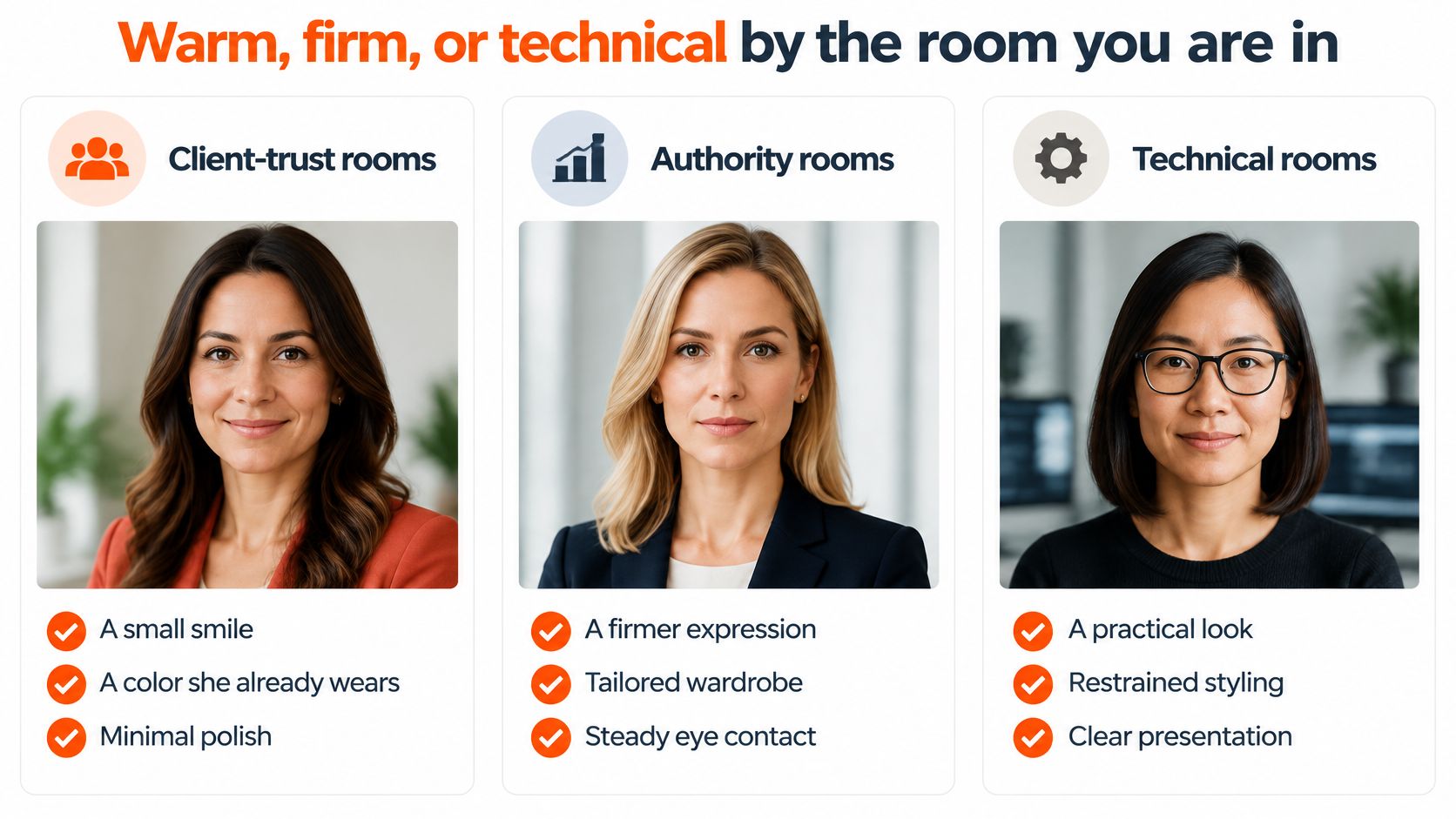
The right expression depends on the room you are entering. A therapist meeting prospective clients and an attorney addressing a corporate board need different introductions. Choose the signal first, then keep your expression and clothing consistent with it.
These are styling choices, not proof of competence. A jacket does not establish authority, and a smile does not guarantee trust. Your portrait should introduce the person behind your experience and credentials.
Headshot signal by the room she is in
| Room | Expression and clothes | Background |
|---|---|---|
| Client trust, therapist, realtor, nurse, teacher | Small, genuine smile; a color you already wear; minimal jewelry | Light neutral or soft daylight |
| Authority, attorney, executive, finance | Direct gaze; structured jacket; controlled smile | Mid gray or muted studio |
| Technical, engineer, professor, consultant | Neutral-warm expression; simple neckline; no glamour styling | Plain cool gray, no props |
The distinction is restraint, not a costume change. Aim for facial trust and thumbnail recognition, not conventional attractiveness.
A study of 5,575 executive profiles associated facial trustworthiness with follower growth for both genders, especially women. Attractiveness had no meaningful association with follower counts. The study reports associations, not proof that a particular expression causes career success. Choose a believable, credible expression over glamour styling.
Keep authority without manufacturing severity
A relaxed mouth and steady gaze can communicate authority without a severe expression. The executive-profile study also found gender differences in friendliness patterns, so a universal instruction to look friendlier misses the trade-off.
Evidence about how people judge profile photos varies by setting. An experiment involving working adults and LinkedIn-like profiles found no general evidence of discrimination against women, while female candidates were rated as more hireable than male candidates. That result does not rule out appearance-based judgment in other contexts.
Choose an expression that fits your work, then let your qualifications carry the rest of the introduction. A portrait can set a tone; it cannot protect you from hiring bias.
Seven steps to style hair, wardrobe, and expression
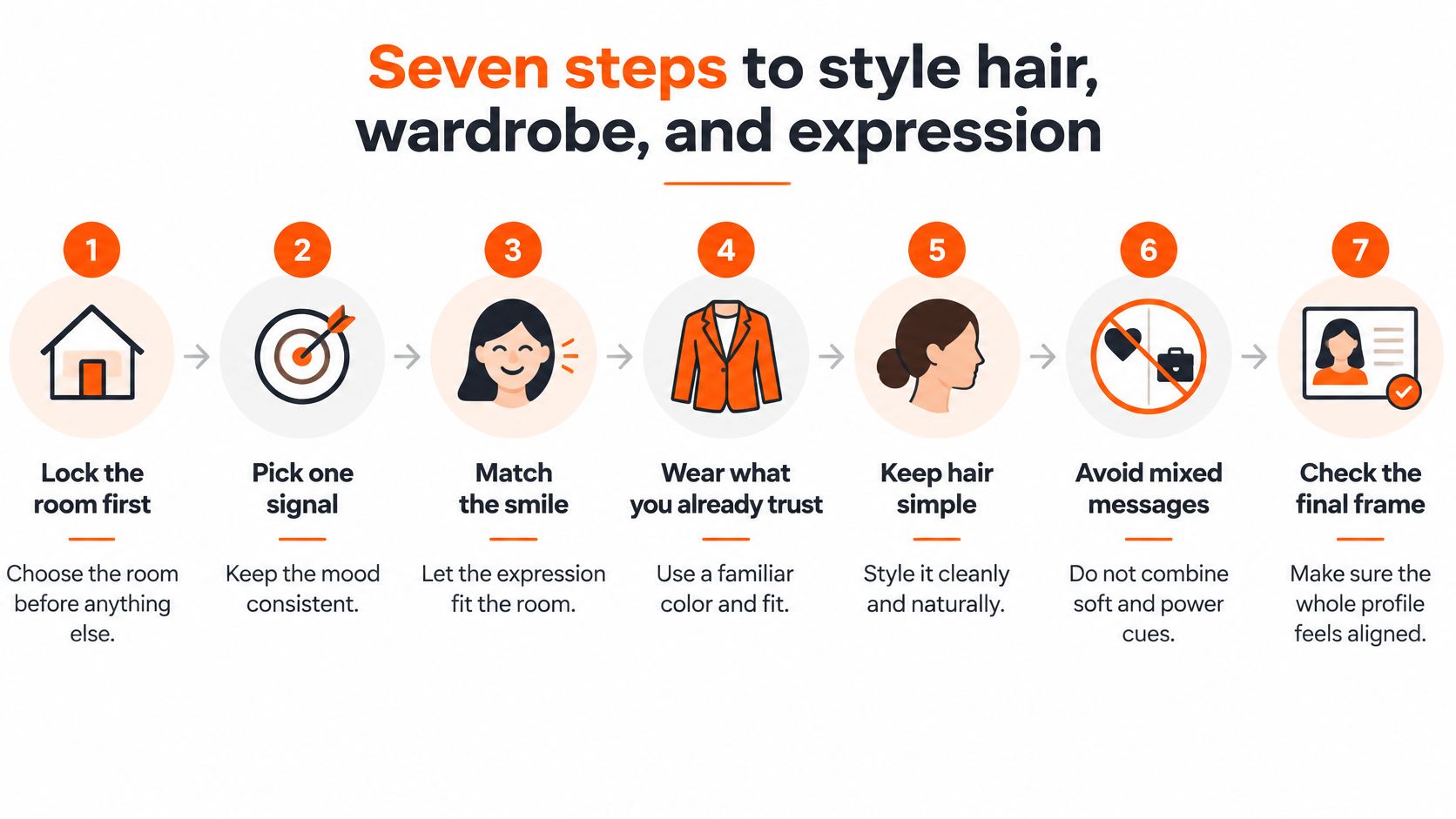
Set the visual direction before you adjust individual details. Warm, firm, or technical should come through in your hair, clothing, and expression as one consistent signal. Prepare everything before taking photographs.
Choose the room you are entering. Decide whether the portrait should read as client-facing, authoritative, or technical. Keep the styling consistent with how you work.
Choose a familiar neckline and color. Solid fabrics keep attention on your face; small prints and visible logos add visual noise. See our guide to what women should wear for a headshot for neckline and jacket choices.
Keep jewelry quiet. Wear a restrained piece or none. Check reflective earrings under the shooting light; a small piece can still catch attention.
Keep your gaze clear. A center part works, as do bangs that leave your eyes visible. If you prefer forehead coverage, these forehead coverage tips for beauty enthusiasts can suggest shapes to adapt without placing hair across an eye.
Use workday makeup. Even the finish where needed, define your brows as usual, and choose a familiar lip color. Check the result under the shooting light, not only in a bathroom mirror.
Set your shoulders, then your chin. Place one shoulder slightly back, keep your chin level, and let your shoulders relax. Keep your hands outside a head-and-shoulders composition.
Look into the lens and release the smile. Take a brief sequence with a neutral expression, a small smile, and a broader smile. Choose the frame where your eyes and mouth convey the same tone.
A qualitative study of LinkedIn photographs asked 11 recruitment professionals, 73% of them women, to review seven photos of the same fictional entry-level marketing-consultant candidate. Smiling and direct eye contact positively influenced credibility judgments. The study's narrow role and small sample do not establish a universal hiring rule, but they support testing expression and gaze deliberately.
Keep your glasses if they are part of your working appearance. If a reflection blocks an eye, adjust the light position or your chin slightly. Preserve the familiar detail and solve the reflection at the source.
Light the skin you actually have
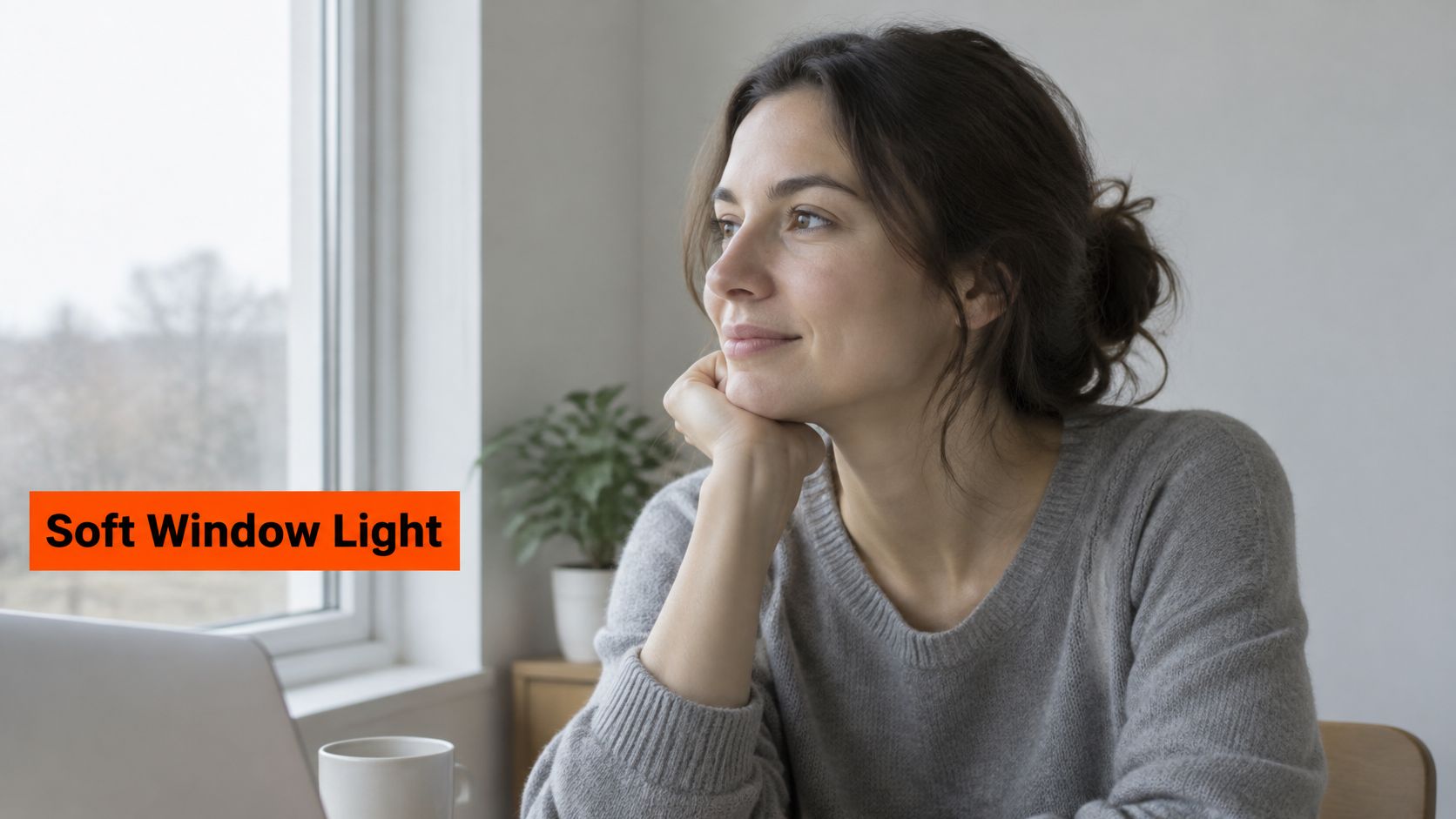
Set the light to preserve your skin's color and detail. Start beside a large window with indirect daylight, or use a large diffused source slightly off-center. Turn off nearby lamps that cast a different color across your face.
Soft window illumination makes facial shape easier to read without hard shadow edges.
Canon's guidance on capturing natural skin tones recommends soft, directional illumination and warns that direct frontal light can wash out lighter skin. The goal is controlled light that keeps skin color and texture visible while leaving facial features clear.
Separate facial exposure from background exposure
In a studio setup, place the key light just off-center and light the background separately. If the wall looks dark, adjust its light rather than raising facial exposure and losing skin detail.
Keep the background far enough behind you to limit color reflecting onto your hair and shoulders. Moving away from a colored wall is cleaner than trying to remove the spill in editing.
For deeper skin tones, add enough light to distinguish the eyes, lips, and nose. Then check the forehead and cheeks. If those areas turn into featureless bright patches, reduce the exposure.
For lighter skin tones, reduce exposure or add diffusion when highlights lose texture. Preserve freckles and facial shape instead of making the whole face evenly bright.
Good exposure preserves highlights and the differences between facial features. Brightness alone is not the target.
A large window can still produce flat light. Turn slightly relative to it to bring back facial shape. If the shadow side gets too dark, place a white reflector beside it rather than switching on a warm ceiling fixture.
This lighting demonstration shows how source position affects facial shape.
Lock color before you retouch
Set a fixed white balance if your camera app allows it. Automatic white balance can make skin look warmer in one frame and cooler in the next, complicating your comparison. Use a neutral reference frame to judge color while editing.
Expose for the forehead, cheeks, and nose. Use the histogram or highlight warnings in your camera or editing software to spot clipped areas. A phone screen at maximum brightness can make an underexposed image look correct.
Check catchlights and shadow detail together. The eyes should show reflections from the light source, and the shadow under the chin should retain shape. Overhead ceiling light often brightens the forehead while darkening the eye sockets.
Make color decisions with neutral display settings. Turn off strongly warming screen modes so you correct the photograph, not the display.
Skin-care decisions belong outside the retouching workflow. If you're researching uneven tone, how Skin Better Even Tone works provides product context. Photograph your current skin as it is.
Retouch what is temporary
Remove a temporary blemish if you choose. Leave moles, scars, freckles, and your underlying skin tone intact. Broad smoothing removes the detail that makes a face look believable.
Compare the edited portrait with your neutral reference. Check the forehead, cheeks, neck, and visible chest for consistent color. The face should not end up a different undertone from the neck.
Studio Pod's photography-first standard starts with good lighting, not heavy editing. If your only source is a ceiling fixture, move to a window before changing a prompt.
Phone frames and prompts that stay photoreal
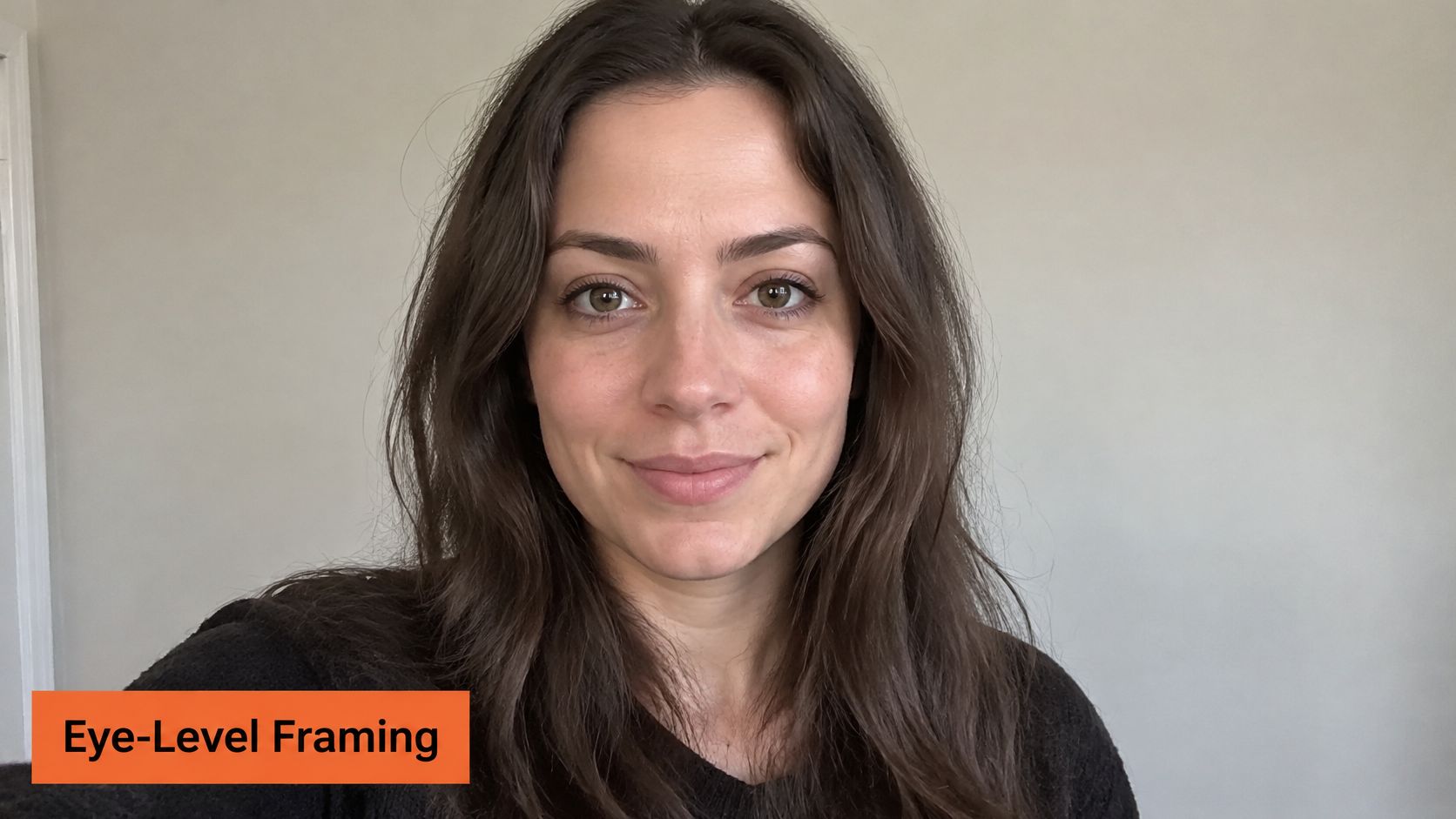
An eye-level phone frame gives you a direct, recognizable portrait. Ask someone to use the rear camera, turn off portrait-mode blur, and keep the phone level with your eyes. A real background blur looks more convincing than software-softened edges around hair.
Set the phone securely, clean the lens, and take a short sequence with small expression changes in consistent light. Keep the captures unfiltered so they remain a useful likeness reference.
Use prompts to direct photography, not anatomy
A 2024 Ringover survey of 1,087 recruiters found that participants preferred AI-generated headshots over real photographs 76.5% of the time when they did not know which images were generated, according to PetaPixel's coverage of the survey. That preference does not make identity changes useful. Direct the light, wardrobe, background, and expression. Keep your facial proportions and recognizable features intact.
AiHeadshots' photographic background informs the lighting and styling directions recommended here. Use prompts to set the room's tone: warm for client trust, firm for authority, or technical for a specialist audience.
Sample prompts by room
| Room | Prompt |
|---|---|
| Client trust | Natural window light, soft gray backdrop, small genuine smile, head and shoulders, visible skin texture, no glamour retouch, preserve likeness |
| Authority | Soft key light off camera left, mid-gray studio backdrop, structured navy jacket, direct gaze, slight smile, catchlights in both eyes, preserve likeness and skin texture |
| Technical | Even soft light, cool gray background, simple neckline, neutral-warm expression, sharp eyes, no jewelry flash, preserve likeness and natural skin texture |
Our guide to AI photos that look real explains how to assess photographic consistency. For separate skin-care reading, skin tone guidance for acne-prone skin offers relevant context. Keep skin concerns separate from instructions to erase texture.
Photoreal AI headshots are accepted without disclosure by LinkedIn, Zillow, Compass, hospital staff directories, and most corporate websites. Check the rules for your specific submission: some medical fellowship applications and casting platforms require disclosure. Recognition still comes first. Reject generated changes to your glasses, hairline, facial proportions, or permanent features.
Choose the frame that still looks like you
Facial trust and thumbnail recognition matter more than conventional attractiveness. Compare your finalists with a recent, unfiltered selfie, both at normal size and as small profile images. Keep the frame a colleague would recognize in a hallway.
Check the features that carry your likeness: the relationship between your eyes, nose, mouth, and jaw, along with your hairline and glasses. A polished portrait that changes those features introduces the wrong person.
Final frame checklist
| Check | Keep when | Drop when |
|---|---|---|
| Side-by-side | Matches a recent unfiltered selfie | Looks like a different person |
| Hallway test | A colleague would recognize you | Only the prettiest frame passes |
| Expression | Eyes match the mouth | Severe stare or closed-eye laugh |
| Consistency | Light and color remain consistent across the set | Frames have conflicting light or color |
| Platform rule | Disclosure requirements have been checked | Submitted without checking |
Choose the production method for the deliverable
A photographer suits a portrait that needs live direction, a specific location, or a broader image set with hands, movement, and environmental context. The trade-off is control over the session and setting versus the convenience of generating a headshot online.
For a LinkedIn, company-site, or press portrait, AiHeadshots generates professional headshots from photos you upload. Submit 10–20 casual selfies, choose styles, and receive 30+ headshots in about 30 minutes. An email arrives when the pack is ready. Check the pricing page for current package options.
Selection standard: Keep the strongest accurate introduction, not the most flattering departure from your appearance.
Check the destination's requirements before submitting. Medical fellowship applications and certain casting platforms require disclosure that a headshot is AI-generated. Acceptance by a company directory does not establish the rules for an application.
Review the portrait examples and customer reviews before choosing a package. For consistent backgrounds and cropping across an organization, see team headshots. Select the file that represents you accurately, then use it consistently across your professional profiles.
Upload your selfies to AiHeadshots for a women's LinkedIn headshot built around recognizable features, controlled lighting, and the right professional signal. Choose your styles and receive a portrait pack without scheduling a studio visit.
