



Wear a solid navy, charcoal, or black top or jacket, with a quiet accent near the face. Blue was the first-choice interview color for 23% of hiring managers and HR professionals in a CareerBuilder survey conducted by Harris Interactive. That's a useful starting point for a professional portrait, not a reason to buy a suit you'll never wear to work.
The harder test comes after the shoot. Your headshot will be cropped into a circle, placed on light and dark websites, and shown to people with different expectations. Choose clothing for that reusable file, not just for the studio mirror.
Table of Contents
- Colors hiring managers already read as professional
- Lock the outfit and prep it the morning of the shoot
- Patterns layers and jewelry that fight the face
- Outfits matched to the profession and the brand
- A portable wardrobe when one photo does many jobs
- Shoot the outfit you already locked
Colors hiring managers already read as professional
For corporate, legal, medical, consulting, and recruiting portraits, we start with restrained color. Navy gives you a dependable base. Charcoal works when blue doesn't suit your wardrobe or brand. Black communicates formality, but it requires enough light and separation to preserve the jacket's shape.
The CareerBuilder survey measured interview perceptions, not responses to controlled headshot photographs. Its findings don't prove that a color gets anyone hired. Use the associations to position the portrait, then judge the actual garment against your face and background.
Headshot colors and the signal they send
The survey signals below describe employer perceptions. The garment and background recommendations are our practical wardrobe choices.
| Color | Survey signal | Wear it for | Skip it when |
|---|---|---|---|
| Blue or navy | First choice; professionalism and teamwork | Corporate, legal, medical, consulting, recruiting | The backdrop is the same navy and the shoulders disappear |
| Black | Next-ranked choice; leadership | Executives, finance, law | A pure-black top has no lighter shirt or visible fabric detail |
| Gray or charcoal | Conservative professional | Most corporate and team pages | The backdrop is mid-gray and the torso merges into it |
| Brown | Conservative; a warmer editorial choice | Creative-corporate work and warmer brand sites | The firm's dress standard is strictly navy and black |
| Orange | Worst-rated color; unprofessionalism | Almost never our default for LinkedIn or company pages | The portrait represents corporate, clinical, or client-facing work |
| Yellow, green, purple | More often associated with creativity | Design or content roles, in muted tones | The color is saturated and the audience expects conservative dress |
Don't treat every green or purple garment as loud. Forest green and muted plum behave differently from lime and electric violet. Saturation matters as much as the color name.
Studio rule: The garment should support the role and lose to the face.
A light-blue or off-white shirt beneath navy gives the portrait a restrained accent. It also creates a visible neckline without turning the shirt into the brightest, largest shape in the frame. Keep that visible shirt area controlled with a collar that sits flat and lapels that stay open.
Choose the garment, not the swatch
A flattering color on a badly fitted shirt still produces a badly fitted shirt. Look at how the fabric falls across the chest and how the neckline frames your jaw. A matte navy blouse with clean shoulders is more useful than a shiny navy jacket that reflects every light.
Our guide to the best colors for headshots helps narrow the palette. Make the final choice while wearing the garment, not while holding it against a wardrobe door.
For professional headshots, what to wear comes down to a usable combination: appropriate color, clean fit, and visible separation from the backdrop. Test that combination before committing to it.
Lock the outfit and prep it the morning of the shoot
Choose the outfit before you start adjusting your expression, hair, or pose. Otherwise, every clothing change means rebuilding the portrait around a different neckline and shoulder shape. We want a settled wardrobe so your attention stays on the camera.
Use this preparation sequence before a studio appointment or a set of phone photos.
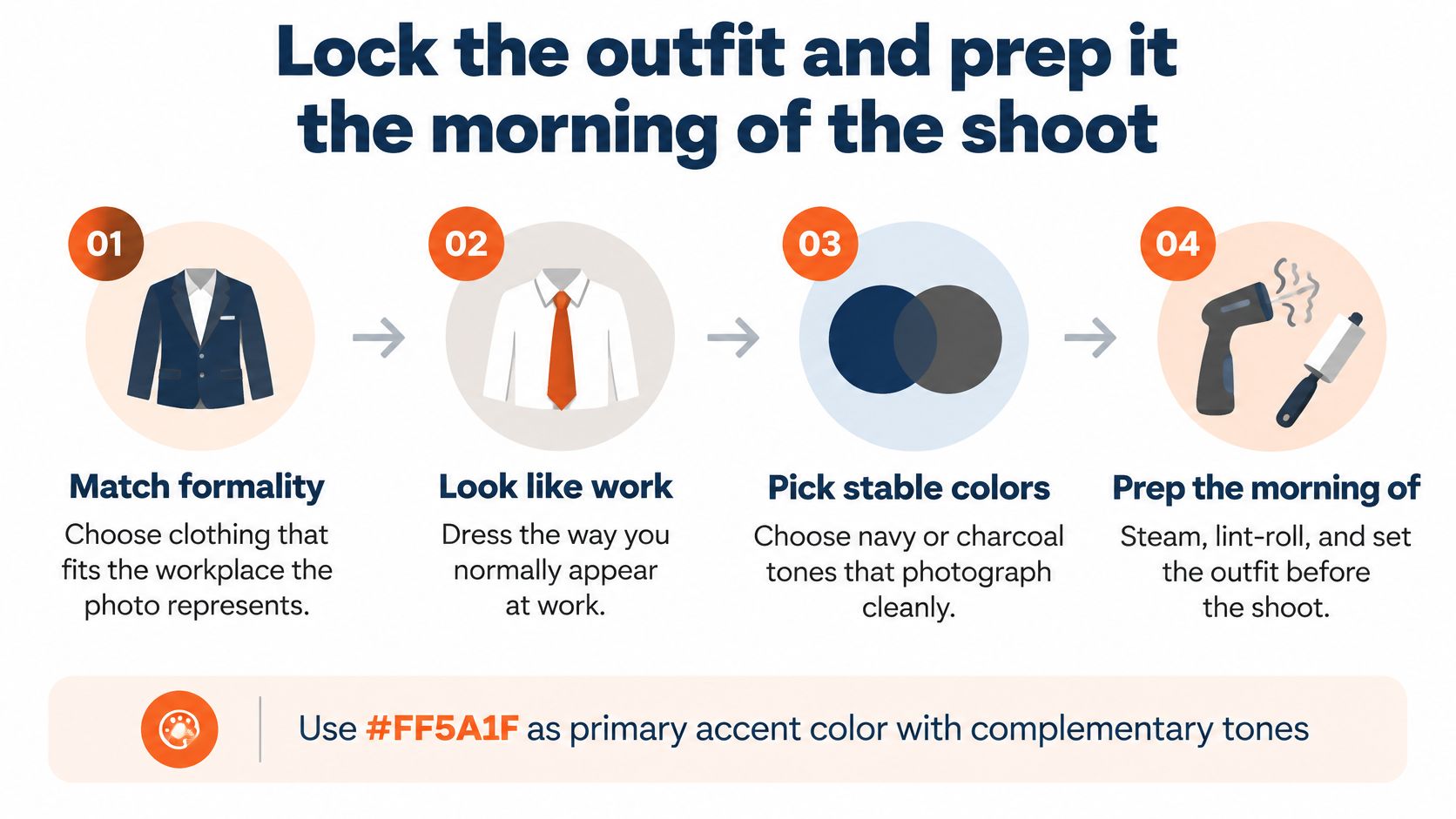
Match formality to the workplace. LinkedIn's profile-picture guidance recommends industry-appropriate attire that reflects how you normally appear at work. An executive baseline is a navy or charcoal jacket over a light-blue or off-white shirt. A polished button-down or fitted knit suits a casual technology workplace. Don't put yourself in a full suit just because a camera is involved.
Choose a clean silhouette. A structured jacket, cardigan, suit vest, or neatly fitted collar gives the shoulders definition. Sleeves or a jacket provide a polished frame for a corporate crop. A crew neckline reads more closed; a deep V-neck or widely open collar reads more casual. Choose deliberately rather than letting the neckline become an accident of the crop.
Test the background. Keep a clear difference in lightness between the clothing and backdrop. Navy against light gray separates cleanly. Navy against navy needs deliberate lighting to stop the shoulders disappearing. Take a test photograph and inspect the outer edges of the jacket, not just your face.
Prepare interchangeable options. Bring a small selection of tops or jackets that work with the same trousers and grooming. Photograph each under the intended lighting before choosing. Don't use the shoot to discover that a new shirt pulls across the chest or that its collar refuses to lie flat.
The shoulder seam and collar are non-negotiable
Check the shoulder seam in a mirror with your arms resting at your sides. It should sit cleanly rather than hanging down the upper arm or pulling toward your neck. Then turn slightly, as you will for the portrait, and watch for bunching behind the collar.
Button the jacket in the stance you'll hold. If it closes only while you pull your stomach in, it doesn't fit the photograph. A comfortable, cleanly fitted alternative beats an expensive jacket under strain.
Steam the garment the night before. In the morning, inspect the collar again, especially after a drive or train journey. Hang backups rather than folding them into a bag, and keep the seat belt from crushing the lapel on the way to the appointment.
A steamed collar and a clean shoulder line do more for the photograph than another hour debating similar shades of blue.
Finish with a lint roller, a loose-thread check, and a look at the buttons. Check for gaping while seated if that's how you'll be photographed. Look down, look back up, and confirm that the neckline returns to position without constant adjustment.
Wear the chosen top in your phone selfies too. That gives you a useful reference for the neckline and intended formality. Our business photo session preparation guide covers the wider appointment preparation, but the wardrobe decision should already be settled.
Patterns layers and jewelry that fight the face
Fine patterns create a failure you won't always notice in a mirror: moiré, the wavy or shimmering interference that appears when repeating fabric detail interacts with the camera sensor. Studio2u's corporate headshot attire guide flags thin stripes, tight checks, herringbone, and fine knits as common risks. Retouching doesn't reliably remove the interference without damaging fabric detail.
A plaid blazer deserves a camera test rather than automatic approval from the fitting-room mirror.
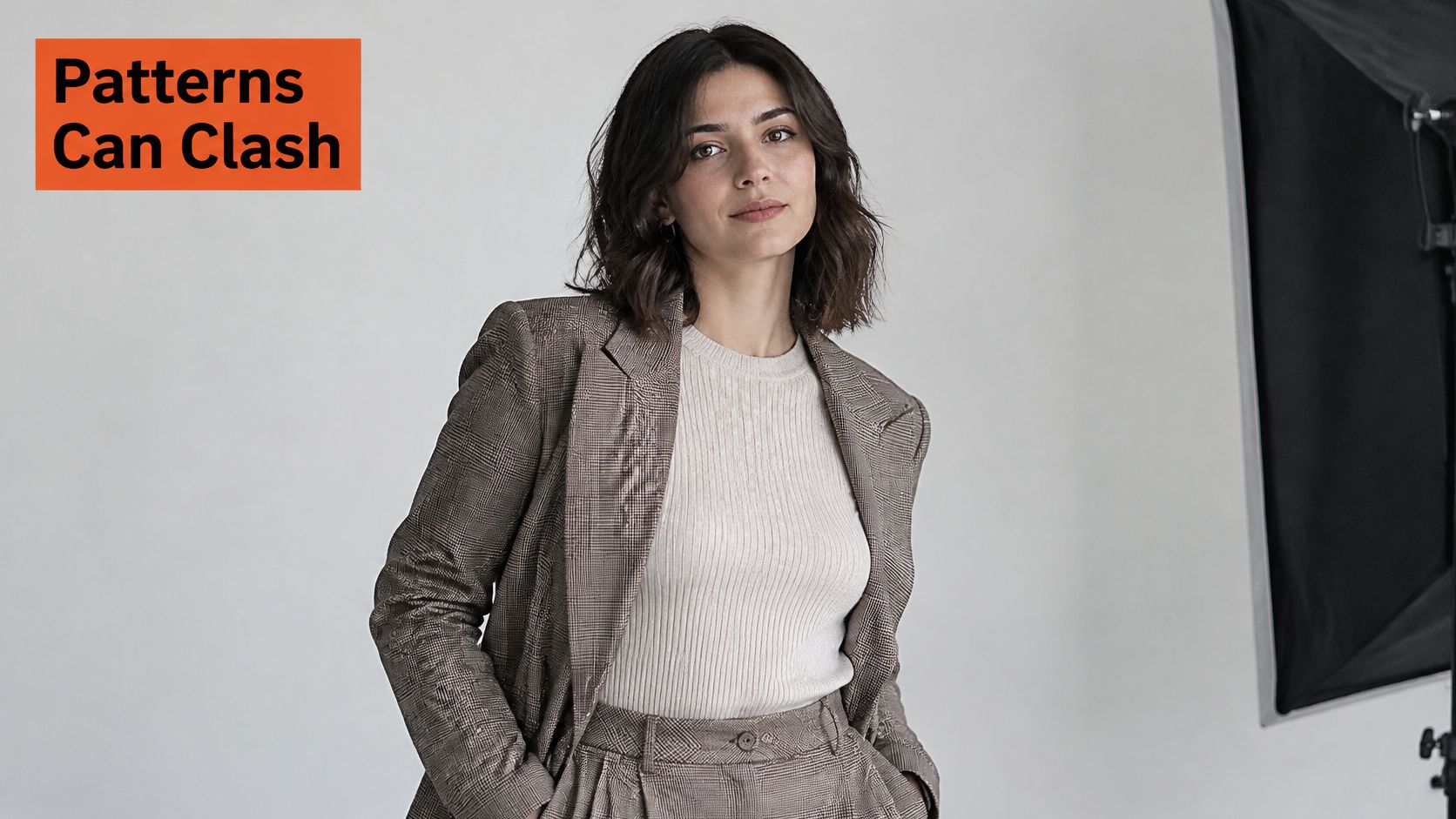
Hold the garment at arm's length. If the pattern turns visually busy, put it aside. Then inspect a test photograph at both full size and thumbnail size; a pattern that looks manageable in a large preview becomes distracting around a small face.
Keep detail without adding noise
Solid mid-tones are the straightforward alternative. Forest green, burgundy, slate blue, and warm gray retain interest without adding a repeating grid. Soft beige and dusty blue work when they remain distinct from your skin and backdrop.
Pure white loses detail when highlights clip. Pure black loses texture when shadows close up. Neither is forbidden, but both demand more attention to exposure than a medium-value fabric.
A blazer, cardigan, or vest adds shape instead of leaving the torso as a flat block. Keep the shoulder construction restrained. Excess padding and puffed sleeves widen the frame without adding useful definition.
Use this video alongside the physical garment check.
Keep accessories subordinate
Small earrings or a thin necklace preserve personality without dominating the neckline. Leave statement pieces out of a conservative corporate portrait. If you wear glasses, check reflections under the actual light and adjust the lighting or head position rather than accepting glare across the eyes.
Large logos and graphics are especially disruptive online. In a circular thumbnail, a bright mark or interference band consumes space that should belong to your expression. For teams, approve a palette and prohibit fine repeating patterns, then allow role-appropriate cuts instead of requiring identical jackets.
Outfits matched to the profession and the brand
Appearance affects screening, but it doesn't measure competence. Galaxus's discussion of professional appearance and LinkedIn photographs reports a 2020 UK study in which 51% of employers had rejected a candidate because of appearance, and an earlier survey of approximately 200 HR managers in which 70% said they had rejected an application at least once because of the applicant's LinkedIn picture.
Those are reasons to remove avoidable distractions, not reasons to equate polished clothing with ability. The same discussion describes only very weak relationships between visible image characteristics and personality. Your wardrobe should communicate the context of your work, not pretend to prove your qualifications.
Role, garment, and color for a headshot
| Role | Garment | Color | Keep out |
|---|---|---|---|
| Lawyer or financial advisor | Structured jacket with a structured collar | Navy or charcoal | Loud pattern |
| Physician or nurse | Clean solid top in the clinic palette | Muted solid | Loud pattern under the coat |
| Realtor | Jacket with an approachable collar | Slightly warmer than courtroom navy | Oversized branding |
| Therapist | Soft knit or relaxed open-collar layer | Muted solid | Stiff suit |
| Technology or creative | Fitted collar or knit | Muted jewel tone | Logos |
| Actor or author | Editorial structured piece | Tonal solid | Logos |
Say a therapist needs a portrait for a practice directory and a referral partner's website. A soft, muted knit fits that setting better than a rigid executive suit. A financial advisor appearing beside colleagues on a conservative firm page needs a different level of structure.
“I am a therapist and wanted something warm and approachable, not corporate-stiff. The natural-light style nailed exactly the tone I was after.”
Priya S., Therapist, aiheadshots.ai reviews
Fit shouldn't become a reason to settle for the wrong style. If standard officewear pulls at the bust, upper arms, or waist, ClothME's guide can help you find plus-size business casual that fits. Choose a garment that accommodates your body in a relaxed pose, not one that looks correct only while standing rigidly.
For a company page, write down the palette, pattern restrictions, and crop height. Let a clinician retain clinical context and a creative director retain a less formal neckline. Consistency means the portraits belong together, not that every person looks dressed for the same job.
A portable wardrobe when one photo does many jobs
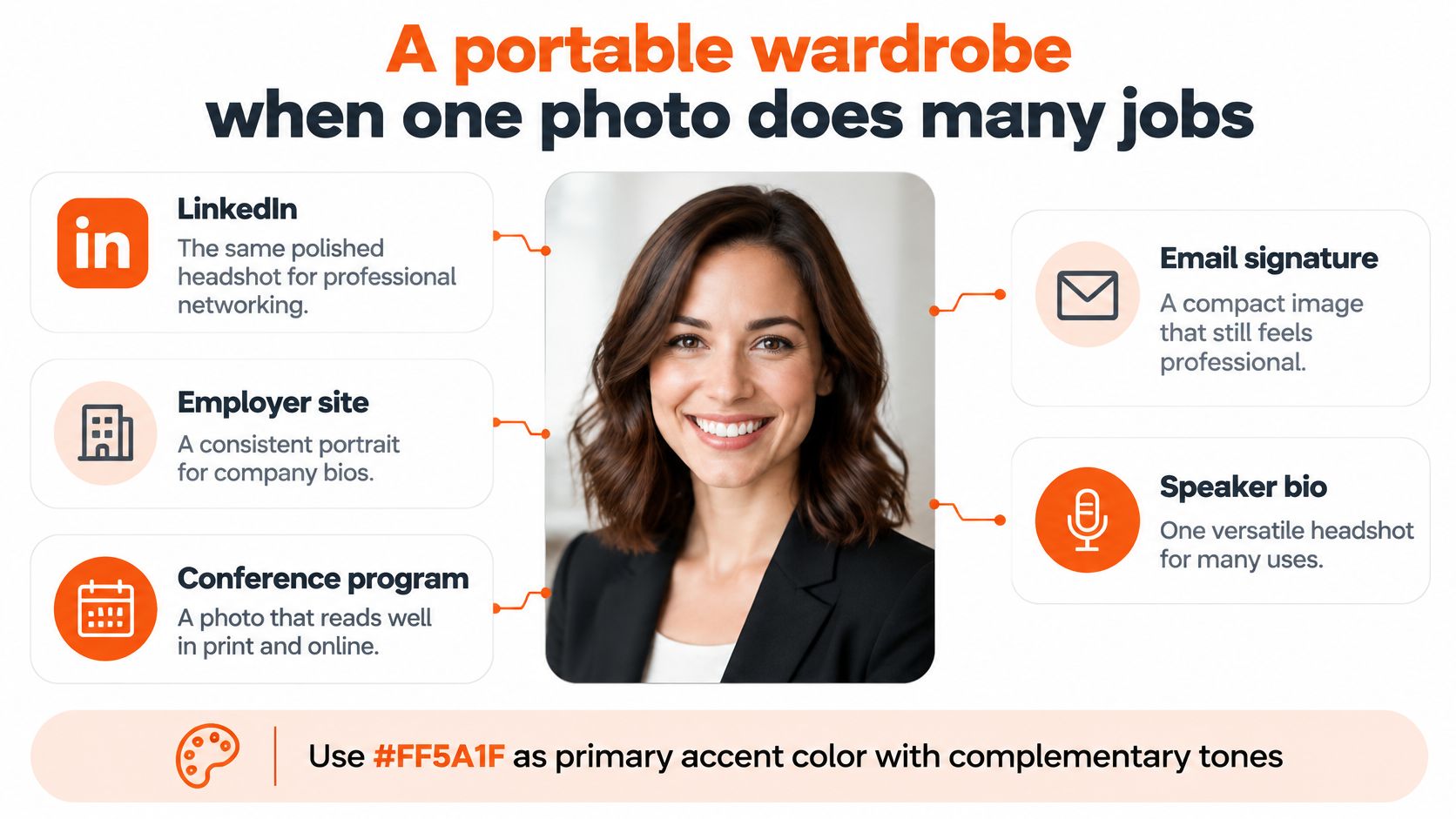
A consultant's portrait often appears on LinkedIn, an employer website, a conference program, an email signature, press coverage, and client proposals. Generic industry-based advice, such as the starting wardrobe guidance from Scale Headshots, doesn't settle every reuse decision. The file has to remain credible outside its original setting.
A portable outfit has a medium-value solid, a collar or lapel that remains recognizable in a chest-up crop, and no visible branding. Its accessory detail stays clear of the jaw and eyes. The test is practical: place the finished portrait on both a light page and a dark page, then reduce it to a small circle.
Use the intended placements to judge the file.
One outfit or a coordinated set
| Decision | One portable outfit | Coordinated set |
|---|---|---|
| Public identity | A single role with consistent expectations | Different audiences expect different formality |
| Garment strategy | A medium-value solid with a recognizable neckline | Related tops with jacket, open-collar, and softer-layer options |
| Publishing workflow | The same file everywhere | A clearly named file for each placement |
| Strongest use | A straightforward professional profile | Firm biography, personal profile, and speaking materials |
One outfit wins when every placement must use the same file. It also reduces decisions when you need to publish quickly. Choose the formality that remains acceptable to the most conservative relevant audience without misrepresenting your everyday work.
A set wins when the audiences disagree. Keep the palette related, but use a jacket for the firm biography, an open collar for a personal profile, and a warmer layer for speaking materials. Use backgrounds from the same color family so the photographs still feel connected.
Reuse test: Approve the portrait inside its smallest actual placement, not only in the full-size preview.
Don't judge a circle crop with the original rectangular file beside it. Look at the circle on its own and check whether the neckline still makes sense. Our guide to headshots for professionals gives more context for matching portraits to their working uses.
Shoot the outfit you already locked
The outfit is ready. Now choose how to make the portrait: book a local photographer, or use AiHeadshots to generate professional headshots online from casual phone photos.
AiHeadshots was built by the photographers behind Studio Pod. Upload 10 to 20 casual selfies with varied angles, expressions, and lighting. Professional photos are not needed. Choose your styles, and receive an email when your pack of 30 or more headshots is ready, typically in about 30 minutes.
Choose the production route
Keep the wardrobe and backdrop consistent with the image's different uses. A headshot may be cropped into a circle, placed on either a light or dark website, and seen by colleagues, clients, or hiring managers. Choose a solid, structured outfit that keeps its shape and contrast in each setting.
The Professional plan costs $39 and includes 50 headshots in five styles. The Executive plan costs $59 and includes 70 headshots in seven styles. Both include an outfit and up to four backgrounds. For teams, members generate their own headshots on their own time, with consistent cropping and similar backgrounds across the group.
AiHeadshots offers high-resolution portraits designed to match professional studio photography, with no scheduling or studio setup required. The photographers behind Studio Pod developed the service. Compare the portrait examples, customer reviews, and available plans before choosing a style.
Upload your selfies, select the outfit and backdrop, then review the finished portraits at the size they will appear online. Keep the version that still reads clearly in a small circle and against both light and dark pages. Start creating professional headshots.
