



A usable batch of LinkedIn-ready headshots can arrive in under 30 minutes from 10 phone selfies, starting at $29. That makes an AI headshot generator a practical alternative to booking a photographer, but only when you treat the process as photography first and software second.
LinkedIn itself associates a profile photo with 21 times more profile views and 9 times more connection requests compared with profiles without one, according to the platform guidance summarized by LinkedIn profile picture statistics. A 2025 study also reported that 74% of Americans consider their LinkedIn photo one of the most important profile elements, while 50.26% keep the same image for 3–6 years or longer (SalesSo profile-photo research).
That combination creates a clear problem. People value the image, then leave it unchanged for years because a traditional session costs $300–$600+ per photographer day and requires scheduling, travel, wardrobe planning, and retouching. AiHeadshots approaches the problem from the other side. Studio Pod is an automated headshot studio in Houston, founded by photographers Joseph West and Chris Bailey, and has photographed 10,000+ real professionals since 2019. We're photographers who built an AI, not a software team retrofitting open models.
Table of Contents
- What a LinkedIn headshot generator actually does
- Shooting source selfies that survive the generator
- Choosing a style, tier, and turnaround that fit your needs
- Reviewing, culling, and editing your delivered batch
- Uploading, cropping, and optimizing for LinkedIn
- Privacy, likeness rules, and brand consistency
- Your next 30 minutes
What a LinkedIn headshot generator actually does
A LinkedIn headshot generator is a photography pipeline, not a novelty filter. The system studies your reference selfies, learns the stable features that make your face recognizable, renders professional variations, and returns a gallery that still needs your judgment.
AiHeadshots accepts 10–20 phone selfies. You don't need a studio visit. The strongest inputs show your face clearly across several angles, expressions, and lighting conditions. Our system then adapts to facial structure and lighting cues, generates selected professional styles, and delivers 30+ studio-grade headshots in approximately 30 minutes.
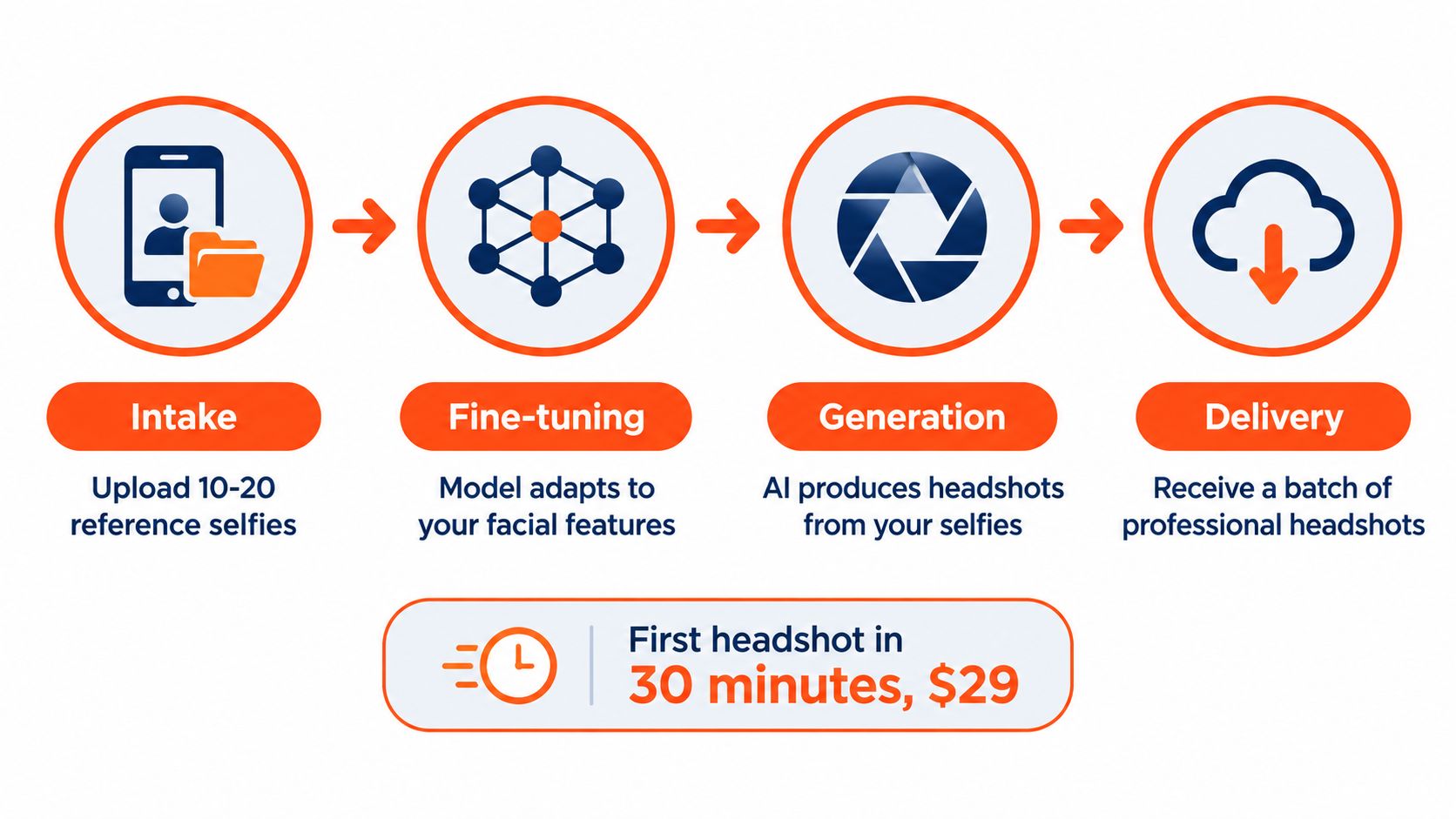
The four stages
Intake is where most quality decisions begin. Your phone selfies supply the evidence. Ten clear, varied images usually serve the system better than a large set of near-duplicates.
Fine-tuning focuses on identity. Facial geometry, skin texture, hair, asymmetry, and eye shape all matter. If your source images hide those details, no generator can reliably reconstruct them.
Generation applies professional choices such as neutral backgrounds, studio lighting, business wardrobe, and controlled expressions. You control the broad direction, but you don't control every interpretation of skin texture, lighting continuity, or facial asymmetry.
Delivery gives you a batch rather than a single forced answer. Independent testing has evaluated generators on face fidelity, variation, and production readiness. That testing also found that service output can vary by about 30% across submission batches, with even top-tier systems producing 1 to 3 unusable images per 10 generated (independent AI headshot testing). Treat the gallery like a contact sheet from a real shoot. You select the portrait that looks most like you, not the most polished face.
For a deeper look at the workflow, see our guide to how LinkedIn AI headshots work. The category works best for professionals who need a credible, current portrait quickly. It isn't a substitute for a photographer when you need precise art direction, a location-based environmental portrait, or complex editorial styling.
Shooting source selfies that survive the generator
Good source selfies give the system something accurate to preserve. Bad selfies force it to guess, and guesses show up later as drifting jawlines, artificial eyes, inconsistent skin texture, or clothing that doesn't sit naturally on your body.
Start beside a window. Face the light directly so both eyes and sides of the face receive even illumination. Turn off competing lamps, avoid mixed color temperatures, and never shoot under overhead fluorescent tubes or direct on-camera flash. LinkedIn guidance favors a clear, high-resolution head-and-shoulders image, a neutral background, direct eye contact, and a face occupying roughly 40–60% of the frame (LinkedIn professional profile-photo guidance).
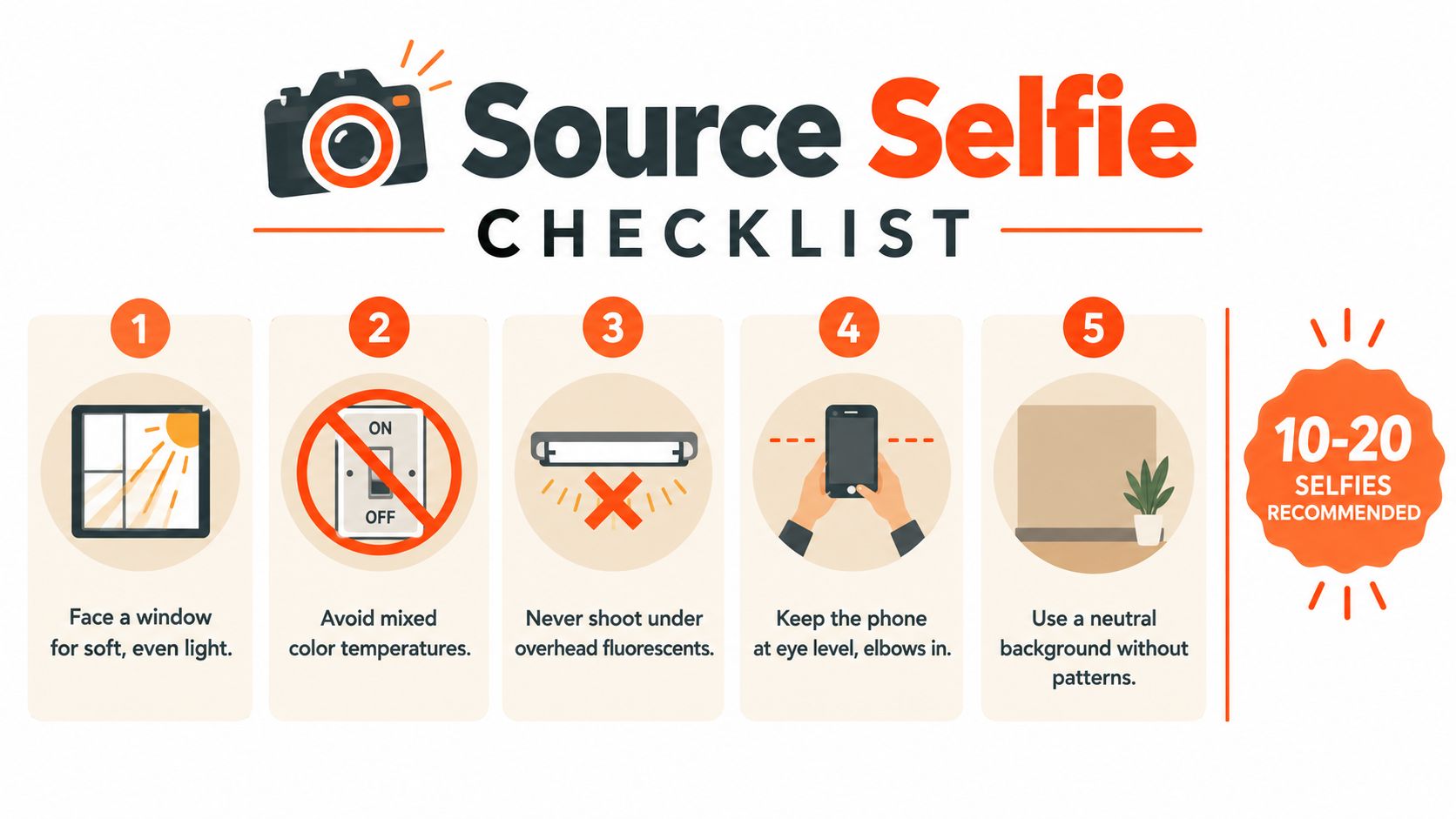
A practical source set
Use your phone at eye level. Keep the frame chest-up, leave some space above your head, and place your eyes near the upper third. Shoot straight on, then turn your head slightly left and right, roughly 15–20 degrees, while keeping your posture relaxed.
Keep the set visually stable. Wear the same shirt or a simple neutral top across the images, stand against a clean wall, and remove sunglasses, hats, hands near the face, and strong filters. Include a neutral expression, a slight smile, and the expression you naturally make when speaking with another person.
Ten to 20 frames are enough for a useful submission. Don't shoot 50 versions that differ only by a blink. Variety should come from small changes in angle and expression, not from wildly different lighting or camera distance.
Photographer's rule: The generator can improve presentation, but it can't recover closed eyes, motion blur, a brow hidden in shadow, or facial detail lost against a patterned backdrop.
Avoid old images if your current haircut, facial hair, weight, glasses, or age differs noticeably. The finished headshot should represent how people recognize you now. Follow the same process in our selfie-uploading guide, then cull the set before submission.
Choosing a style, tier, and turnaround that fit your needs
Choose the visual direction before you upload. A corporate studio portrait suits law, finance, consulting, and many executive profiles. A warm environmental look feels more approachable for founders, recruiters, coaches, and client-facing professionals. Neutral gray gives you a dependable all-purpose option, while a creative portrait works better for design, media, and other visual fields.
AiHeadshots offers three individual tiers and a team option. The right choice depends on how many places need a current image and how much variety you want to review.
LinkedIn headshot generator tiers compared
| Tier | Output count | Styles included | Turnaround | Starting price |
|---|---|---|---|---|
| Basic | 30+ headshots | Selected professional styles | Approximately 30 minutes | $29 |
| Professional | 30+ headshots | Broader style and wardrobe variation | Approximately 30 minutes | $39 |
| Executive | 30+ headshots | Expanded executive presentation options | Approximately 30 minutes | $59 |
| Teams | Volume delivery | Consistent team styling | Approximately 30 minutes | $22–$29 per seat at 10+ seats |
A job seeker usually needs one strong square profile image plus alternatives for a résumé, portfolio, or speaker bio. A founder often benefits from multiple backgrounds because the same portrait appears across LinkedIn, a company site, and press materials. A sales representative needs a consistent personal brand that can be refreshed without booking a new session. For a leadership group, AiHeadshots Teams supports volume ordering at 10+ seats, with pricing from $22–$29 per seat.
Competitors such as HeadshotPro, BetterPic, Aragon, Secta, and ProPhotos occupy different positions around styling, output controls, team workflows, and turnaround. Compare those details against the practical priorities that matter to you. Our distinction is specific: Studio Pod brings a photographer-led production background, 30-minute delivery, and a $29 starting tier, rather than treating portrait quality as an afterthought.
Reviewing, culling, and editing your delivered batch
Don't choose your profile photo from the first image you open. Download the full batch and view the files side by side at thumbnail size. LinkedIn displays the image small and often inside a circular frame, so a portrait that looks impressive at full resolution can fail because the face is too large, the eyes look uneven, or the expression doesn't resemble you.
Review in this order:
- Likeness first: Check the eyes, jawline, nose, hairline, skin texture, and facial asymmetry.
- Expression second: Choose the image that feels like your normal professional presence, not the broadest artificial smile.
- Cohesion third: Compare wardrobe, background, lighting direction, and crop.
- Editing last: Make adjustments only after you've selected three to five credible finalists.
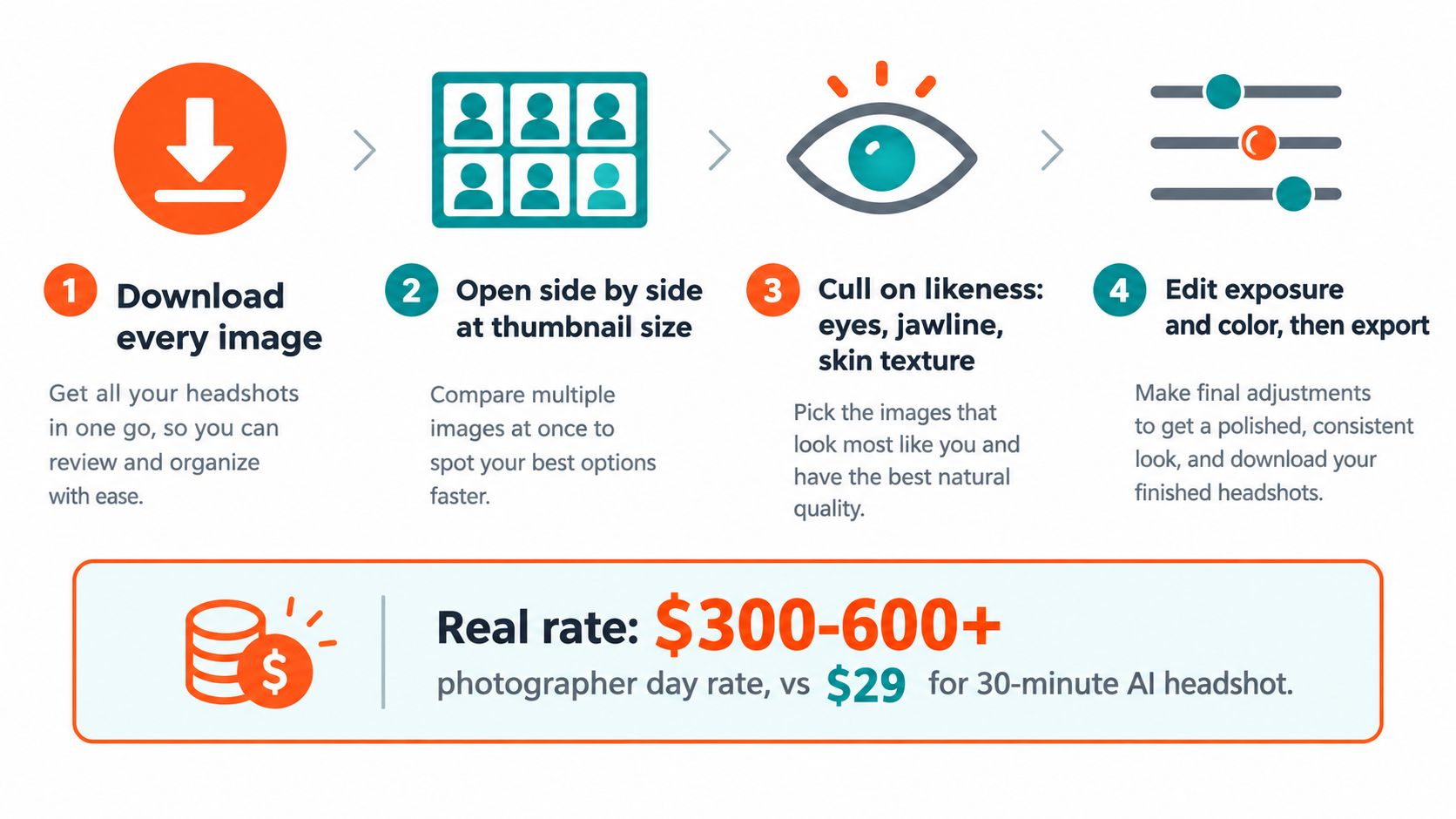
Edit like a photographer
Use Lightroom or your phone's native Photos app with non-destructive edits. A small exposure adjustment, roughly plus or minus a third of a stop, can correct a dim or bright result. Tame forehead highlights, lift shadows around the eyes, and move white balance toward neutral when the skin looks too warm or cool.
Don't reshape your jaw, erase natural skin texture, whiten teeth aggressively, or smooth the face into plastic. Recruiters and colleagues know your real appearance. A headshot that preserves natural detail builds more trust than one that looks airbrushed.
Save three versions of your finalist: a tight headshot, a looser head-and-shoulders crop, and a square avatar. Export both 4:5 and 1:1 versions so you can use the same portrait across profile pages, speaker bios, team directories, and social platforms without starting the edit again.
The economics remain straightforward. A traditional photographer day rate runs $300–$600+, while AiHeadshots starts at $29 for a delivered batch. The lower price doesn't remove the need for culling. It gives you more candidates to judge.
Uploading, cropping, and optimizing for LinkedIn
LinkedIn's profile frame is less forgiving than a full-screen image. The platform crops the portrait into a circular display, so the forehead, chin, shoulders, and background all need enough breathing room before you upload.
Common profile-photo guidance lists an 8 MB maximum file size, a square 1:1 crop, and support for JPG, PNG, and static GIF formats (LinkedIn headshot upload specifications). Use a square export with the face centered and the head occupying a controlled portion of the frame. A practical headshot should keep the face near the central 60% of the composition, with a modest gap above the hair.
LinkedIn profile photo upload specs
| Spec | Minimum | Recommended |
|---|---|---|
| File format | JPG, PNG, or static GIF | JPG or PNG |
| File size | Within LinkedIn's 8 MB limit | Keep the export comfortably below the limit |
| Composition | Square 1:1 crop | Centered face with headroom |
| Framing | Clear head-and-shoulders portrait | Face filling about 40–60% of the frame |
From your LinkedIn profile, select the camera icon on the current photo, choose Upload photo, and confirm the crop. Preview the result on both desktop and mobile. The circular frame can make a portrait feel tighter than expected, especially if the original file was already cropped close to the chin or forehead.
Keep the original square export in cloud storage. It becomes the master file for future updates and for other profile placements that need a consistent composition. Our guide to LinkedIn profile photo dimensions covers the practical crop decisions without turning the upload into a design project.
Privacy, likeness rules, and brand consistency
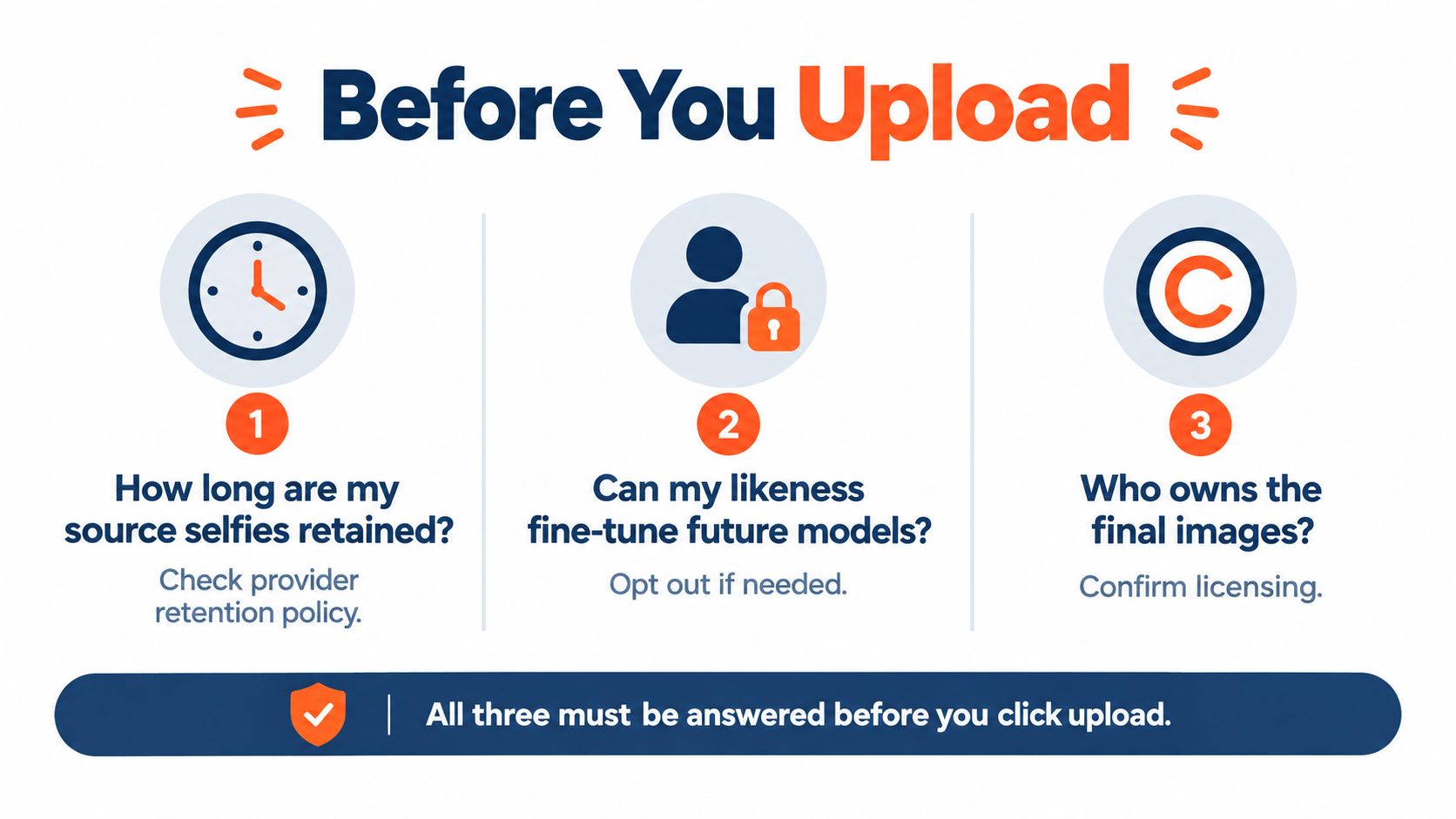
A polished portrait isn't automatically a safe portrait. Before uploading selfies, verify three things: how long the provider retains your inputs and outputs, whether your likeness can be used to fine-tune future models, and who owns the rendered images.
AiHeadshots uses 7-day input retention, 30-day output retention, and 90-day billing retention. Those windows matter because face images are personal data, not disposable design assets. A recent privacy-policy summary for OpenAI also describes 30-day retention for ChatGPT outputs, 7-day retention for some inputs, and 90-day billing retention, which illustrates why you should check the exact retention terms of any image service before submission (professional headshot privacy guidance).
Likeness is the line
LinkedIn requires profile photos to reflect the user's likeness, according to independent reporting on LinkedIn AI headshot rules. Use generation to improve lighting, framing, wardrobe presentation, and background. Don't alter your face so substantially that colleagues, recruiters, or clients wouldn't recognize you in person.
A 2024 recruiter survey found that only 39.5% correctly identified AI-generated headshots, even though 80% believed they could spot them (recruiter survey and likeness guidance). That gap makes visual honesty more important, not less. Choose the output with accurate facial structure and natural texture, rather than the one that makes you look younger, thinner, or more conventionally polished.
Build a small style guide for repeat updates. Record your preferred background tone, lighting direction, expression range, and wardrobe palette. Reusing those choices keeps your personal profile, company bio, and team materials visually aligned. Also review old tagged photos and group images. A carefully selected headshot loses authority if a visibly outdated or misleading image becomes the first result people find.
Your next 30 minutes
Minutes 0–5: Choose three shirts, clear a neutral wall, face a window, and open the curtains. Remove sunglasses, hats, filters, and anything that hides your facial structure.
Minutes 5–15: Shoot 20 selfies. Use straight-on frames, slight left and right turns, neutral expressions, and slight smiles. Keep the phone at eye level and hold the lighting steady.
Minutes 15–20: Select the strongest 10 images. Remove closed eyes, blur, harsh shadows, duplicate angles, and expressions that don't feel like you. Upload the set, choose your style, and lock in the tier.
Minutes 20–25: Prepare the LinkedIn upload window while your portraits render. Confirm that your square export has room for the circular crop and that the current profile image is ready to replace.
Minutes 25–30: Review the returned batch at thumbnail size. Choose a primary image, make a light exposure or color correction, export the square version, and publish it.
Refresh the portrait every 12–18 months so it stays aligned with your current appearance and career. Bookmark this guide for the next quarterly refresh of your headshot, headline, and summary.
AiHeadshots delivers 30+ studio-grade headshots in approximately 30 minutes from 10–20 phone selfies, with tiers from $29 and a 100% money-back guarantee within 14 days. Upload your source images through AiHeadshots, review the full batch, and choose a LinkedIn portrait that looks like you.
