



A LinkedIn AI headshot is a portrait generated from 10–20 phone selfies using a system trained on real studio photography, delivered in roughly 30 minutes for $29–$59. It gives you a practical alternative when your current profile photo is a cropped vacation image, an old webcam frame, or just not there.
You know the situation. A product manager has a coffee shop selfie and a vacation photo, both technically usable and neither suitable for a professional profile. She uploads a varied set of recent images, waits about half an hour, and receives head-and-shoulders portraits with controlled lighting, a clean background, and an expression that looks intentional.
The system has to solve two separate problems. Likeness fidelity means the portrait must look like you, not a polished stranger. Production quality means the lighting, crop, expression, and background must look as though someone with photographic judgment made the image.
A strong LinkedIn profile photo is more than decoration. LinkedIn reports that profiles with a professional photo receive 21 times more profile views and 9 times more connection requests than profiles without one, while other LinkedIn guidance reports 36 times more messages for profiles with photos. (LinkedIn profile photo statistics) By the end of this guide, you'll know how the process works, where it earns its keep, and where a real photographer still wins.
Table of Contents
- What a LinkedIn AI headshot actually is
- How AI headshots get made in 30 minutes
- AI headshots versus a traditional photographer
- The photography fundamentals behind a good result
- LinkedIn specs and what survives the profile crop
- Where AI headshots fit for solo, executive, and team use
- Authenticity, detection, and picking a likeness that holds up
- Try it and what you'll get back
What a LinkedIn AI headshot actually is
A LinkedIn AI headshot starts with your own reference images. You provide selfies that show your face from slightly different angles, with varied expressions and lighting. A trained image system studies those references and generates new portraits that change the setting, pose, wardrobe, and illumination while preserving your identity.
That distinction matters. A filter changes an existing photograph. An AI headshot creates a new portrait based on the visual information in your uploads. The better systems are trained to reproduce the decisions behind studio photography, including facial shaping, background separation, camera perspective, and restrained retouching.
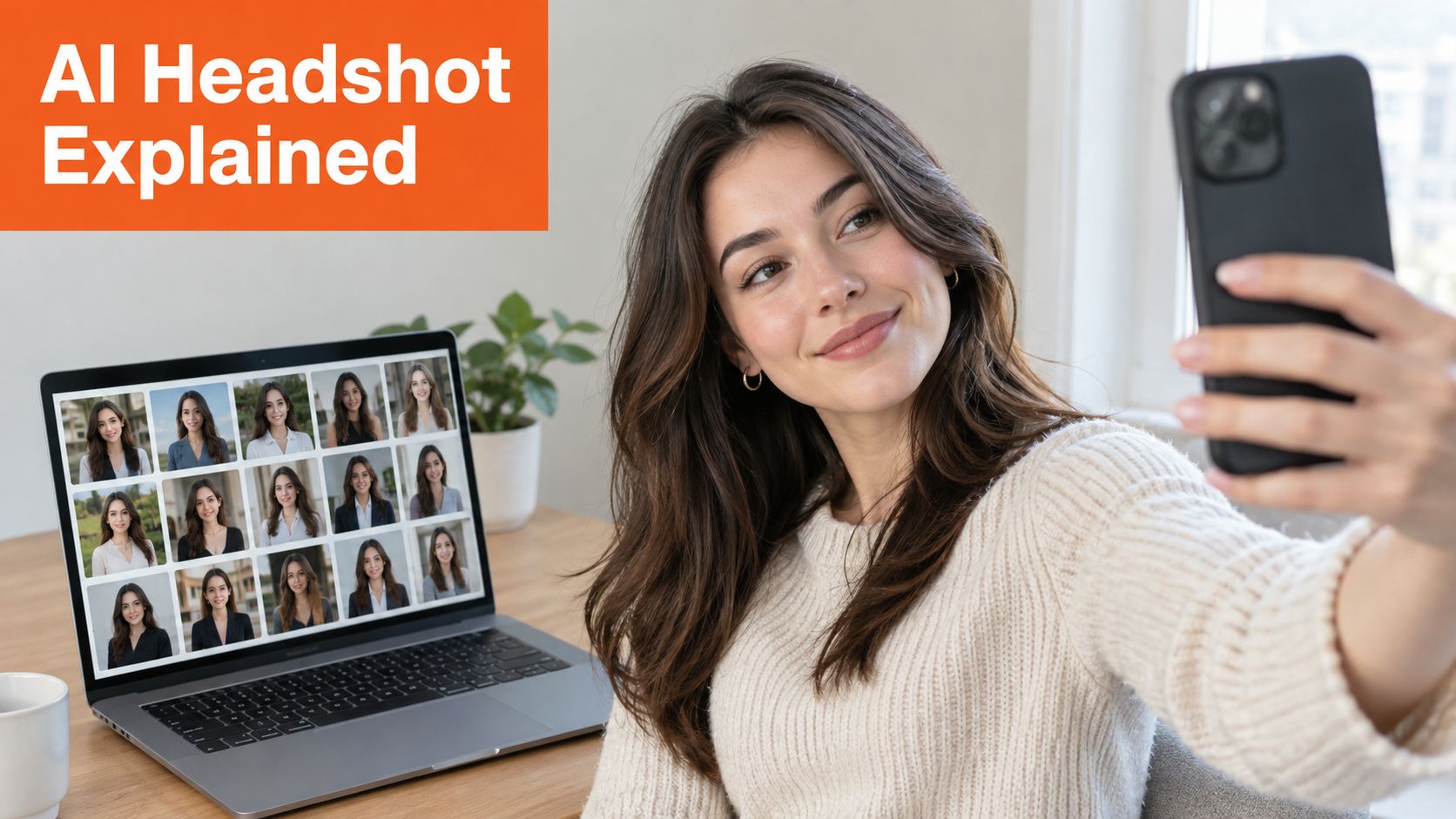
The input still controls the result. Five near-identical selfies give the system a narrow view of your face. A broader set gives it more information about your hairline, jaw, eyes, glasses, skin tone, and natural expression. Avoid sunglasses, heavy filters, group images, and photos where your face is partly hidden.
The same principle applies to other identity-focused tools. For professionals preparing for interviews, ParakeetAI interview features address a different part of the presentation problem, but the standard is similar: the technology should support a credible version of you rather than manufacture an unrelated persona.
How AI headshots get made in 30 minutes
The workflow is straightforward, but the quality depends on what happens before the generation begins. AiHeadshots uses a photographer-built process as its reference point, drawing on Studio Pod's experience shooting 10,000+ real professionals since 2019. The founders, Joseph West and Chris Bailey, are photographers who built an AI product rather than a software team retrofitting open models.
Start by uploading 10–20 phone selfies. Take them over a few minutes in different positions and lighting conditions. Include close-up and upper-body views. Keep your face unobstructed, and use recent images that represent how you look now.
The system then learns the visual structure of your face from that set. It conditions generation on features such as facial proportions, hair, skin tone, and eye placement, then restyles the scene with studio-style lighting, backgrounds, poses, and wardrobe treatments. The aim isn't to copy one selfie. It's to produce a coherent set of new portraits that still belongs to the same person.
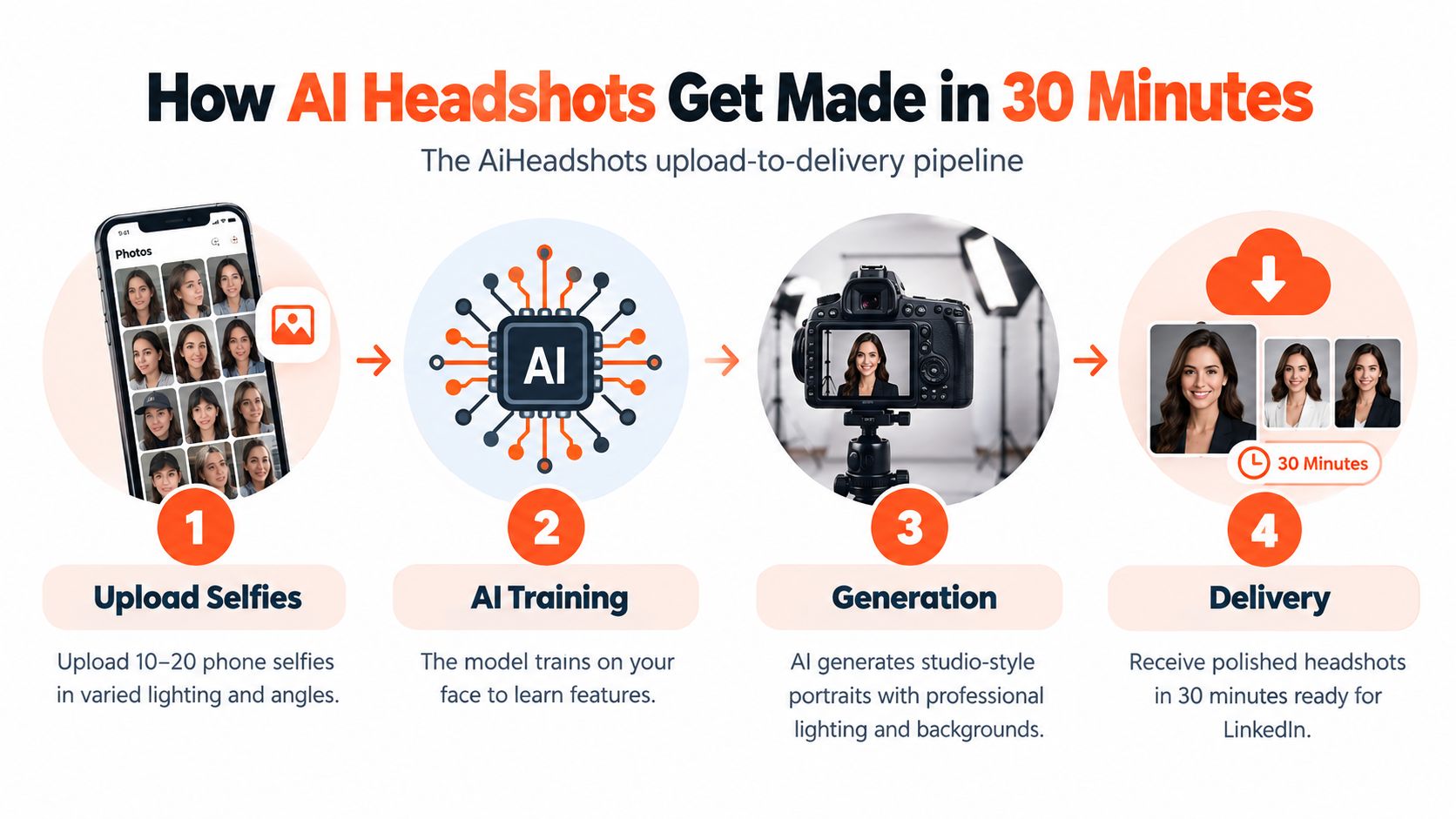
AiHeadshots delivers 30+ studio-grade headshots in approximately 30 minutes, with plans ranging from $29 to $59. Output quality depends first on selfie diversity, then on the system's training and rendering quality. More images aren't automatically better if they repeat the same angle or expression.
Most useful workflows include a selection stage. Review the gallery at normal profile-photo size, identify the images with the strongest likeness, and use any available refinement or retake process for weak outputs. The polished final choice usually comes from comparing several credible options, not automatically selecting the sharpest file.
For a closer look at the product workflow, see how AiHeadshots works.
AI headshots versus a traditional photographer
AI and conventional photography solve different production problems. A traditional studio session gives you live direction, physical lighting, and a photographer who can respond to your face and expression in real time. In a major market, a working photographer commonly charges $300–$600 or more for a 60–90 minute studio session, often including hair and makeup, with 5–15 retouched files delivered in about a week or longer during busy periods.
An AI session removes the studio visit. You upload selfies, receive a gallery in roughly 30 minutes, and choose from 30+ outputs depending on the plan. AiHeadshots pricing runs from $29 for Basic to $59 for Executive, with a Professional tier at $39 and volume pricing of $22–$29 per seat for teams starting at 10 seats.
| Factor | AI headshot | Traditional photographer |
|---|---|---|
| Starting price | $29 | $300–$600+ day rate |
| Process | Upload 10–20 phone selfies | Attend a 60–90 minute studio session |
| Delivery | Approximately 30 minutes | About a week or longer |
| Selection | 30+ generated headshots | 5–15 retouched files |
| Direction | Written upload guidance and generated variations | Live posing, expression, and lighting direction |
| Best fit | Fast refreshes, multiple looks, distributed teams | High-stakes portraits, distinctive features, trust-heavy roles |
The photographer wins when live direction matters. A person behind the camera can adjust a shoulder by a small amount, wait for an authentic micro-expression, and preserve details such as scars, asymmetry, distinctive jewelry, or the way your glasses reflect light. Lawyers, doctors, executives, and public-facing professionals often benefit from that direct control.
The AI route wins on cost per person, speed, and iteration. You can test several backgrounds and wardrobe treatments without booking another session. The honest choice depends on the job. For one authoritative press portrait, book the photographer. For a profile refresh, a recruiting cycle, or a large team, AI is a practical production tool. The AI headshots versus photographer comparison covers the trade-off in more detail.
The photography fundamentals behind a good result
AI systems reproduce photographic patterns, so you need to judge the results like a photographer. Three elements carry most of the visual weight: lighting direction, framing, and separation from the background.
A useful studio pattern places the key light around 45 degrees from the face, with softer fill on the opposite side. That creates dimension across the cheekbones and jaw without putting a hard shadow across the eye. Flat frontal light often makes the face look wider and less expressive. At Studio Pod, controlled directional light consistently produces more convincing portraits than a direct flash effect.
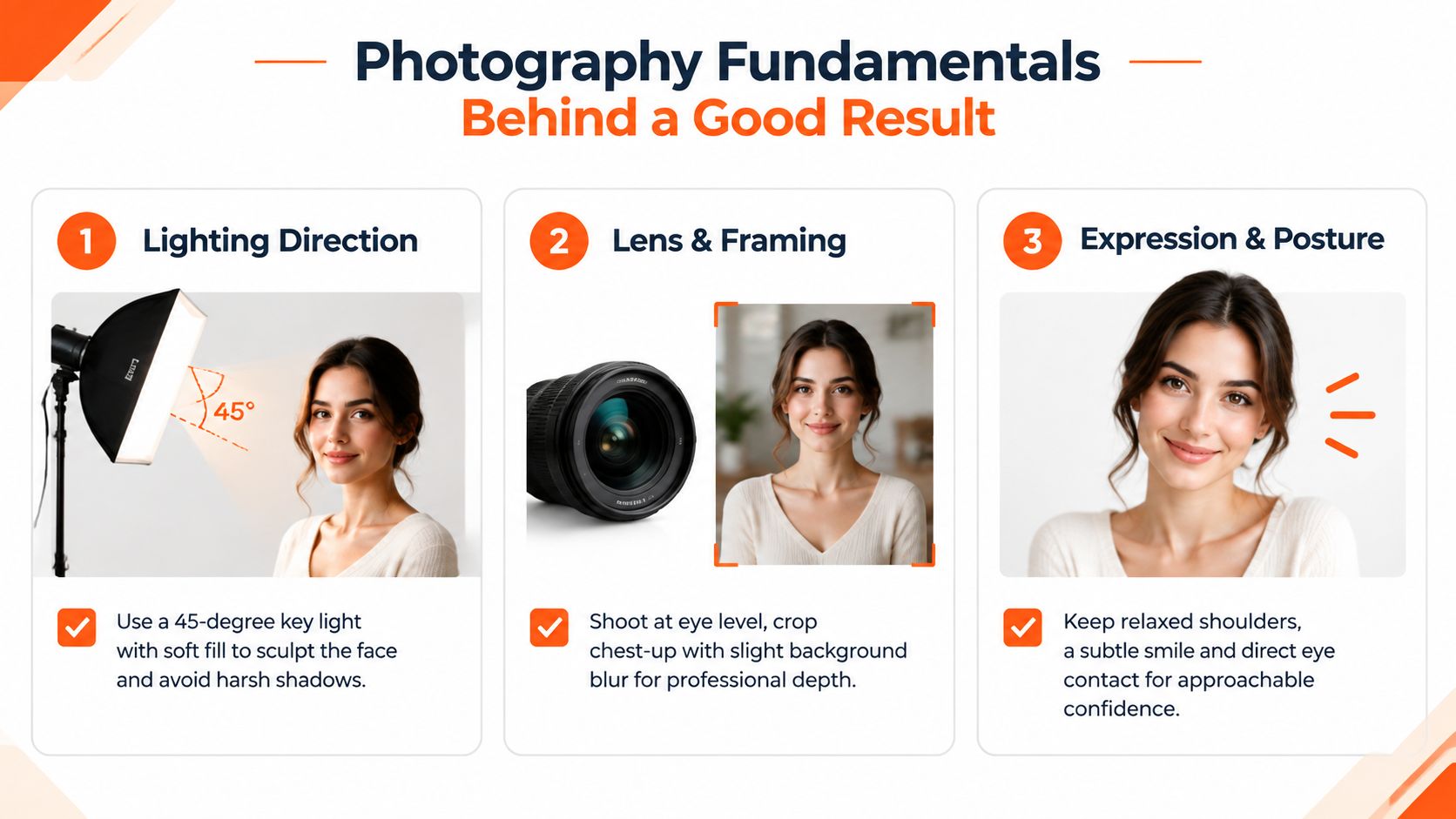
Framing should feel like a head-and-shoulders portrait, not a passport image. Look for enough shoulder mass to anchor the face, with the eyes placed toward the upper third of the frame. A neutral background with mild defocus keeps attention on your expression and gives the portrait depth.
Photographer's rule: If the eyes look lifeless, the skin looks uniformly smooth, or the jawline disappears into the background, the image isn't finished.
Inspect the catchlights in both eyes. They don't need to match perfectly, but they should make sense for the light source. Check the hairline, ears, teeth, fingers, collar, and glasses. These details often reveal a weak generation before you notice the problem at thumbnail size.
The best output usually isn't the most dramatic one. It's the portrait with believable light, natural skin texture, a relaxed mouth, and an expression that matches how colleagues recognize you.
LinkedIn specs and what survives the profile crop
LinkedIn accepts profile images from 400 by 400 pixels up to 7680 by 4320 pixels, with aspect ratios from 1:1 to 4:1, in JPG, PNG, or GIF format, under 8MB, according to the platform's stated requirements. The practical constraint is smaller. Your image appears inside a circular profile frame, often at a tiny size in a mobile feed.
A portrait that looks balanced on a large monitor can fail after cropping. The circle can clip the forehead, remove the shoulders, or push the face too far from the center. Export a square version at 1200 by 1200 pixels or larger, keep the eyes roughly 40% from the top, and leave visible shoulder structure below the chin.
| Spec | Requirement |
|---|---|
| Minimum image size | 400 × 400 pixels |
| Maximum image size | 7680 × 4320 pixels |
| Supported ratio | 1:1 to 4:1 |
| File types | JPG, PNG, or GIF |
| Maximum file size | Under 8MB |
| Recommended working format | Square crop with face and shoulders visible |
Skip group photos, sunglasses, side profiles, busy backgrounds, and images where the face occupies too little of the frame. Vivid backgrounds also lose clarity after compression. Muted, low-detail backgrounds preserve the face more effectively.
LinkedIn profile photos are only one part of the visual identity. If you're refreshing the whole profile, review the 2026 LinkedIn background image specs from RoverLead AI so the banner and portrait don't compete. The LinkedIn profile photo dimensions guide also gives you a practical reference for preparing the final crop.
Where AI headshots fit for solo, executive, and team use
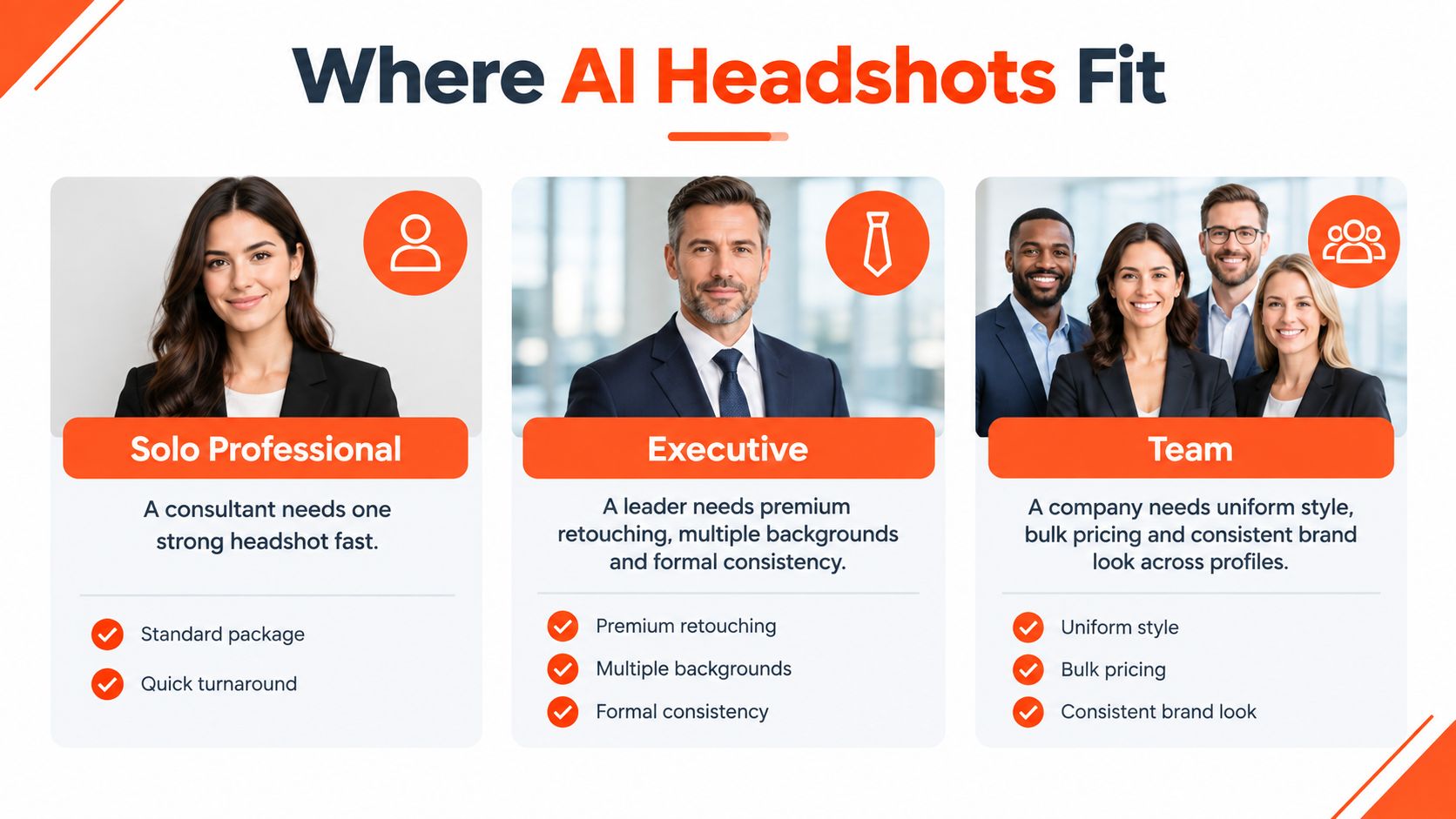
The right package depends on how many people need portraits and where those portraits will appear. A solo consultant refreshing a stale profile needs one convincing image, not a complete brand library. Upload recent selfies, select a standard package, and compare the gallery at the size people will see on LinkedIn.
An executive has a broader requirement. A portrait for a board biography may need a square profile crop, a horizontal version for a keynote slide, and a vertical format for a conference badge. Consistency matters across all three. The executive tier is designed for a more substantial set of looks, but the approval standard remains likeness first, polish second.
A distributed team has a different operational problem. A sales organization onboarding people across several locations needs a consistent visual system, not a collection of unrelated selfies. AiHeadshots offers team volume pricing for 10 or more seats, with pricing of $22–$29 per seat. The team should establish a shared background direction, wardrobe guidance, approval owner, and naming convention before anyone uploads images.
Standardization also requires inclusion. Test outputs across skin tones, ages, hairstyles, religious clothing, glasses, and different professional dress styles. Reject any workflow that forces every person into an identical face shape, complexion, or expression. Brand consistency should come from lighting, crop, and background, not from erasing individual identity.
Teams comparing adjacent productivity tools can find an alternative today, but the same buying discipline applies here. Define the visual requirement before comparing products. The deciding question is whether speed, consistency, and scale matter more than the custom direction of an in-person session.
Authenticity, detection, and picking a likeness that holds up
An AI-generated photo isn't automatically deceptive. The line is recognizable identity. If the portrait changes your face shape, eye spacing, age markers, hairline, skin tone, or characteristic expression, it stops functioning as a professional headshot and starts presenting an idealized stranger.
A 2026 experiment found that AI-generated profile pictures received higher quality ratings than professional photographs of the same subjects, but perceived quality dropped significantly after viewers learned the images were AI-generated. The reported results included a positive coefficient for AI generation, ß = 0.206, SE = 0.073, p = .005, and a negative coefficient for disclosure, ß = -0.149, SE = 0.073, p = .041. (AI-generated profile picture experiment) Presentation and perceived authenticity affect the value of the image.
Portraits are also a category people classify relatively well. One benchmark reported average human detection accuracy of 85.2%, with a median of 90%, for AI-generated images. (Human detection of AI-generated images) That doesn't make a detector result proof of anything, but it explains why portrait-specific errors matter.
Inspect the image on your phone and inside LinkedIn's circular crop. Check the eyebrows, ears, glasses reflections, jewelry, teeth, neckline, and boundary between generated hair and skin. Look for waxy texture, overly symmetrical lighting, and an expression that feels unlike you.
Choose the image a colleague recognizes immediately, not the one that makes you look most edited.
For regulated or public-facing work, check your organization's disclosure policy and retain an original unedited photograph. Don't describe an AI portrait as a conventional camera shoot if someone asks. A modest, verifiable likeness carries more professional trust than aggressive retouching.
Try it and what you'll get back
Begin with 10–20 recent selfies that show your face clearly, include varied angles, and avoid filters or obstructions. Choose the tier based on the number of useful outputs and the level of variation you need. AiHeadshots offers Basic at $29, Professional at $39, Executive at $59, and team pricing for larger orders. Its stated delivery is 30+ studio-grade headshots in approximately 30 minutes.
The gallery should give you more than one possible profile image. Compare square crops, background treatments, wardrobe options, and expressions for use on LinkedIn, a website biography, a speaker page, or an internal directory. Review every finalist at small size and ask a colleague who knows you whether they'd recognize you without being told which image is synthetic.
AiHeadshots has served 30,000+ customers and delivered 255,000+ headshots, with a 4.9-star rating. (AiHeadshots reviews) It also provides a 100% money-back guarantee within 14 days. Before uploading, review the product's data terms. The stated retention schedule is 7 days for inputs, 30 days for generated outputs, and 90 days for billing data. (AiHeadshots privacy policy)
Choose a photographer when distinctive features, live direction, or public credibility demand maximum control. Choose AI when you need a fast, affordable batch of consistent professional portraits.
Upload 10–20 selfies to AiHeadshots, receive 30+ professional headshots in roughly 30 minutes, and choose the LinkedIn crop that preserves your real likeness. Plans start at $29, with Professional, Executive, and team options available.
