



Viewers decide who you are before they read a word about you. A 2021 study published in Scientific Reports found that learned first impressions of strangers emerged after only 100 milliseconds of exposure, and the Kennesaw State summary of rapid facial judgment research places that finding in the context of traits viewers infer at a glance. That's why most headshots blend in. At thumbnail size, one soft gray background looks like the next, one flat smile looks like every other flat smile.
Headshots that stand out don't win on novelty. They win on lighting, pose, and expression that survive a 40-pixel LinkedIn circle. The face stays legible. The eyes hold. The background doesn't fight the subject.
We built this list the way we shoot in studio. Each style gets a named use case, a light or pose instruction, and a selfie tip you can apply before you upload. Pick the setup that fits the role first, then shoot your selfies to match it. If you're also updating the document behind the photo, find inspiration for your resume and keep the image consistent with the story on the page.
Table of Contents
- 1. Rembrandt lighting
- 2. High-key white background
- 3. Low-key dark background
- 4. Black-and-white monochrome
- 5. Environmental workspace portrait
- 6. Three-quarter turn with direct eye contact
- 7. Candid, mid-conversation expression
- 8. Brand-color backdrop for team consistency
- How the eight headshot styles compare by use case, light, background and thumbnail performance
- Pick one style, then shoot the selfies to match
1. Rembrandt lighting
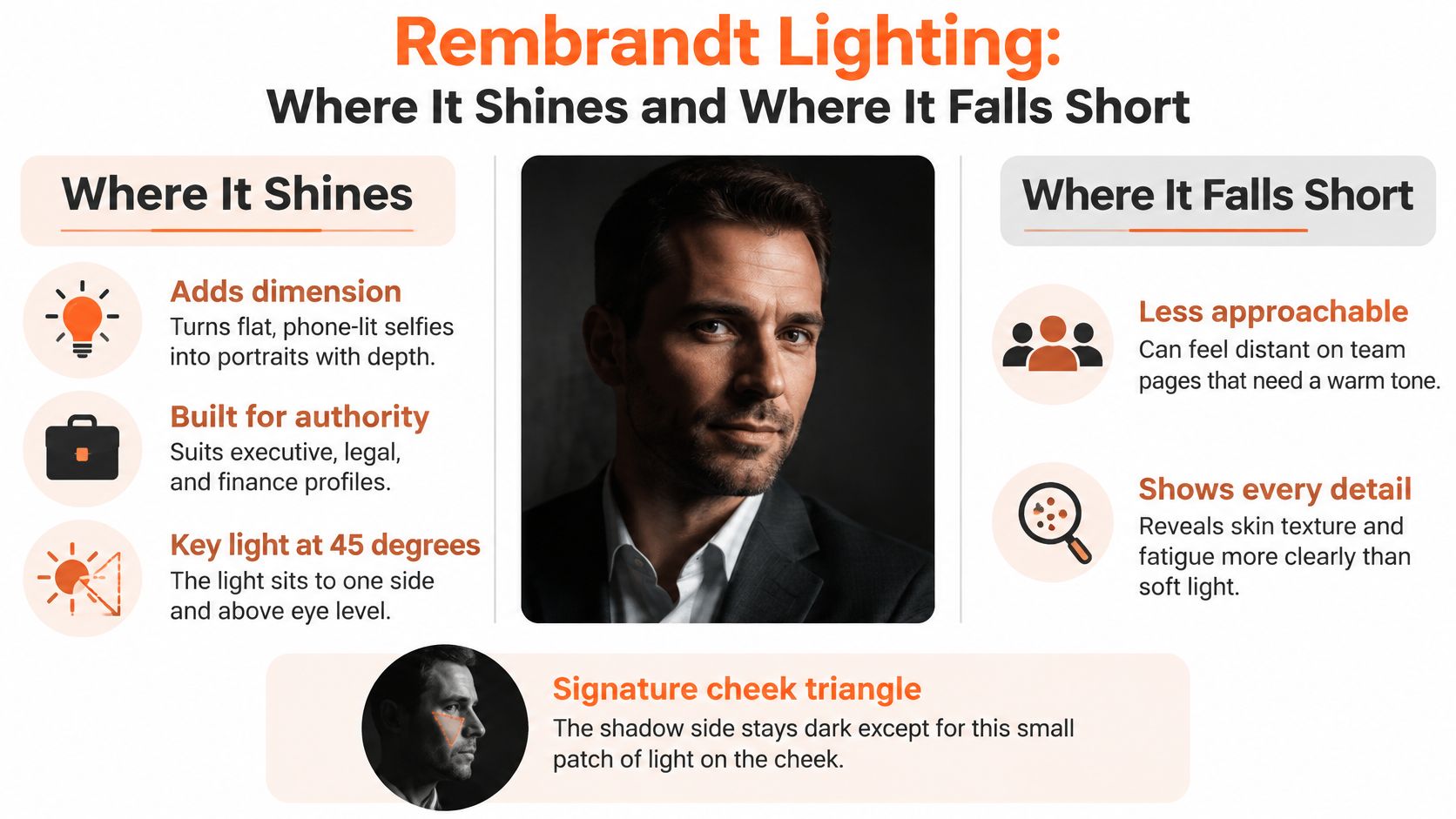
Rembrandt lighting puts the key light about 45 degrees to one side and above eye level. One side of the face lights fully. The other side falls into shadow, except for a small triangle of light on the cheek under the far eye. That triangle is the signature. Lose it and you have ordinary side light.
The look takes its name from the Dutch painter, who used it across many self-portraits. His 1659 self-portrait, held by the National Gallery of Art in Washington, D.C., shows the pattern clearly. It reads deliberate and authoritative, not warm. Choose it for executives, attorneys, and speakers who need presence more than approachability.
This comparison shows where the triangle forms and where the setup breaks down.
Shoot the selfie to match
Take your upload selfies near a window with light coming from one side of your face. Turn slowly until the far cheek catches a small patch of light, then stop. Keep the head level. A tilted head breaks the triangle and softens the authority you're after.
Our guide to the best lighting for headshots breaks down window placement in detail. Watch the setup in motion before you shoot.
Thumbnail test: Shrink the image until the face is stamp sized. You should still see one bright side, one shadow side, and both eyes. If the shadow eye disappears, add fill or turn toward the light.
2. High-key white background
High-key means bright, nearly white background and soft, even light. Shadows stay minimal. The subject reads clean and open, and the face carries the whole frame. That is exactly why this style survives small previews better than busy office backgrounds.
LinkedIn reports that profiles with a photo are 14 times more likely to be viewed by others, according to LinkedIn's guidance on professional profile pictures. Your photo is a discovery asset, and high-key keeps it legible everywhere it appears.
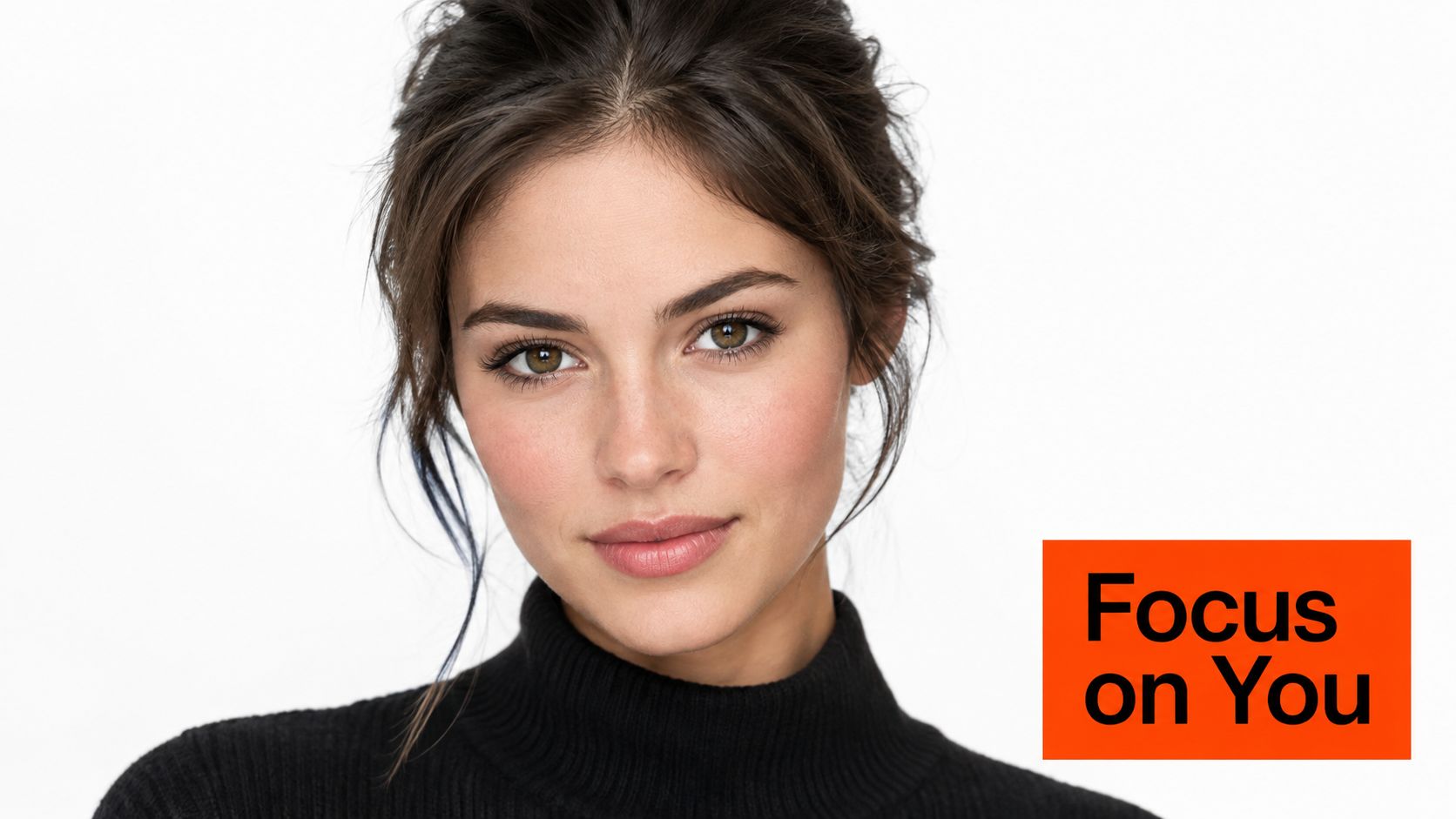
This portrait shows the separation you want between subject, wardrobe, and background.

Where it earns its keep
Standard LinkedIn profile photos across professional services and corporate roles use this setup for a reason. Recruiters scan fast. Clients scan faster. A white background removes every excuse for confusion.
A studio session costs a booking, a commute, and a photographer's day rate before you see a single frame. AiHeadshots prices professional headshots 8× lower than a photographer, and the system was built in 2019 by the photographers behind Studio Pod, a team with years of hands-on studio experience.
Pick this style when your profile will be seen mostly in small previews. Wear colors that contrast with white, such as navy, charcoal, or deep green. Pale shirts on white vanish at thumbnail size.
For your upload selfies, stand facing a window so light falls evenly across your face, with a plain light wall behind you. Skip overhead bulbs. They drop shadows into the eye sockets and undo the even look.
Thumbnail test: Zoom out until you can't read any text on screen. Your head and shoulders should form one clear dark shape against the white. If your shirt merges with the background, change the shirt, not the crop.
3. Low-key dark background
Low-key flips the high-key formula. The background goes black or deep charcoal. Light falls mainly on the face and the edges of the hair. Most of the frame stays in shadow, and the expression does all the work.
The style hides cluttered rooms completely. There's no office, no bookshelf, no half visible doorway pulling attention off the subject. The result feels dramatic and focused, sometimes too dramatic for corporate directories. That's the trade-off. You gain intensity, you lose neutrality.
The reference below shows the wardrobe discipline this style demands, dark clothing held separate from the background by light on the face.
The actor convention
Theatrical and film actor headshots have long relied on dark, low-key setups. Casting audiences read the convention instantly. It signals range and seriousness before a single credit gets read.
Use this style for acting, music, and creative roles where personality matters more than neutrality. Don't use it for a hospital directory or a law firm partner page. The mood argues with the institution.
For your upload selfies, shoot against the darkest plain wall you have and light your face from the front with a single lamp. Keep the eyes sharp. In a dark frame, the eyes become the focal point, and soft eyes read as a missed focus error, not a mood.
In low-key work, separation is everything. If your hair disappears into the background, add a faint light behind you or step forward from the wall.
Thumbnail test: At small size, your face should float cleanly in the dark with visible catchlights in both eyes. If the whole image reads as a black square, the exposure is too low.
4. Black-and-white monochrome
Monochrome removes color and forces the portrait to live on tone, texture, and contrast. Mixed lighting disappears. Clashing wardrobe disappears. The green cast from office fluorescents disappears. What's left is structure, expression, and the shape of the light.
Yousuf Karsh made monochrome portraiture the signature format for serious public figures. His 1941 portrait of Winston Churchill remains one of the most reproduced portraits of the twentieth century. No color, no props doing the talking. Just light, posture, and a face that holds the frame.
Where monochrome works hardest
Choose monochrome for author pages, speaker profiles, and thought leadership content. It carries an editorial quality that color portraits often lack, and it ages slowly. A black-and-white headshot from five years ago rarely looks dated. A color headshot with last decade's background trend does.
Don't choose it where color carries information. Realtors, physicians, and client-facing consultants usually need the warmth and recognizability color provides. Monochrome is a statement. Make sure the statement fits the room you're entering.
For upload selfies, shoot in color and convert later. You keep every option open. Wear fabrics with visible texture, such as tweed, knit, or a structured blazer. Smooth, single-tone fabrics flatten in black and white and turn the torso into a gray block.
Side light helps here more than in any other style on this list. It carves the cheekbones and jaw into tonal shapes that survive conversion. Flat front light in monochrome produces a passport photo.
Thumbnail test: Convert, shrink, and squint. You should see a clear light side and shadow side on the face. If the whole face sits at one gray value, reshoot with the window to your side, not in front of you.
5. Environmental workspace portrait
An environmental portrait places you in a real setting that says something about your work. The background stays visible but softened. It supports you. It doesn't compete with you. One glance tells the viewer what you do before the caption loads.
Annie Leibovitz built a large part of her reputation on this approach, photographing subjects in their working environments for Vanity Fair and Rolling Stone. Trade-press profile photos use the same logic at smaller scale. A consultant in a studio, a chef in a kitchen, or an architect beside drafting tables all read as working professionals instantly.
The architect portrait below shows the balance. Blueprints and models set the context. The subject stays sharp and forward.

Context without clutter
Pick a background that suggests your field without showing clutter. One or two recognizable elements are enough. A drafting table says architect. A wall of sticky notes says chaos, even when the work behind it is excellent.
Use this style for speaker pages, company founder profiles, and About sections, where the image runs large enough for context to register. Don't use it as your primary LinkedIn circle. At 40 pixels, the environment turns to noise and your face shrinks to fit it in.
For upload selfies, stand several feet in front of your workspace so the background softens naturally. Face the window, not the room. The setting should be the supporting actor, lit dimmer than you are.
Thumbnail test: Shrink the image and check the edges. If any background object is brighter than your face, it wins the glance. Move it, dim it, or crop tighter.
6. Three-quarter turn with direct eye contact
Turn your shoulders about 30 degrees away from the camera. Then rotate your face back toward the lens and meet it directly. That's the whole pose. The angled shoulders add depth and movement. The direct eyes keep the portrait confident and open.
The turn also narrows the shoulder line, which slims the frame and softens whatever width the camera adds. A square-on stance can read stiff or confrontational. Leadership portraits favor this pose for a practical reason: it flatters more face shapes than a flat, symmetrical stance, and it still reads as direct. Executives, attorneys, and consultants should treat it as a default for LinkedIn, where the image has to work inside a small circle.
In any portrait, the viewer's gaze lands on the eyes first. Direct contact holds it there. A glance off-camera reads as distracted at full size, and worse at thumbnail scale, where a small face gives the viewer nothing else to check.
Pose mechanics that matter
Turn your shoulders first, then rotate your face back toward the camera. Reversing the order gives you a strained neck and a sideways glance. Our guide on how to pose for headshots walks through the sequence frame by frame.
Keep your chin level. Lowering the chin shortens the jawline and flattens the frame. Raising it reads as looking down on the viewer. Level is neutral, and neutral lets the expression speak.
For upload selfies, prop the phone at eye level and angle your torso toward a corner of the room. Keep the light in front of the turned shoulder so both eyes catch it. Shoot several frames at slightly different turn angles. You'll see quickly which side of your face holds light better.
Thumbnail test: At small size, both eyes should be visible and looking at the viewer. If the far eye gets cut by the nose shadow, reduce the turn by a few degrees.
7. Candid, mid-conversation expression
A candid headshot catches a natural expression, often mid-sentence or just after a laugh. The face looks engaged because it is reacting to something real. Editorial and documentary portrait work has used this approach for decades: personality reads faster than polish.
The stakes are measurable. A Belgian field experiment sent approximately 2,000 otherwise comparable fictitious applications to real job openings, and candidates using the most favorably evaluated image received approximately 39% more interview invitations than those using the least favorable image, according to the IZA summary of the Ghent University field experiment. Qualifications were held constant. The image moved the outcome at the screening stage.
Built for trust-based roles
Therapists, realtors, and consultants sell conversation before they sell anything else. This expression sets the tone before the first call, which is why editorial profile photos in trade and business magazines favor the same register. The reader feels directly addressed.
Polish has a limit here. Keep skin texture. Keep the features people recognize. The use of AI portraits in job searches has drawn enough scrutiny to merit CNBC reporting on AI headshots in job searches. Pick the image colleagues identify instantly.
For the upload, shoot near a window with light coming from one side, then have a friend ask a question while the phone bursts frames. Upload 10 to 20 selfies with a range of expressions, including a few natural smiles. Hold a specific thought or person in mind before the shot. The expression looks genuine because, briefly, it is.
Thumbnail test: Show the small version to someone who knows you. If they hesitate before naming you, the retouching went too far, no matter how good the light is.
8. Brand-color backdrop for team consistency
A brand-color backdrop puts every team member against a background that matches the company palette. Individual headshots become a coordinated set suited to company websites and marketing assets. Marketing, HR, and operations teams use it to make a company page look unified without booking a single shoot day or chasing calendars across time zones.
The payoff scales with headcount. I recommend this format for teams of 10 or more: below that count, inconsistency is a blemish, and above it, mismatched photos leave visible gaps on the About page that visitors read as disorganization. Company About pages with uniform staff portraits and professional services firms standardizing partner and associate headshots both run on this logic.
Convention data shows how strong the pull toward uniformity already is. An analysis of publicly visible LinkedIn profiles found that about 60% use a solid-color background, and among those, white represented 35%, blue 20%, and dark gray or black 16%, per the State of LinkedIn Headshots research report. A brand color sits inside that convention while still marking the set as yours.
Run the rollout like a shoot
Define two or three approved background colors before collecting selfies. Deciding mid-rollout means reprocessing half the team. Our guide to the best backgrounds for LinkedIn covers how color choice interacts with wardrobe and skin tone.
Test the brand color on two or three team members with different skin tones before the full rollout. A backdrop that flatters one person can swallow another.
Give the team one selfie instruction: a plain wall, arm's-length distance, even window light. Clean source photos make the backdrop replacement read as a real studio wall rather than a cutout. Team sets hold consistent cropping, either waist-up or shoulders-up, with identical or highly similar backgrounds, uniform resolution and file format, and a grid-ready layout for team pages.
Each team member receives 30 to 70 on-brand headshots in about 30 minutes in their chosen style, priced 8× less than a photographer, with delivery nationwide. Our Teams page covers volume rollout for larger groups.
Thumbnail test: Line up six finished portraits in a row at small size. The backgrounds should read as one color field. Faces should sit at the same height. A portrait that jumps out signals a crop problem worth fixing before the page goes live.
How the eight headshot styles compare by use case, light, background and thumbnail performance
Use this as a decision check before you shoot upload selfies. Pick the role the image has to do, match the light and background, then judge it at the size where most profiles get seen: about a 40-pixel LinkedIn circle.
| Style | Best use case | Selfie light and pose cue | Background | 40-pixel verdict |
|---|---|---|---|---|
| Rembrandt lighting | Executive, legal, and finance profiles | Window or key light about 45° off-face and above eye level; keep a small light triangle on the shadow cheek | Deep neutral shadow | Strong authority; keep eyes bright or the face goes heavy |
| High-key white background | LinkedIn and broad professional use | Large frontal source with soft fill; square shoulders, chin slightly down | Bright white or near-white | Cleanest edges; watch dark hair blending into white |
| Low-key dark background | Acting, music, and creative roles | Narrow key on face, subtle rim on hair; turn face toward the light | Black or deep charcoal | High drama; eyes need clear separation |
| Black-and-white monochrome | Author, speaker, and thought leadership profiles | Use side light for tonal modeling; avoid flat, shadowless selfies | Mid-gray or textured neutral | Contrast and expression carry it; gray mush fails fast |
| Environmental workspace portrait | Founder, speaker, and industry-specific profiles | Face brighter than room; keep camera close so the office stays secondary | Softened workspace behind subject | Context mostly disappears small; crop tight for profiles |
| Three-quarter turn with direct eye contact | Corporate leadership and board portraits | Body angled, chin toward far shoulder, eyes back to lens; soft key on near cheek | Calm mid-neutral | Direct gaze survives; sloppy shoulder angle reads unsure |
| Candid, mid-conversation expression | Therapists, realtors, consultants, client-facing roles | Open frontal light, catchlights up, small smile with engaged eyes | Warm neutral or lightly blurred office | Approachability holds if teeth and eyes stay clear |
| Brand-color backdrop for team consistency | Company team pages and professional services firms | Same distance, height, key, fill, and exposure for every person | One approved brand color | Reads as one field; outliers mean crop or exposure drift |
Pick one style, then shoot the selfies to match
One style, chosen for the role, beats a pack of mismatched looks. A headshot that signals the wrong thing fails even when the light is perfect, so lock the style first and shoot every upload selfie to serve it.
The mistake that ruins most headshots is mixing signals. A dramatic low-key portrait on a pediatric practice page. A candid laugh on a litigation firm's partner bio. The photograph argues with the role, and the viewer feels the argument before they can name it. LinkedIn's recruiter guidance calls for a professional, approachable look with a tight shoulder-to-head crop, as set out in LinkedIn's guide to building a recruiter brand. Treat that as the floor. Your sector decides how far above it you build.
File specifications decide whether your crop survives. LinkedIn states that a profile photo must be a PNG or JPG from 400 × 400 pixels to 7680 × 4320 pixels, with an 8 MB maximum file size, according to LinkedIn's profile photo specifications. Deliver a sharp, square-friendly original with space around the head and shoulders. You keep your options open across profile displays, search results, and mobile layouts instead of fighting the crop tool later.
Then match your upload selfies to the style you picked. Side window light for Rembrandt. Contrasting wardrobe for high-key. Several feet of clear space behind you for environmental. Shoulders turned, face returned, chin level for the three-quarter pose. Real expressions, including natural smiles, for candid. The selfie set teaches the system your face, so consistency across the set matters more than variety. Better input light and honest expression produce output that still looks like you on your best day at work.
Upload 10 to 20 casual selfies and each pack returns 30+ professional headshots, print-ready and platform-sized, emailed when ready in about 30 minutes. That volume lets you test two styles before you commit. Run the thumbnail test on both at the 40-pixel circle and keep the one your colleagues recognize fastest. Start at our /try page.
AiHeadshots was established in 2019 by the photographers behind Studio Pod, and each pack is priced 8× less than a photographer. Pick one style from the list above, shoot your selfies to match its light and pose, and you can hold a thumbnail-tested headshot the same day.
