



The strongest 2026 headshots look recognizable, natural, and professionally controlled, yet a review of 14,506 public LinkedIn profiles across 608 U.S. companies found that only about half used a professional headshot. Current headshot trends favor accurate skin texture, relaxed expressions, purposeful backgrounds, and flexible delivery over heavy retouching or generic corporate styling.
That gap between everyday profile pictures and deliberately produced portraits appears in the 2026 state of LinkedIn headshots review. The practical response isn't to make everyone look more glamorous. It's to make the person easier to recognize, with fewer distractions and better control of light, color, and framing.
Our perspective comes from Studio Pod's photographer-led heritage: an automated headshot studio in Houston that's photographed 10,000+ real professionals since 2019. Photographers Joseph West and Chris Bailey founded Studio Pod and built AiHeadshots. We're photographers who built an AI, not a software team retrofitting open models.
Professional headshots now favor people, not perfection. For anyone improving a profile with a more purposeful LinkedIn headshot, these eight trends translate into concrete choices about what to preserve, what to simplify, and what to reject.
Table of Contents
- 1. Natural skin texture with light retouching
- 2. Environmental headshots with shallow depth of field
- 3. Warm neutral and muted backdrops
- 4. Tight crops built for circular profile frames
- 5. Candid expressions captured between poses
- 6. Consistent team headshot systems
- 7. AI headshots generated from phone selfies
- 8. Accurate skin-tone rendering across diverse subjects
- 8 Current Headshot Trends Compared
- Build a headshot that still looks like you
1. Natural skin texture with light retouching
Skin should look like skin. A polished portrait doesn't need blurred pores, erased smile lines, or a reshaped jaw. The useful distinction is between correcting a temporary distraction and changing a person's identity.
For a lawyer updating a firm biography, reducing forehead shine makes sense. Removing the lines that appear whenever that lawyer smiles creates a different face. Keep natural texture, characteristic freckles, and the details someone will recognize during a consultation.
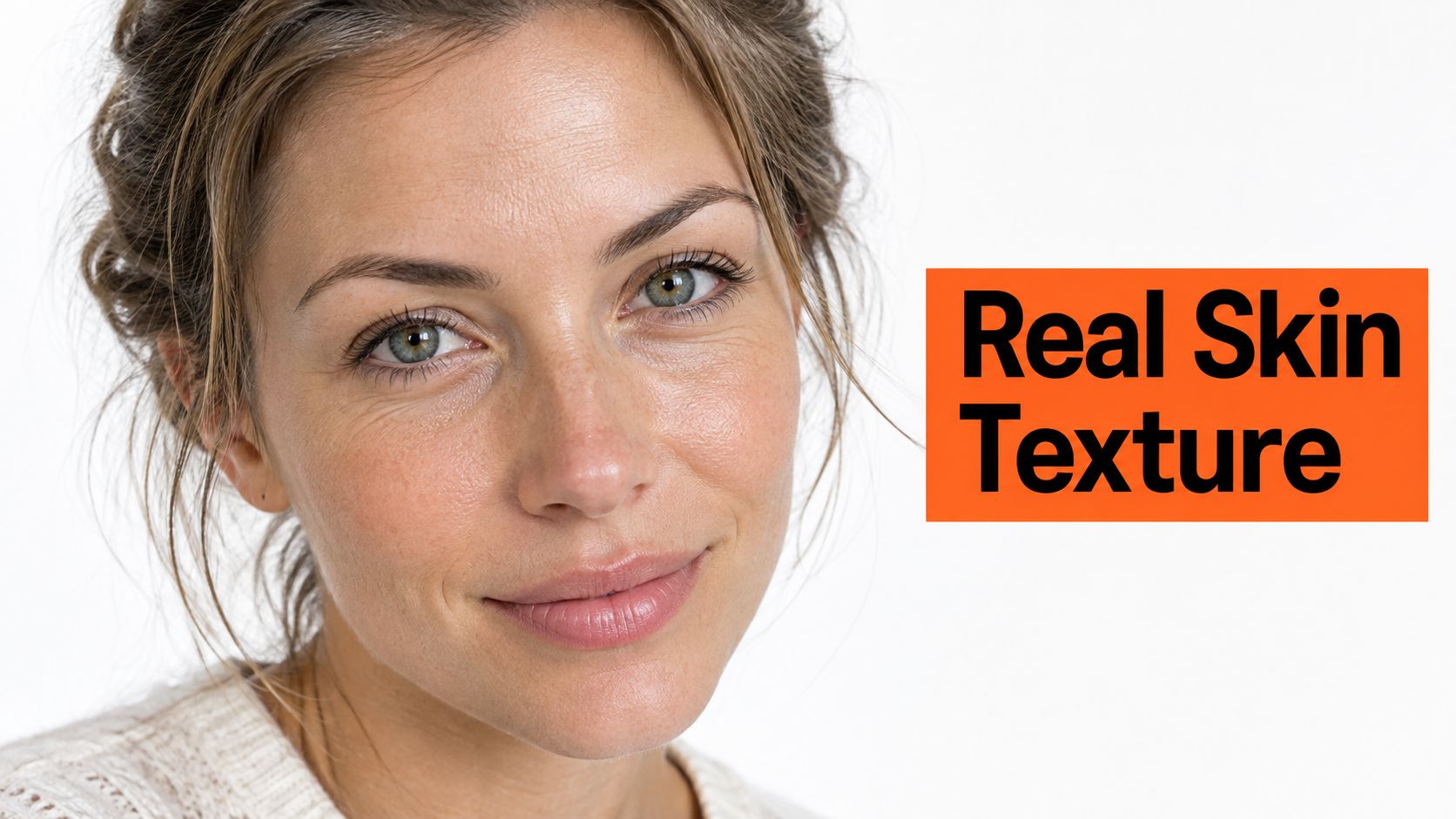
The authenticity stakes extend beyond taste. 76% of hiring managers say AI is making candidate authenticity harder to assess, according to reporting on hiring managers and candidate authenticity. That finding doesn't establish that generated headshots cause distrust, but it supports a strict recognizability standard.
Correct distractions, not facial structure
Start with lighting before retouching. A broad, soft light reduces harsh transitions across the face without digitally flattening it. Then correct temporary blemishes, uneven tone, and isolated shine while preserving the texture underneath.
Our photo retouching before-and-after guide provides a useful comparison framework. Inspect the face at full size, then return to the small profile view; an image can look impressive in a thumbnail while revealing artificial texture when enlarged.
Retouching rule: Remove what distracted from the person on the day. Keep what identifies the person.
Don't confuse photographic retouching with skincare. A skin texture guide addresses a different question from how a portrait should represent your current appearance. For AiHeadshots, our Studio Pod photography background informs the same editorial standard: polish the photograph without redesigning the subject.
2. Environmental headshots with shallow depth of field
A realtor against a recognizable property and a consultant in a client-facing meeting room communicate different professional contexts. Neither needs a sharply rendered background. The environment should explain the work while the face remains dominant.
Shallow depth of field gives you that separation. Keep the subject sharp, soften the setting, and leave enough recognizable structure to establish place. An office reduced to an indistinct wash of light adds little context; a sharply visible meeting-room calendar adds too much.

Choose a setting you can stand behind
For a therapist, a calm practice setting can support the portrait without showing clients or confidential material. For a property professional, use a location you're entitled to photograph and represent. Don't introduce a prestigious office that implies a workplace or affiliation you don't have.
A conventional location shoot buys something specific: access to the environment, live expression coaching, and control over the relationship between person and place. Ask photographers to separate their shoot fee from travel, styling, and editing charges. A day rate isn't interchangeable with the price of an individual headshot.
Background editing also requires restraint. This guide to clean background blur is relevant when reviewing transitions around hair, glasses, and shoulders. Look for abrupt blur boundaries and objects that appear unnaturally sharp beside the face.
The trade-off is flexibility. An environmental image tells a stronger contextual story, but a neutral portrait travels more easily between employers, directories, and speaking engagements. Keep an uncluttered alternative if your headshot needs to serve several roles.
3. Warm neutral and muted backdrops
Warm gray, sand, slate, and soft blue offer a controlled alternative to saturated walls. These colors don't make a portrait professional by themselves. They work when the background, clothing, and light create clear separation without competing for attention.
Consider a finance executive wearing a charcoal jacket. Against dark charcoal, the jacket can disappear unless the lighting defines its edge. Against warm gray, the silhouette is easier to separate, and the portrait feels less dramatic.
Match the background to the whole portrait
Our guide to choosing a headshot background starts with the same practical question: what belongs behind this person, in this clothing, for this use? Picking a fashionable color before considering the subject reverses the decision.
Pale knitwear against sand needs enough tonal contrast to preserve the shoulders. Navy against warm gray is a straightforward combination. Soft blue can work with neutral clothing, but watch for reflected color that shifts the appearance of skin.
Warm background color isn't the same as warm skin color. You can choose a beige backdrop while maintaining neutral, accurate light on the face. Don't apply a warming filter to the entire image just to achieve a current palette.
A consistent background family is useful. An identical background isn't mandatory.
For a consulting firm, that means approving related neutral tones instead of forcing every employee onto a single color that clashes with their wardrobe. Review the portraits together before making a final selection.
Dark backdrops remain a deliberate option, especially for an executive or editorial portrait. Use subtle edge separation rather than an obvious glowing outline. If the lighting effect becomes the first thing you notice, simplify it.
4. Tight crops built for circular profile frames
A portrait that looks balanced on a large monitor can fail inside a small circular profile frame. The face becomes too small, the shoulders dominate, or the crop cuts awkwardly through the hair. Frame for the destination, not just the original photograph.
For a job seeker, a mid-chest portrait provides useful flexibility. The LinkedIn version can sit tighter around the face, while a company biography retains more clothing and posture. Don't enlarge a loose photograph until it loses visible facial detail.
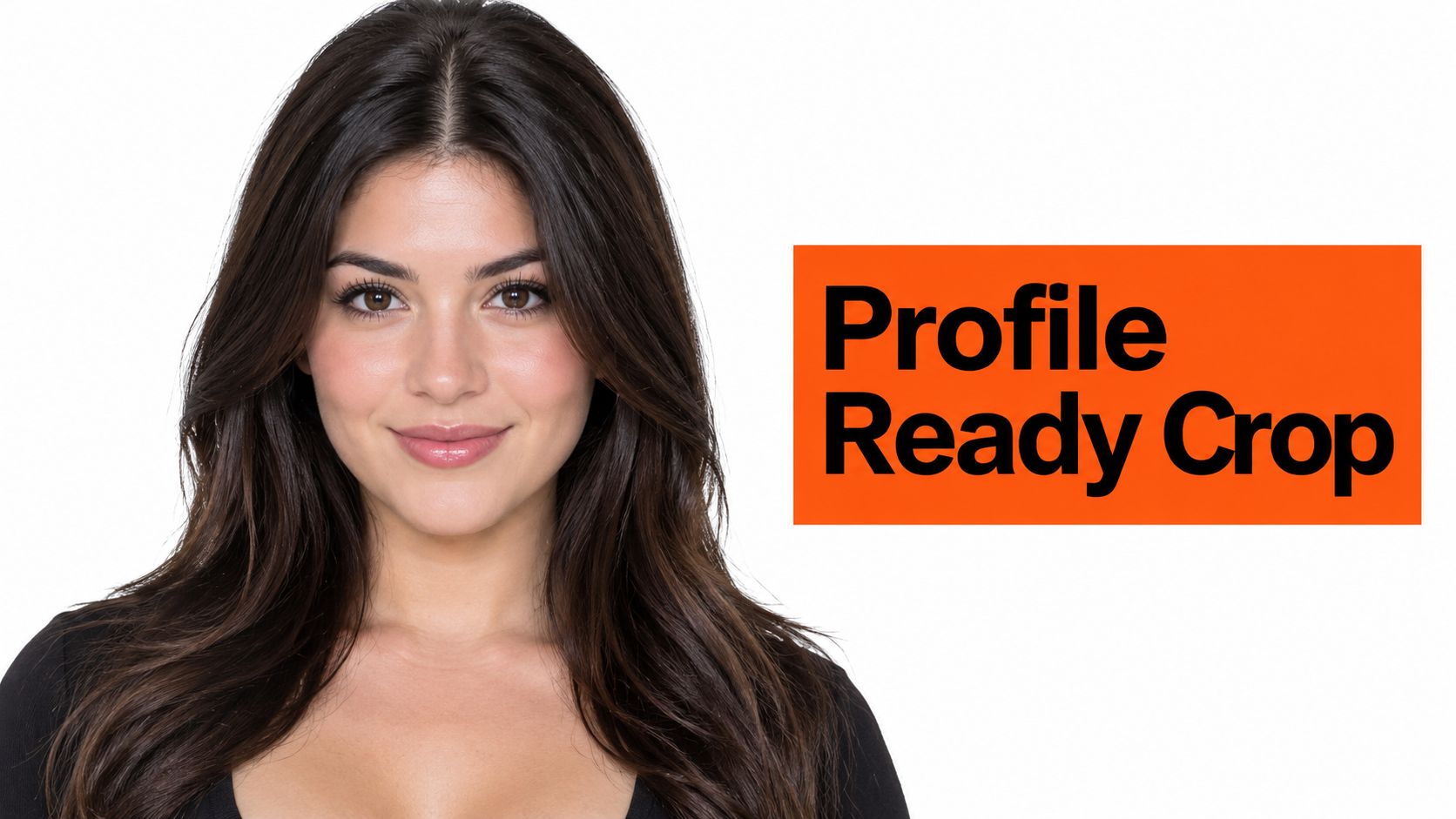
The need for immediate legibility has a measurable context. LinkedIn-related reporting says 86% of recruiters and hiring managers conduct initial profile screening in 30 seconds or less, as described in Onrec's coverage of rapid profile screening. That's screening evidence, not proof that a particular crop earns an interview.
Keep room for different exports
Preview the image as a circle before publishing. Keep the eyes, hairline, and chin comfortably inside the visible area. Glasses shouldn't merge into the edge, and a slight head tilt shouldn't push one side of the hairstyle outside the frame.
Ask for both a square export and a portrait version. Retain the less tightly cropped original for speaker biographies, website layouts, and press materials. Cropping inward is easy; recovering shoulders that were never captured isn't.
Tighter isn't always better. A conference organizer placing your portrait beside a long biography needs different framing from an email signature. Preserve an image library rather than making one aggressive crop do every job.
5. Candid expressions captured between poses
The most useful expression often appears while someone is responding, not while they're holding a smile. Relaxed shoulders, engaged eyes, and a modest head turn create a portrait that feels conversational without looking careless.
For a consultant, think about how you greet a client you know well. That expression usually serves the portrait better than either a broad promotional grin or a deliberately stern face. Approachability doesn't require showing teeth.
The preference for a readable, human face has limits as evidence. A 2024 survey of 1,087 U.S. recruiters found that 74.4% were more inclined to interview a candidate whose profile included a headshot, reported in Capturely's discussion of professional LinkedIn photos. It doesn't establish that smiling beats a neutral expression.
Give the expression something to do
Use a specific thought rather than the instruction to look confident. Recall a satisfying conversation, listen to a question, or explain something you enjoy about your work. Attention gives the eyes a purpose; forcing the mouth into position doesn't.
Our headshot posing guide supports deliberate posture without turning the person into a mannequin. Lower the shoulders, release tension in the jaw, and make small adjustments instead of repeatedly rebuilding the pose.
Expression test: Choose the frame that resembles how you actually meet people, not the frame with the largest smile.
For selfie inputs, vary expressions as well as angles. Include a comfortable neutral look, a slight smile, and a more open expression. Don't upload near-duplicates with the same fixed grin.
Check generated expressions carefully. If the teeth, lip shape, or eye engagement don't match you, reject the image. A convincing overall style doesn't excuse an unfamiliar face.
6. Consistent team headshot systems
A company directory looks deliberate when the portraits share lighting, crop, background treatment, and color accuracy. It doesn't need employees to wear matching clothes or hold identical poses. Consistency belongs in production quality, not personal identity.
Consider a professional-services firm refreshing its staff page and client proposals. The marketing manager needs a standard that works for existing employees, remote hires, and later replacements. Choosing an attractive batch without documenting how to reproduce it leaves the next hire visibly out of place.
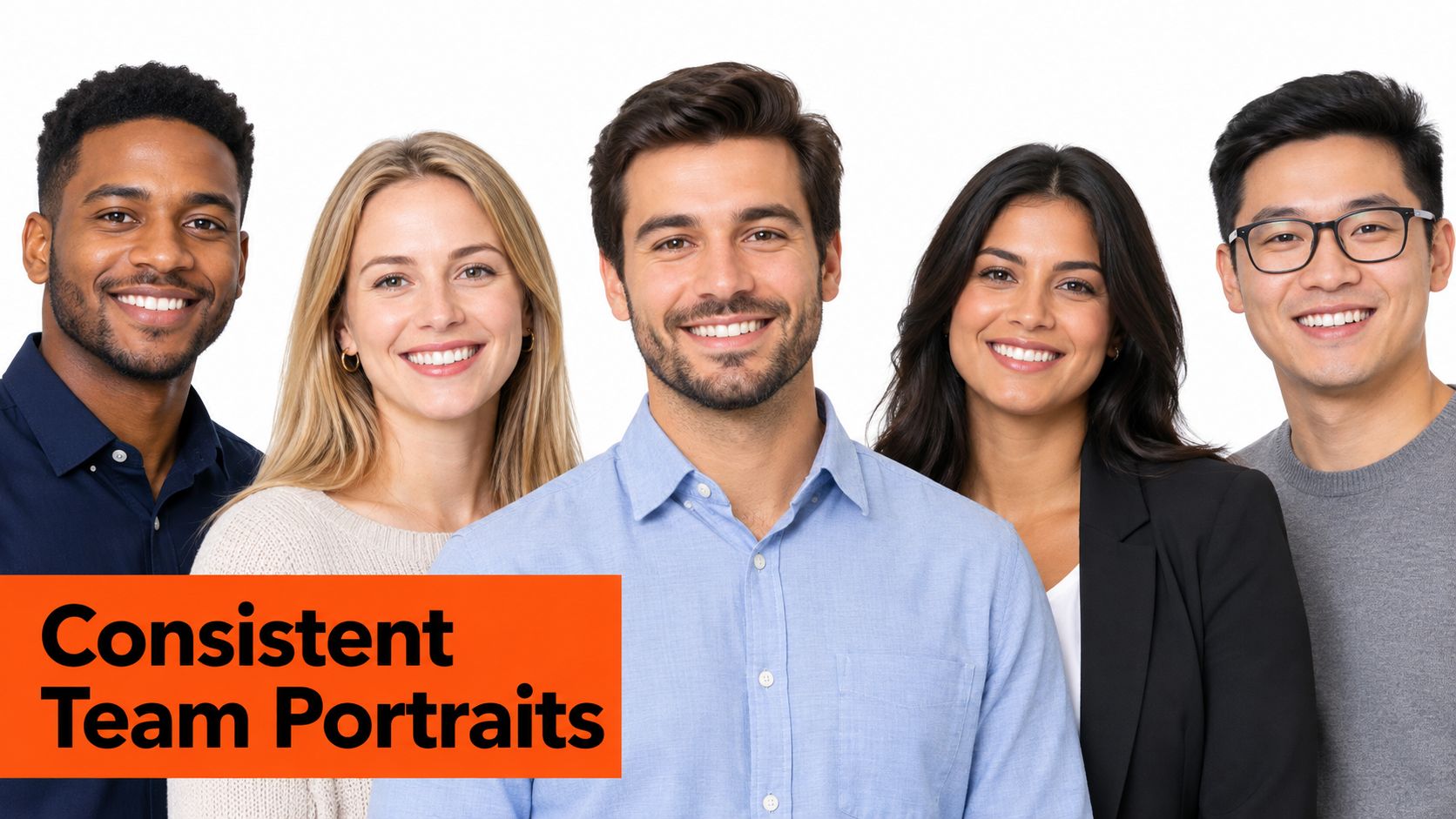
The workflow direction extends beyond image generation. Professional headshot market analysis describes a shift toward standardized intake, capture, pose guidance, and post-production. The useful operational takeaway is repeatability, not producing more files.
Write standards employees can use
Give employees a short brief covering background family, crop, clothing guidance, and retouching limits. Allow religious clothing, natural hair texture, mobility aids, and expressions that reflect the individual. Standardize the light and framing around those choices rather than editing them away.
Review portraits side by side. Look for differences in brightness, face size, white balance, and sharpening. Then give each employee a chance to approve their likeness and understand where the image will appear.
AiHeadshots Teams offers volume pricing at 10+ seats, at $22–$29 per seat. Our Studio Pod photographer heritage informs the production standard, but a team still needs an internal owner for approvals and final selection.
Assign that responsibility before collecting inputs. HR can manage consent and participation, while marketing checks brand fit. A consistent directory requires both decisions, not just a shared background.
7. AI headshots generated from phone selfies
Selfie-based generation changes the logistics of obtaining a professional portrait. You provide reference images instead of arranging a studio visit, then review the resulting headshots for likeness and intended use. The convenience is real; so is the responsibility to reject inaccurate output.
HeadshotPro, BetterPic, Aragon, and Secta are recognizable names in this category. For AiHeadshots, our distinction is the Studio Pod photography background described earlier, paired with straightforward pricing and delivery. We don't need to disparage another service to explain our approach.
Better references support better review
AiHeadshots accepts 10–20 phone selfies with no studio visit required, as explained in our selfie-to-headshot workflow. Use soft window light on your face, not a bright window behind you. Include varied angles, expressions, and distances without beauty filters.
Our study of real Studio Pod headshot sessions explains the photography foundation behind our approach. Lighting direction, facial geometry, and restrained retouching remain the relevant questions even when the delivery method changes.
AiHeadshots offers Basic at $29, Professional at $39, and Executive at $59, with current package details on our pricing page. Choose according to the package contents and your intended uses, not the assumption that a more expensive tier changes who you should look like.
Our customer reviews report a 4.9-star rating, with 30,000+ customers served and 255,000+ headshots delivered. Those figures describe the product's customer history; they don't guarantee that every output will suit every person.
Choose a conventional photographer when you need a real location, live coaching, or documentary accuracy. Choose a selfie-based workflow when remote production fits the task, and apply the same strict likeness review.
8. Accurate skin-tone rendering across diverse subjects
A team portrait system isn't consistent if it renders some people accurately and changes others to fit a preset. Matching brightness across a directory is useful. Making different complexions converge toward the same color isn't.
For a medical practice, review each clinician's portrait against a reliable recent reference. Look for unwanted orange, magenta, gray, or washed-out tones. A neutral-looking wall doesn't prove the face has been rendered correctly.
Separate lighting style from identity
White balance, exposure, and retouching interact. A warm lighting style can remain believable, but it shouldn't obscure the subject's actual complexion. Preserve detail in both highlights and shadows instead of brightening every face to the same tonal level.
Discussion of inclusive headshot trends and professional representation provides a useful starting point. Our practical standard goes further than varied casting: the production process must work for the people who participate.
Compare AiHeadshots examples across portrait styles and skin tones with your own reference photos. Examples show what to inspect, not a substitute for checking your result. In a company grid, approve each person individually before assessing the group.
- Supply a reliable reference. Use natural daylight without tinted room lighting or a beauty filter.
- Check the face first. Compare complexion, undertones, and facial detail before judging wardrobe or backdrop.
- Flag identity changes. Reject a result that alters your skin tone, apparent age, hairline, or facial structure.
Accurate representation also includes consent over presentation. Don't remove religious clothing, change natural hair texture, or conceal a mobility aid for the sake of visual uniformity.
A credible portrait set allows authentic variation. That's a stronger standard than making everyone look as though they came from the same template.
8 Current Headshot Trends Compared
| Approach | 🔄 Complexity and resources | 📊 Expected outcome | ⭐ Ideal use cases | 💡 Key advantage |
|---|---|---|---|---|
| Natural skin texture with light retouching | Low to moderate retouching; preserve pores, fine lines, and flyaway hair | Realistic, polished appearance without a filtered finish | Professional profiles where recognizability matters | ⭐ Natural-looking results that retain individual features |
| Environmental headshots with shallow depth of field | Requires a suitable workplace setting, lighting, and background control; traditional shoots may cost $300–$600+ per day | Sharp subject with a softly blurred, role-relevant setting | Realtors, consultants, therapists, and other client-facing professionals | 💡 The setting communicates industry while keeping focus on the face |
| Warm neutral and muted backdrops | Low; select a backdrop tone and maintain consistent lighting | Clean, understated portraits that work well in profile grids and directories | Individual profiles and coordinated company directories | ⭐ Keeps attention on the subject and supports visual consistency |
| Tight crops for circular profile frames | Low; compose a square master image and check platform crops | Face remains clear and prominent at small display sizes | LinkedIn, team pages, email signatures, and conference badges | ⚡ Optimized framing preserves facial detail in small or circular displays |
| Candid expressions between poses | Moderate; use prompts and capture varied expressions during a session | Approachable, confident portraits with relaxed expressions | Professional profiles seeking a personable impression | 💡 Engaged eyes and natural expressions feel less posed |
| Consistent team headshot systems | Moderate; standardize lighting, backdrop, crop, and retouching across employees | Cohesive team portraits while preserving individual expressions and wardrobe | HR, marketing, company pages, and sales materials | ⭐ Creates a unified look across large teams |
| AI headshots from phone selfies | Low user effort; upload 10–20 selfies; ⚡ delivery in about 30 minutes | 30+ images across background styles; quality depends on selfie lighting and variety | Individuals, teams, and recruiters with short timelines | ⚡ Faster and generally lower-cost than a traditional photographer |
| Accurate skin-tone rendering across diverse subjects | Moderate; check white balance and color for each subject and across team sets | More faithful skin tones with highlight and shadow detail preserved | Individual portraits and diverse team headshots | ⭐ Supports accurate representation and consistency across subjects |
Build a headshot that still looks like you
Choose the primary use before choosing the style. A LinkedIn portrait needs a clear face at small scale. A company biography needs compatibility with the surrounding directory, while an executive press image often needs a wider crop and more contextual detail.
Then protect the features that establish identity. Natural texture, accurate complexion, familiar expressions, and current hair matter more than a fashionable background. A portrait isn't successful if someone admires the image but struggles to connect it with the person on a video call.
There's evidence that having a photograph matters: historical LinkedIn figures include up to 21 times more profile views and as many as 36 times more messages for profiles with photos, discussed in Snappr's analysis of LinkedIn profile photographs. Those associations don't prove hiring outcomes, and they don't establish that generated images outperform professional photography.
Make the final choice deliberately
For an individual, compare the portrait with a recent photograph you trust. Review the eyes, teeth, jaw, hairline, and skin tone before considering the background. Check the circular crop and keep a wider version for other uses.
For teams, standardize the process without prescribing the person. Document the lighting style, background family, export requirements, review owner, and acceptable retouching. Let employees approve their likeness before publishing it across directories, websites, and recruiting materials.
AiHeadshots' product and package information specifies 30+ studio-grade headshots delivered in about 30 minutes, with a 100% money-back guarantee within 14 days. Our photographer-built Studio Pod heritage is the foundation for that offering, not a reason to skip your own quality check.
Our data-retention details specify 7-day input retention, 30-day output retention, and 90-day billing retention. Plan collection and review accordingly, especially for a team rollout.
The strongest current headshot trends all lead to the same practical standard: controlled production, restrained editing, and a person who remains recognizable. Choose the image that satisfies those requirements, not the one that looks most polished.
Visit AiHeadshots for photographer-built professional portraits that fit these natural, identity-preserving styles. Upload your selfies through the headshot workflow, then review your results for accurate likeness, clean lighting, and the crop your profile needs.
