



A professional headshot is a tight head-and-shoulders portrait with soft directional lighting, a quiet background, visible eyes, and restrained retouching. LinkedIn reports that profiles with photographs receive 21 times more views and up to 36 times more messages than profiles without them, making a clear, recognizable image a practical part of professional identity (LinkedIn's profile-photo guidance).
The look is distinctive because each choice serves a purpose. The crop keeps your face legible in a small profile image; the background keeps attention on you; and controlled light gives the face dimension without hiding its details. These are functional conventions, not a single corporate aesthetic. A headshot for a creative director can feel different from one for a lawyer and still read instantly as a professional portrait.
Table of Contents
- The four things every professional headshot has in common
- How lighting shapes a recognizable headshot
- Framing, backgrounds, and the thumbnail test
- The three archetypes: corporate, creative, and executive
- Why heavier retouching is usually the wrong instinct
- What it costs and where AiHeadshots fits
The four things every professional headshot has in common
A professional headshot is a recognizable visual genre, not just any flattering portrait. You can spot it on LinkedIn, a company about page, or a conference speaker lineup because it follows four conventions: soft directional light, an uncluttered background, close framing around the head and shoulders, and retouching that leaves the person recognizable. Together, they make the image clear and credible without turning it into a formal passport photo.
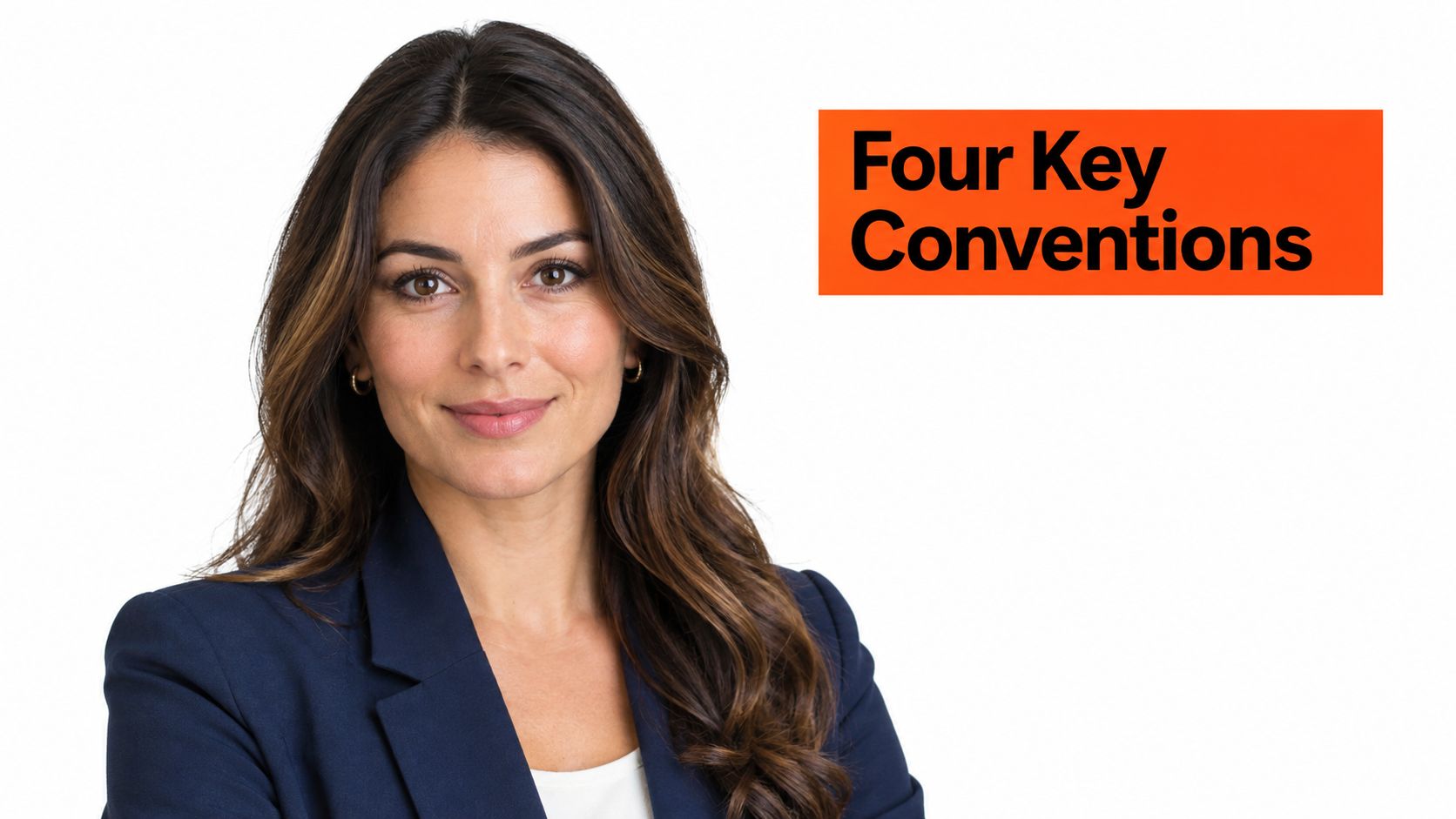
The crop matters because the face has to work at different sizes. A head-and-shoulders composition gives enough context to feel human, while keeping the eyes and expression prominent when the image shrinks into a profile grid. A wide environmental portrait can be useful for a personal brand, but it often leaves too little room for facial detail in a small avatar.
The background should support the portrait, not compete with it. A neutral wall, soft studio backdrop, or lightly contextual setting separates the subject from visual clutter. Controlled light does the same for facial features: it preserves detail and shape instead of creating hard shadows or a blown-out forehead.
These conventions also distinguish headshots from casual portraits and wedding photography. A candid portrait may prioritize atmosphere or movement. A wedding image may tell a story about a moment. A headshot has a narrower job: help someone recognize you and form an initial impression. Professional-branding scholarship notes that viewers use appearance, expression, and attire when judging qualities such as competence and trustworthiness, but a photograph can't reliably establish personality (research on profile pictures and professional branding).
How lighting shapes a recognizable headshot
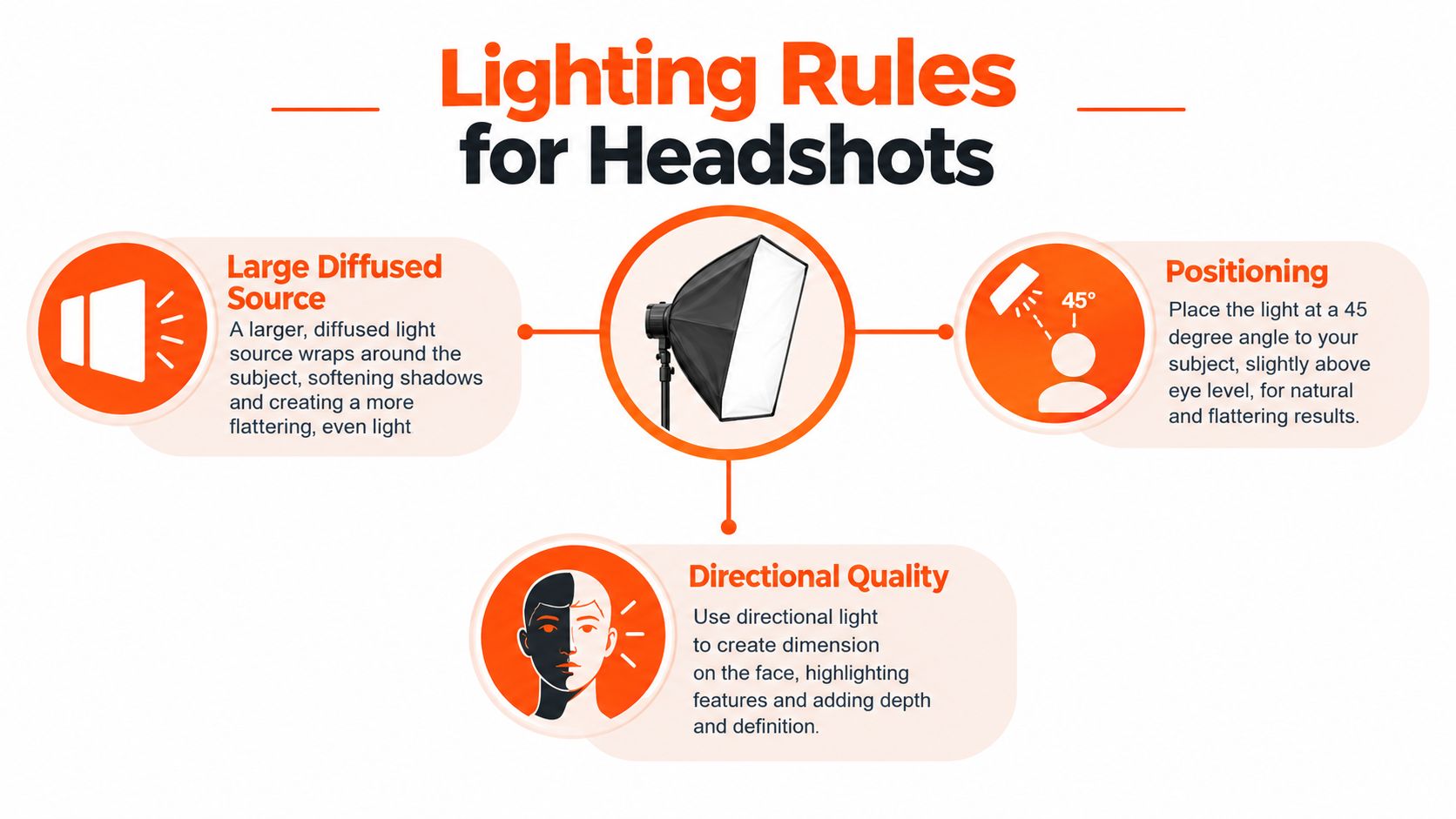
Light is the difference between a face that looks dimensional and one that looks harsh or flat. The working setup is straightforward: use a large diffused source, place it slightly to one side of the camera and above eye level, then control contrast so both eyes remain readable. A softbox or an overcast window can produce the gradual shadow transitions that make skin and facial features look natural.
A key light set roughly 30–45 degrees to one side gives the face shape. The direction creates a gentle change between the brighter and darker side, while diffusion softens the edges of shadows. If the light is directly above the subject, the brow can shade the eyes. If it sits too low, the shadows look unnatural. Directly frontal light can make the face appear flat, particularly when there's no subtle shadow to define the nose or jaw.
Harsh fluorescent overhead light and direct on-camera flash are the conditions to avoid. Fluorescent light can add unwanted color casts and shadows. Direct flash can create shine, flatten facial structure, or cast a hard-edged shadow behind the subject. LinkedIn likewise recommends avoiding both, and favors natural or diffused light for a clearer, more approachable image (LinkedIn's practical photo recommendations).
Facial-perception research reports that judgments of trustworthiness respond to lighting and pose, and that cues such as a smiling mouth and wider eyes are associated with perceived trustworthiness (research on facial cues and social judgments). That doesn't mean every portrait needs a broad smile. It means expression and lighting should work together: clear eyes, a relaxed mouth, and no distracting glare.
For more on how photographers use light to shape commercial portraits, see Image Studio's lighting expertise. You can also compare practical setups in our guide to the best lighting for headshots.
A lighting demonstration can make the difference between soft direction and flat frontal illumination easier to see:
Practical rule: If both eyes are clear and the shadow under the nose is soft, the lighting is doing its job.
Framing, backgrounds, and the thumbnail test
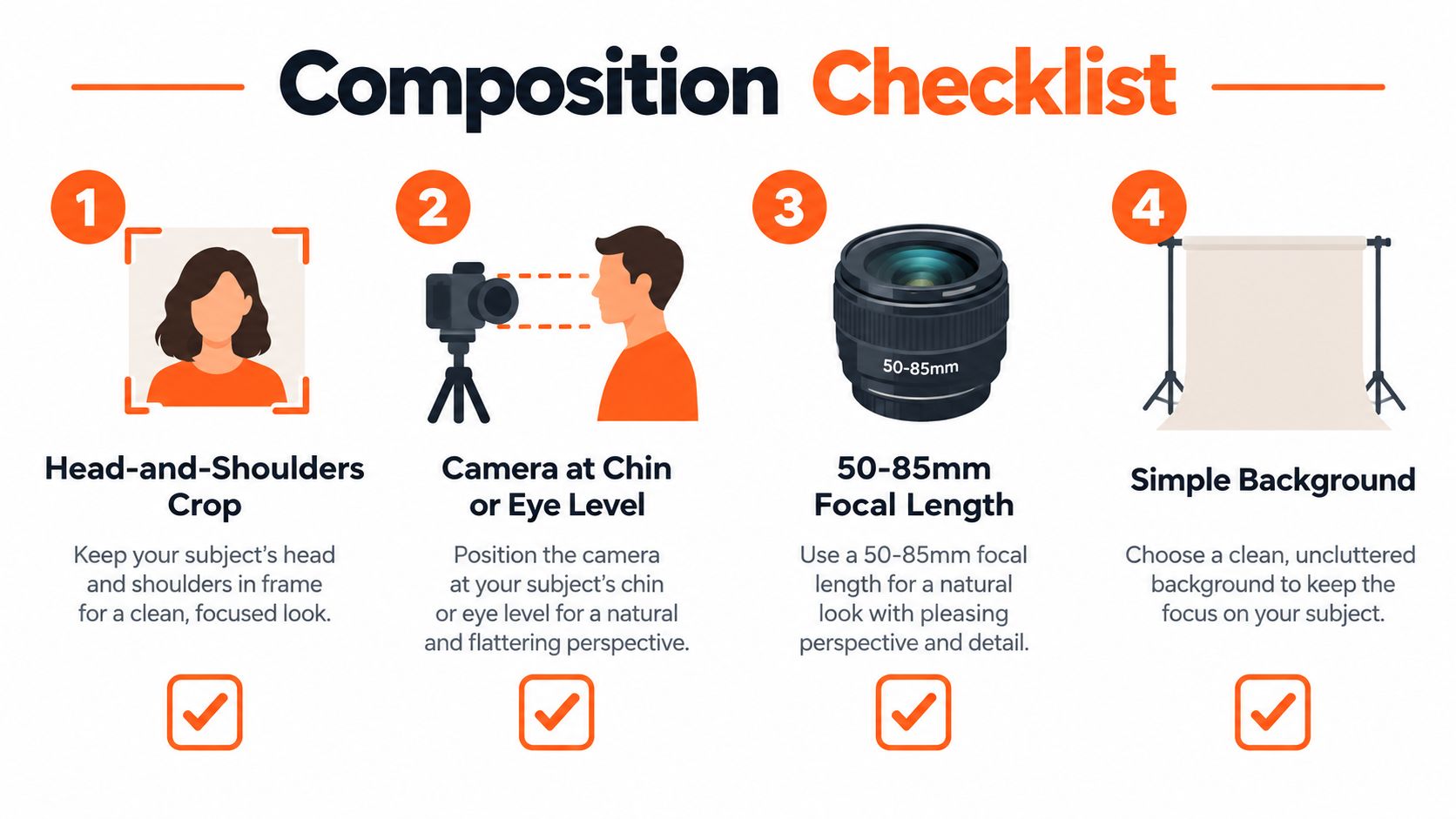
The camera should meet you at chin or eye level, and the composition should keep your head and upper shoulders in frame. A camera pointed down can make the subject look smaller; one pointed up can exaggerate the jaw and nostrils. The goal isn't a rigid pose. It's a natural perspective that keeps facial proportions familiar.
For a conventional portrait, photographers often reach for a 50–85 mm focal length. That range gives a natural perspective without the facial distortion a wide-angle lens can introduce at close distance. A wider aperture around f/2.8 can keep the face sharp while softening the background, as long as the eyes stay in focus. A plain, solid-color backdrop is especially useful when portraits need to look consistent across a company team.
Then test the image small. Shrink it to a circular avatar about 32 pixels across. Can you still identify the face? Check that hair doesn't cover the brow, glasses don't catch a distracting reflection, and the background remains distinct from the skin. If the face disappears at that size, a polished full-resolution portrait won't solve the problem.
LinkedIn's listed profile-image dimensions start at 400 × 400 pixels, a practical lower bound for a clear image that can withstand a square upload and circular crop (LinkedIn image-size guidance). Keep enough space around the head for that crop, and avoid placing important details at the very edges.
The thumbnail test is a useful way to judge framing because professional portraits are often encountered as small profile images before anyone sees a larger version. Composition isn't only about looking polished on a full screen. It's about staying recognizable after the platform crops and resizes the image.
The three archetypes: corporate, creative, and executive
The technical rules stay consistent; the styling changes with the message. A corporate portrait reads as a composed team image. A creative portrait gives more room to personality. An executive image adds authority through deliberate framing, posture, and expression.
| Archetype | Lighting | Background | Expression | Wardrobe |
|---|---|---|---|---|
| Corporate | Soft, even, often frontal | Neutral or restrained brand color | Approachable, composed | Business attire suited to the workplace |
| Creative | Warmer or more directional | Brand color or lightly contextual | Relaxed and expressive | Personal-brand styling |
| Executive | Controlled, dimensional | Neutral, dark, or brand-aligned | Measured and assured | Structured, role-appropriate clothing |
A corporate headshot is the familiar company-directory portrait: head and shoulders, a quiet gray or brand-color background, soft light, and a restrained smile. The image should look consistent beside colleagues' portraits without making everyone look identical. That means standardizing crop, background treatment, and color balance while letting each person's expression remain their own. Adobe's corporate-portrait guidance emphasizes that balance between coordinated presentation and a genuine expression (Adobe's guide to corporate headshots).
A creative headshot can loosen the crop and lean into warmer light, a bolder background, or less formal clothing. A designer, writer, or agency leader may want the portrait to feel like part of a personal brand, rather than a uniform company directory. The face still needs to be easy to read, but the setting and styling can carry more character.
An executive headshot often favors composed posture, a more deliberate light pattern, and a restrained expression. It should convey leadership without turning into an unapproachable portrait. The right choice depends on who will see the image and what the person does for clients or colleagues: a therapist's warmth, a lawyer's authority, and an actor's range call for different visual choices. Cultural and accessibility considerations matter, too. Religious clothing, natural hairstyles, mobility aids, and visible disabilities belong in portraits that represent the person accurately and respectfully. The standard is credible visibility, not conformity to one corporate look.
Why heavier retouching is usually the wrong instinct
A headshot can look polished and still fail if it no longer looks like the person. The useful standard is you on your best professional day, not an idealized version that colleagues wouldn't recognize on a video call. Retouching should remove distractions while preserving identity and natural skin texture.
The common tells are easy to spot. Over-smoothed skin erases texture and can make a face look artificial. Enlarged eyes can change the expression. A replaced background can create a mismatch between the subject's lighting and the new setting, especially around hair and shoulders. Those details may seem minor at full size, but a small circular crop can make artificial edges and exaggerated features more obvious.
This is why retouching is a credibility decision, not a contest in surface polish. A natural expression and familiar facial features do more for recognition than aggressive smoothing. For a closer look at editing choices and their trade-offs, RevelRaw's guide to AI editing for photographers covers how editing fits into a photographic workflow. Our photo retouching before-and-after guide shows how restrained adjustments preserve a believable result.
Before approving a final image, check it at full size and as a small avatar. If the skin looks waxy, the eyes feel different, or the edges around the hair seem cut out, the editing has gone too far. The goal is the person a client or hiring manager would recognize in a hallway.
What it costs and where AiHeadshots fits
A traditional photographer is the right call when you want an in-person session, hands-on direction, and control over each frame. Day rates run $300–$600+, and scheduling, travel, and delivery add time on top; our guide to how much professional headshots cost breaks down what different session types charge. That spend makes sense when those parts of the process shape the final image.
For a faster, lower-cost route, AiHeadshots delivers 30+ studio-grade headshots in roughly 30 minutes from 10–20 phone selfies, with tiers at $29, $39, and $59, a 14-day money-back guarantee, a 4.9★ rating, and 255,000+ headshots delivered to 30,000+ customers (AiHeadshots).
The product comes out of Studio Pod, an automated headshot studio in Houston founded by photographers Joseph West and Chris Bailey, which has been photographing working professionals in person since 2019. We're working photographers who built this product ourselves, and that background shapes the same visual choices covered here: directional light, clean backgrounds, and retouching that keeps the person recognizable.
Upload 10–20 phone selfies to AiHeadshots and receive 30+ studio-grade headshots in roughly 30 minutes. Choose a look built around the lighting, framing, and natural retouching that make a professional portrait recognizable.
