



A solid mid-gray, charcoal or soft blue background with no visible objects is the professional default for most roles; use a contextual setting only when your role calls for it. Background and other profile-photo cues aren't personality tests: a study of LinkedIn users found relationships with personality no larger than r ≤ .15.
That finding, described in a summary of a study of German-speaking LinkedIn users, separates professional signaling from personality inference. A backdrop establishes the setting for your portrait. It doesn't prove that you're competent, trustworthy or suited to a job.
The right professional background for headshot use follows your role, audience and brand. Start with what the viewer needs to see, not what an impressive room supposedly says about you.
Table of Contents
- Which background fits your headshot context
- Color, texture and depth that keep attention on the face
- Lighting specs that keep the background clean
- Photographer, home setup or AiHeadshots compared
- How to set up a professional headshot background at home
- Polish limits and the decision before you upload
Which background fits your headshot context
A solid, low-contrast background is the default. Move away from it when the setting adds relevant information, not decoration.
Professional backgrounds by context
| Context | Background that works | Why it works | Avoid |
|---|---|---|---|
| LinkedIn and job search | Solid mid-gray or soft blue | Keeps the face the focus at thumbnail size | Busy office scenes and outdoor clutter |
| Corporate team pages | Identical solid color across the team | Makes a row of profiles look like one group | Mixed backgrounds across employees |
| Executives and speakers | Charcoal or deep navy, or a plain studio backdrop | Supports a formal, restrained presentation | Bright or patterned backdrops |
| Lawyers, doctors and consultants | Neutral gray or softly blurred office | Fits established client-facing presentation | Props, signage and visible equipment |
| Actors and creatives | Textured or mid-tone backdrop, sometimes a colored gradient | Allows expressive styling within a professional frame | Backgrounds that compete with the face |
| Remote workers | Solid color or a clean, uncluttered wall | Keeps the home environment out of the portrait | Bedrooms, shelves and personal objects |
A 2017 peer-reviewed study involving 610 participants found that people selected profile photographs to emphasize platform-appropriate traits, with the strongest selection effect in the professional-network context. Strangers also selected images that generated more favorable impressions than the subjects' own selections.
That supports context-sensitive selection, not a rule that every professional needs gray. An architect's restrained location portrait can make sense on a project biography, while the same person's directory image needs tighter framing and less environmental detail.
For a separate, more expressive social identity, you can browse creative Instagram PFP styles from PostSyncer. Treat those ideas as platform-specific inspiration rather than a template for a legal directory or executive biography.
Match the background to the platform where the photograph will appear. Then ask someone else to assess the actual thumbnail, not just the full-resolution portrait.
Color, texture and depth that keep attention on the face
A background is a frame. A good frame makes the picture inside easier to read, not louder.
This portrait illustrates the restraint of a plain gray backdrop.
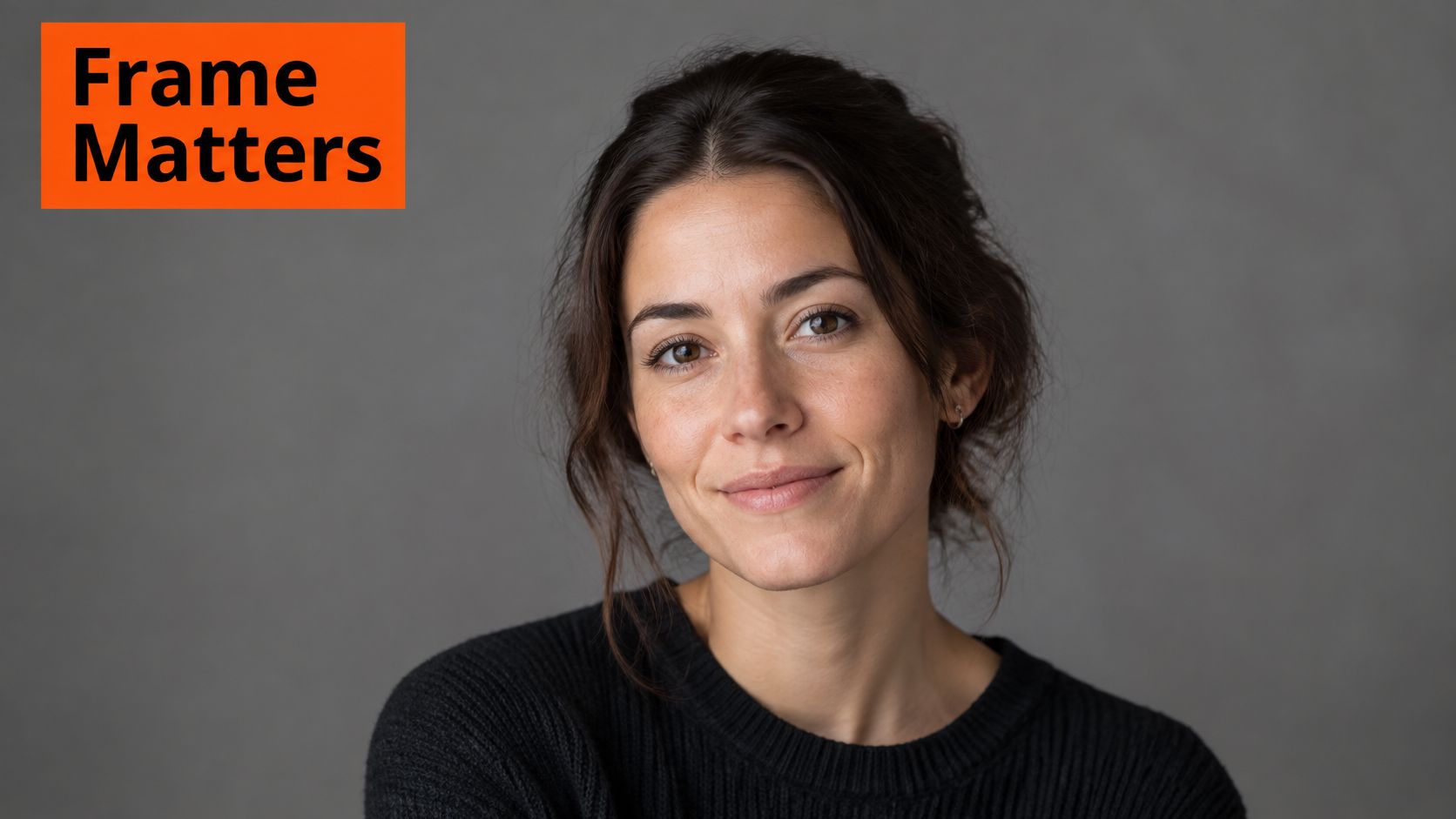
Color isn't a personality label. Judge it by the separation it creates around your skin, hair and clothing.
| Background | Effect at thumbnail size | Suits | Main risk |
|---|---|---|---|
| Mid-gray | Neutral, steady and readable | Most skin tones and hair colors | Looks flat without light falloff |
| Charcoal | Strong contrast and formal styling | Dark and mid-tone hair with edge separation; executive styling | Swallows dark hair and clothing |
| Soft blue | Cool and restrained | LinkedIn, tech and consulting presentation | Feels cold beside warm skin tones |
| White or off-white | Bright and open | Light hair with controlled edge contrast; high-key styles | Loses light skin and hair edges |
| Warm beige | Warm and understated | Creative and client-facing presentation | Yellow reflected light contaminates skin color |
| Softly defocused office | Adds context without sharp detail | Lawyers, doctors and consultants | Furniture and objects compete with the face |
Mid-gray is forgiving, but it still needs tonal variation. Charcoal needs enough illumination around dark hair and shoulders; white requires the opposite discipline, keeping bright edges from disappearing into the backdrop.
A portrait-scene experiment on background complexity found that complex, salient backgrounds increased boundary extension, the tendency to remember more surrounding space than the image contained. This isn't a hiring study. It explains why simplification is a perceptual choice, not just a preference for minimalist design.
Use a subtle gradient or soft environmental blur instead of visible signage and furniture edges. Our guide to the best colors for headshots develops the relationship between clothing, complexion and background.
Use the video alongside an actual thumbnail comparison.
Thumbnail test: Hair, shoulders and facial features must remain distinct when the portrait is reduced to a LinkedIn search-card size.
Lighting specs that keep the background clean
Light should reveal facial structure and keep attention on the face. The Metroplex Headshots lighting guide describes more favorable appeal and trustworthiness evaluations for revealing patterns such as frontal, Paramount and Rembrandt lighting than for strongly concealing Under or Split lighting. This speaks to how a lighting pattern may be perceived, not to a person's competence or character. The background sets context; choose it for the role, audience and brand rather than expecting it to prove anything about the subject.
Frontal light keeps the face broadly visible. Paramount light sits above and near the camera axis, while Rembrandt light adds directional modeling to the cheeks. For a business portrait, preserve visible eyes and readable facial geometry. A dramatic shadow should support the portrait, not become its main subject.
A repeatable lighting baseline
| Specification | General starting point | What it controls |
|---|---|---|
| Key light | Large, diffused source, approximately 45 degrees from the subject-camera axis | Facial shape without a small, hard shadow edge |
| Fill | Controlled reflection or a softer secondary source | Deep eye sockets and harsh cheek shadows |
| Color temperature | Approximately 5000–5600 K | Neutral skin rendering |
| Color accuracy | Approximately CRI 95 or above | Faithful color across complexions |
| Background lighting | Controlled independently | Spill, excessive contrast and unstable edge separation |
These are general starting points for a diffused key, fill and neutral color, not values established by the lighting-pattern guide. Inspect the photograph. A softbox positioned too high can still leave the eyes hard to read, and a neutral color setting cannot correct mixed window light and a warm ceiling lamp.
Control the backdrop separately
Keep subject light off the background unless you intend to illuminate it. Use distance, light direction and black flags to limit spill, then adjust the backdrop independently. Uncontrolled light can create uneven brightness, reflected color and difficult hair edges during editing.
A repeatable setup helps a team directory feel coherent without making every portrait dramatic in a different way. Record light positions, camera height and backdrop placement so each employee can be photographed under the same arrangement. The corporate portrait lighting setup guide explains how to organize a consistent lighting arrangement.
Photographer, home setup or AiHeadshots compared
A professional background signals context and keeps attention on the face. It cannot prove competence or character. Choose the route and backdrop that fit your role, audience, and brand, rather than treating one color as universally professional.
| Route | Turnaround | Background control |
|---|---|---|
| Photographer studio session | Booking and edited delivery follow the photographer's schedule | Set by the photographer on the day |
| At-home setup | Capture during your session, then select and edit | Set by you, within your own space |
| AiHeadshots Professional, $39 | About 30 minutes | Five style looks, an outfit, and up to four backgrounds |
A photographer suits a custom set or specific location. An at-home setup gives you control when you have a suitable wall, controllable light, and time to select and edit. AiHeadshots generates professional headshots from photos you upload, making it an option when you want portraits without arranging a studio visit.
AiHeadshots was established in 2019 by the photographers behind Studio Pod, including founder Joseph West, a photographer with years behind the camera. The Professional plan costs $39 and includes 50 finished AI headshots in five unique style looks, an outfit, and up to four backgrounds. The portraits are designed to match professional studio photography, with no scheduling or rigs needed. See the AI headshots versus photographer comparison for a closer look at the differences between generated portraits and a directed session.
Compare the whole deliverable
Compare finished results, not just capture time. For a photographer, request a written quote covering the session, selected images, and retouching. At home, count the time you'll spend capturing, selecting, and editing. With AI-generated portraits, check that the available styles and backgrounds suit the context where the image will appear.
The final display size matters, too. A headshot beside a company logo in an email signature needs to work at small scale, where a busy background can compete with the face. SigFinch's guidance on recommended logo sizes for email can help you assess the portrait and logo together at their displayed size.
How to set up a professional headshot background at home
Build the background before you pose. Start with a controlled space and remove the distractions that editing would otherwise have to repair.
In a survey reported by PCMA of more than 200 HR professionals, business owners and managers, 71% said they had rejected a qualified candidate because of a poor LinkedIn profile picture. That describes the surveyed respondents, not a guarantee about employers or any background color.
Set the space, then check the portrait
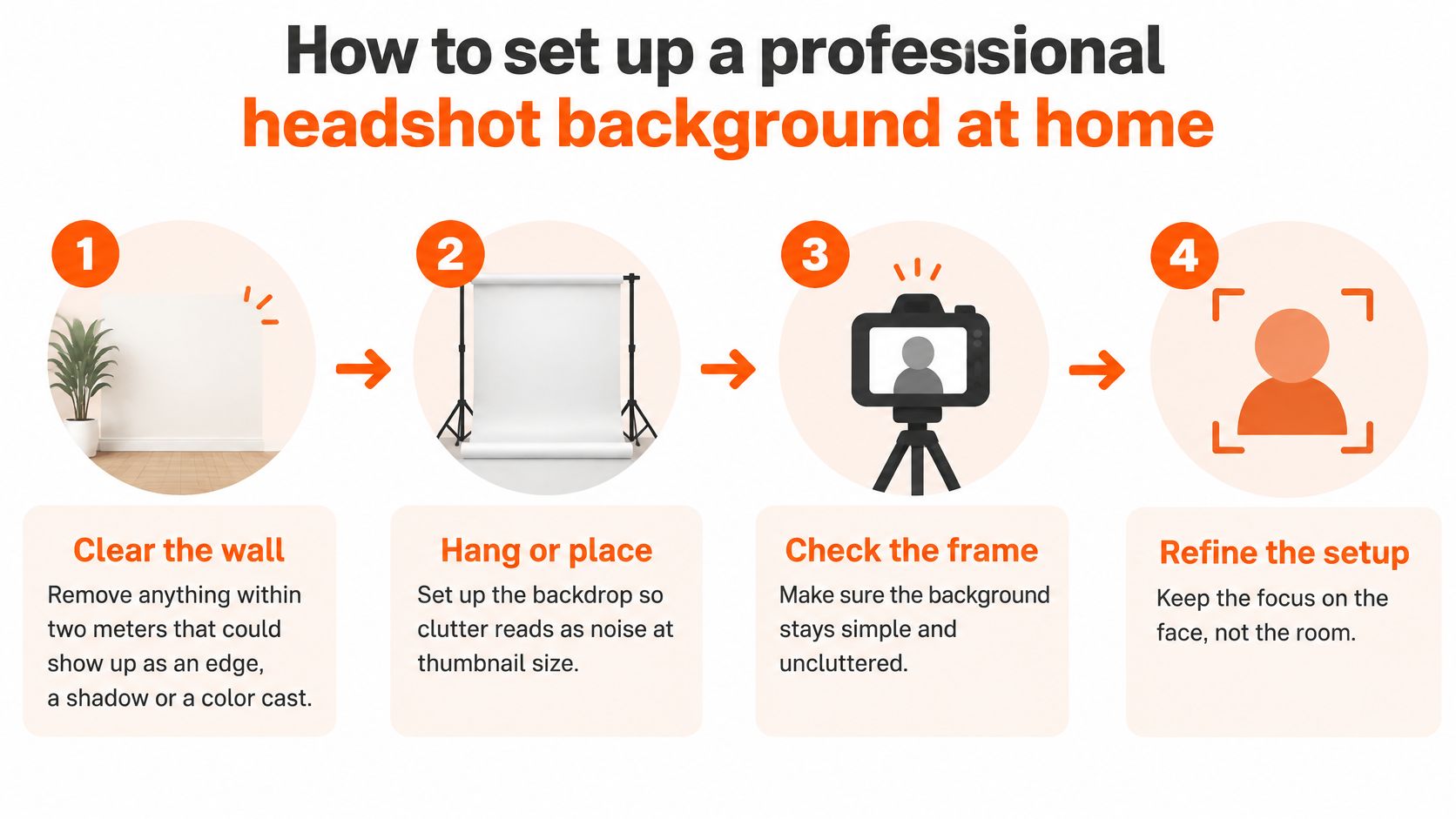
- Clear the wall. Remove anything within two meters that could show up as an edge, a shadow or a color cast. Treat this as a practical clearing zone, not a guarantee that every nearby object will affect the photograph.
- Hang or place. Set up the backdrop so clutter reads as noise at thumbnail size. Use a plain wall or neutral backdrop, pull fabric taut, and inspect the entire visible area for wrinkles and uneven tone.
- Create separation. Start with a meter or more between you and the backdrop, then adjust for your room and light. This gives you room to control shadows and reflected color.
- Set the illumination. Use the diffused key, restrained fill and neutral-color baseline specified in the lighting section. Turn off competing household lamps so they don't introduce different colors across your face.
- Check the frame. Make sure the background stays simple and uncluttered. Place the camera at eye level, crop from the upper chest upward, and inspect the outline of your hair and shoulders.
- Refine the setup. Keep the focus on the face, not the room. Reduce the image to its intended display size and reject frames with distracting edges, weak eye visibility or awkward crops.
The visual sequence reinforces the space-clearing and framing decisions.
Avoid the common mistake: Don't press yourself against the backdrop and expect editing to reconstruct shadowed hair or remove reflected color cleanly.
Distance doesn't solve every lighting problem, but it gives you control. Fix the setup before capturing the final expression rather than depending on aggressive background replacement afterward.
Polish limits and the decision before you upload
A polished headshot should still look like you. Editing that changes recognizable features turns a professional introduction into a question mark. The background sets the scene and keeps attention on your face, but it cannot prove competence or character. Choose it for your role, audience and brand, not because one color supposedly works for everyone.
In a summary of Ringover's 2024 survey of 1,087 U.S. recruiters, 66% said they would be put off by a candidate's headshot after learning it was AI-generated. That finding concerns disclosed AI generation. It does not show that recruiters can reliably identify AI-generated images.
Keep identity intact
Preserve recognizable facial structure, age, skin texture and hair. Remove temporary distractions, but do not reshape the face, alter complexion or change body proportions. Choose clothing that fits the target role rather than using retouching to suggest seniority you do not have.
Apply the same honesty to the setting. A remote consultant does not need a fabricated corner office to look professional. Use a location-specific background when it reflects the person's work, not when it implies an office, title or affiliation that is not theirs.
| Do | Don't |
|---|---|
| Keep recognizable facial structure, age and skin texture | Change face shape, skin tone or body proportions |
| Match the background to the real work context | Add a setting that suggests a different job, title or location |
| Use one background across a team | Mix backgrounds or crops within the same team page |
| Keep attire appropriate for the target role | Retouch clothing into a style you don't wear |
| Disclose AI generation where a context requires it | Assume a platform won't ask about AI use |
| Compare the final image with a recent photo before publishing | Publish an image you wouldn't recognize in person |
A shared backdrop can create a consistent team page without making every person look alike. Preserve religious clothing, mobility aids, accessibility needs and culturally meaningful choices. Keep the photographic treatment consistent; let individual presentation remain personal.
Make the publishing decision
Start with the destination: LinkedIn, a corporate directory, an executive biography, a creative portfolio or a remote-work profile. Pick a background suited to that setting, then view the finished portrait as a thumbnail in its actual layout. The face should remain the first thing the eye finds. You can compare background examples in use before choosing a treatment.
Next, compare the image with a recent photograph taken in good light. If the portrait changes how people would recognize you in person, reject it. Check the destination's requirements before uploading, too. Some medical fellowship applications and certain casting platforms require disclosure of AI generation.
Commercial permission and submission eligibility answer different questions. Every headshot pack includes a full commercial license and full commercial and ownership rights for LinkedIn, company websites, marketing materials and press releases. Those rights do not override a destination's rules.
AiHeadshots creates AI headshots from photos you upload, with multiple background styles. Its Professional plan costs $39 and includes 50 finished headshots. Compare pricing or upload photos to start.
