



A profile photo shapes how people read your LinkedIn profile. A 2025 experiment found that adding a profile picture increased perceived hireability, expected task performance, and organizational citizenship behavior. The study measured impressions, not job offers. The peer-reviewed LinkedIn experiment also found that sparse, incomplete profiles lowered hireability ratings.
Choose your headshot for the trust your role needs to build. A recruiter may look for clarity and approachability, while a client-facing professional may need a more polished, formal frame. Set the wardrobe, light, and crop to support that impression rather than copying another profile.
Studio sessions cost more than selfie-based options. AiHeadshots offers professional headshots for LinkedIn, corporate teams, executives, actors, and other professionals. Upload 10–20 phone selfies to receive 30+ studio-grade headshots in about 30 minutes, without a studio visit. Its Studio Pod technology creates realistic lighting, studio-quality retouching, and multiple background styles. Choose an option that fits the look you need, then check that the finished image suits your role and profile.
Table of Contents
- 1. Navy suit, white shirt, light gray seamless backdrop
- 2. Charcoal suit with tie on a dark studio backdrop
- 3. Open-collar blazer with no tie
- 4. Crew-neck knit over collared shirt
- 5. Environmental portrait in natural window light
- 6. Black-and-white monochrome portrait
- 7. Tight crop with direct eye contact
- 8. Clean polo or button-down with a clinical or service backdrop
- Eight LinkedIn headshot men styles compared by role, backdrop, formality, and framing
- Pick the look your role demands, then shoot it
1. Navy suit, white shirt, light gray seamless backdrop
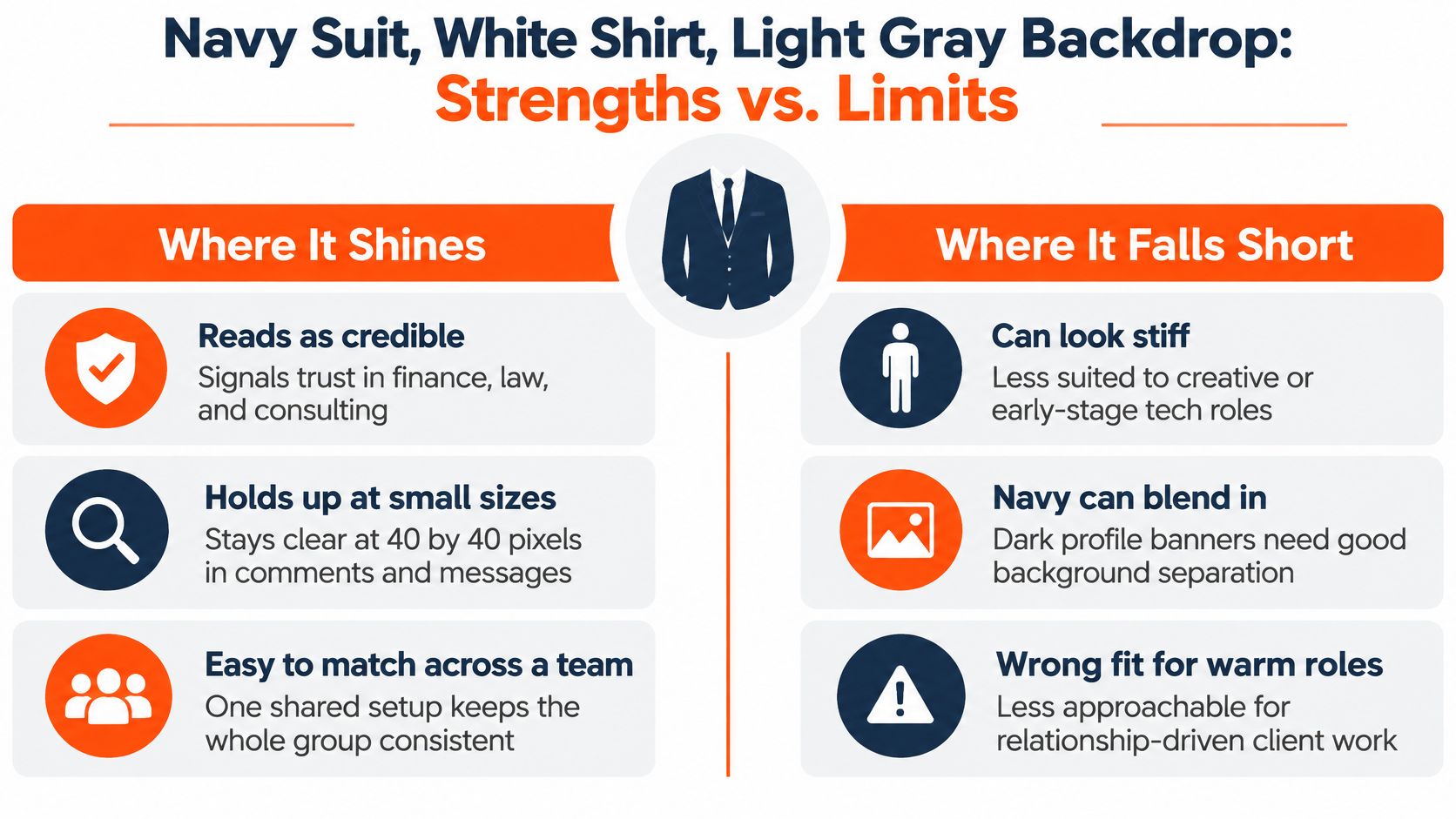
For finance, law, and consulting, a navy suit and white shirt make a dependable, formal portrait. Navy reads as authoritative without the severity of black. In a small circular crop, the white shirt brings light to the face. A light gray backdrop separates the shoulders while keeping attention on you.
This setup fits a financial advisor's profile on a wealth management site or a partner bio at a mid-size law firm. Navy and charcoal suits, solid backdrops, and straight-on poses are familiar conventions in formal fields. Use them when they fit the expectations of your audience, rather than copying another profile by default.
Keep the face open
Wear a suit you would choose for a board meeting. Check that the shoulders fit and the lapels lie flat. A tie is optional. Without one, unbutton the top button and keep the collar tidy. Turn your shoulders slightly away from the camera, then bring your face back to the lens. Keep your jaw relaxed and eyes level.
For this professional look, use soft light from slightly above and beside the camera so the white shirt brightens the face without washing it out. Keep the light gray background even, and frame from the upper chest so the collar and shoulders remain visible in a circular crop. We shoot this setup at Studio Pod for trust-led professions because the clean contrast keeps the face legible. The suit should look like your working wardrobe, not a costume.
2. Charcoal suit with tie on a dark studio backdrop
A charcoal suit and muted tie put more weight behind the portrait than navy does. Use this combination for a C-suite leader, board member, or general counsel whose profile needs to read as composed and senior. A dark backdrop gives the image depth, but it also reduces separation between jacket and background. The light on your face needs to stay controlled and clear.
The practical test is the collar. If a dark shirt disappears into the backdrop, the whole neckline turns into one shape. Choose a lighter shirt, then add a tie with one restrained accent color that fits your company palette. For a private equity executive, that might mean charcoal wool, a pale blue shirt, a muted blue tie, and a deep gray background. The portrait should feel at home on an investor deck, not like a dramatic movie poster.
Light the face, not the jacket: Keep detail in the shadows across your face while letting the jacket stay dark. Flattening the whole image removes the depth this style needs.
The Executive tier is $59 and is designed for this more formal portrait style, with retouching that preserves natural skin texture while refining the light across the face. For more wardrobe and framing guidance, see our corporate headshots for men guide. If you want an executive portrait without arranging a studio visit, AiHeadshots starts from phone selfies. The right result still depends on choosing a look that resembles how you show up in person.
3. Open-collar blazer with no tie
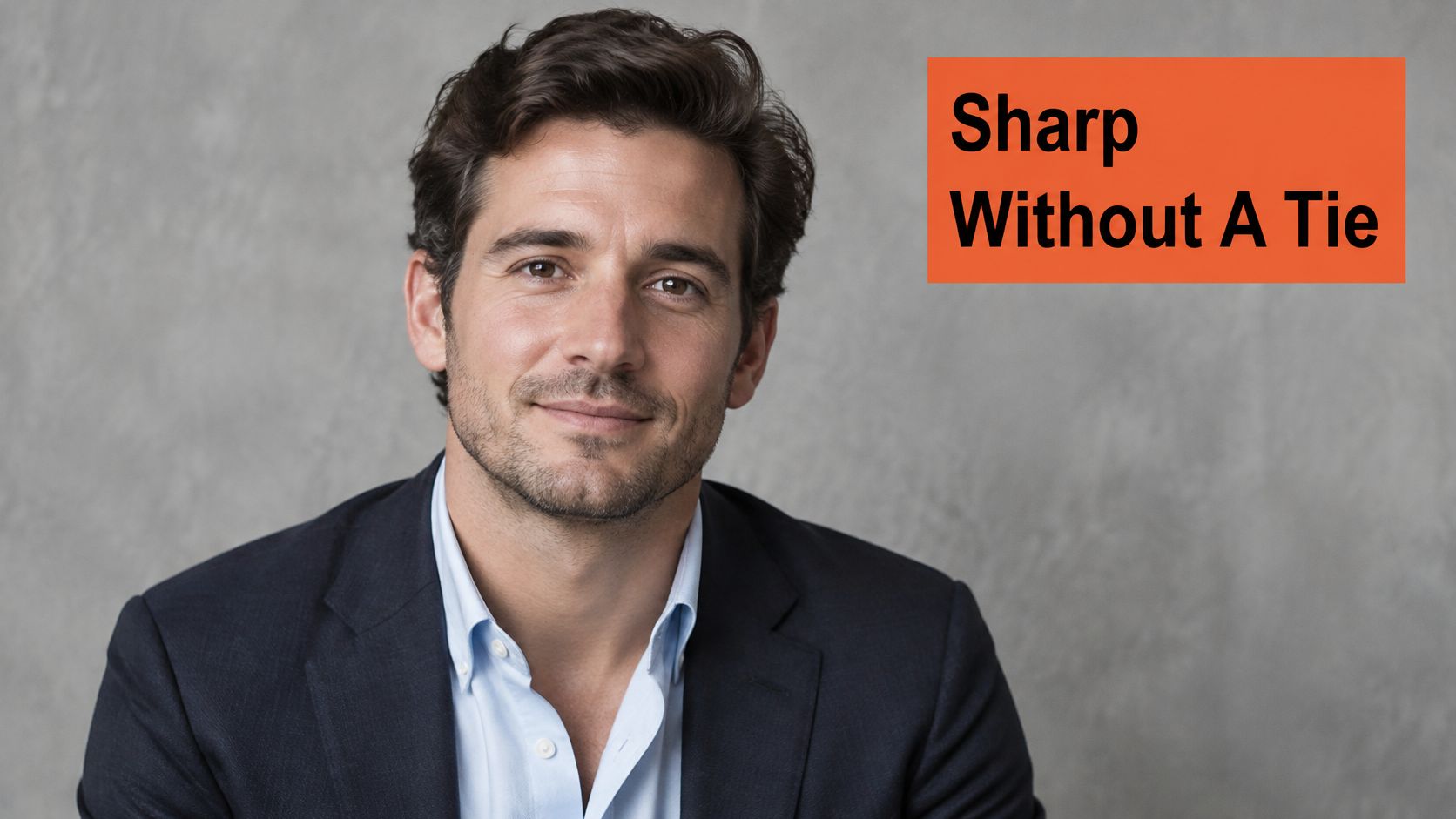
A structured blazer over an open-collar shirt gives sales leaders, consultants, product managers, and founders a polished look without the formality of a suit and tie. The open collar creates space around the neck and softens the frame. That helps when your work depends on conversations, introductions, and client relationships rather than a strict dress code.
For a boutique strategy consultant, try a navy blazer, a light blue shirt, and a warm gray background. For a B2B account executive, a darker blazer and a pale shirt create contrast that stays clear in a small profile image. The background can be quiet. The blazer is the bigger color decision because it occupies more of the frame.
Let the fit do the work
Choose a blazer with structured shoulders. Camera framing makes a loose shoulder line look sloppier than it may in person. Unbutton the shirt's top button and press the collar flat. Avoid tiny, high-contrast patterns; they can turn into distracting visual noise on screens.
A recruiter-focused study of seven LinkedIn photos of the same fictional entry-level marketing candidate found that visible smiling and direct eye contact were especially associated with higher perceived credibility. The study was qualitative, not a test of hiring outcomes, but the cues translate well here: face the lens, keep your eyes unobstructed, and use a natural smile. The recruiter-focused study supports a relaxed expression over a severe pose. For most client-facing professionals, the blazer already provides enough formality. You don't need to add a hard stare.
4. Crew-neck knit over collared shirt
A fine-gauge crew-neck knit over a collared shirt fits engineers, product designers, data leaders, and founders at early-stage companies. The knit adds texture and warmth, while the collar keeps the portrait structured. It feels deliberate without looking like you dressed for a corporate directory.
For an engineering leader at a developer-tools company, try a solid navy or charcoal sweater over a crisp light shirt. Use a warm neutral backdrop, such as soft beige or muted gray. The knit already carries texture, so a strong color or busy background competes with the face. The finished photo should look like you at work, not a catalog model posing in borrowed clothes.
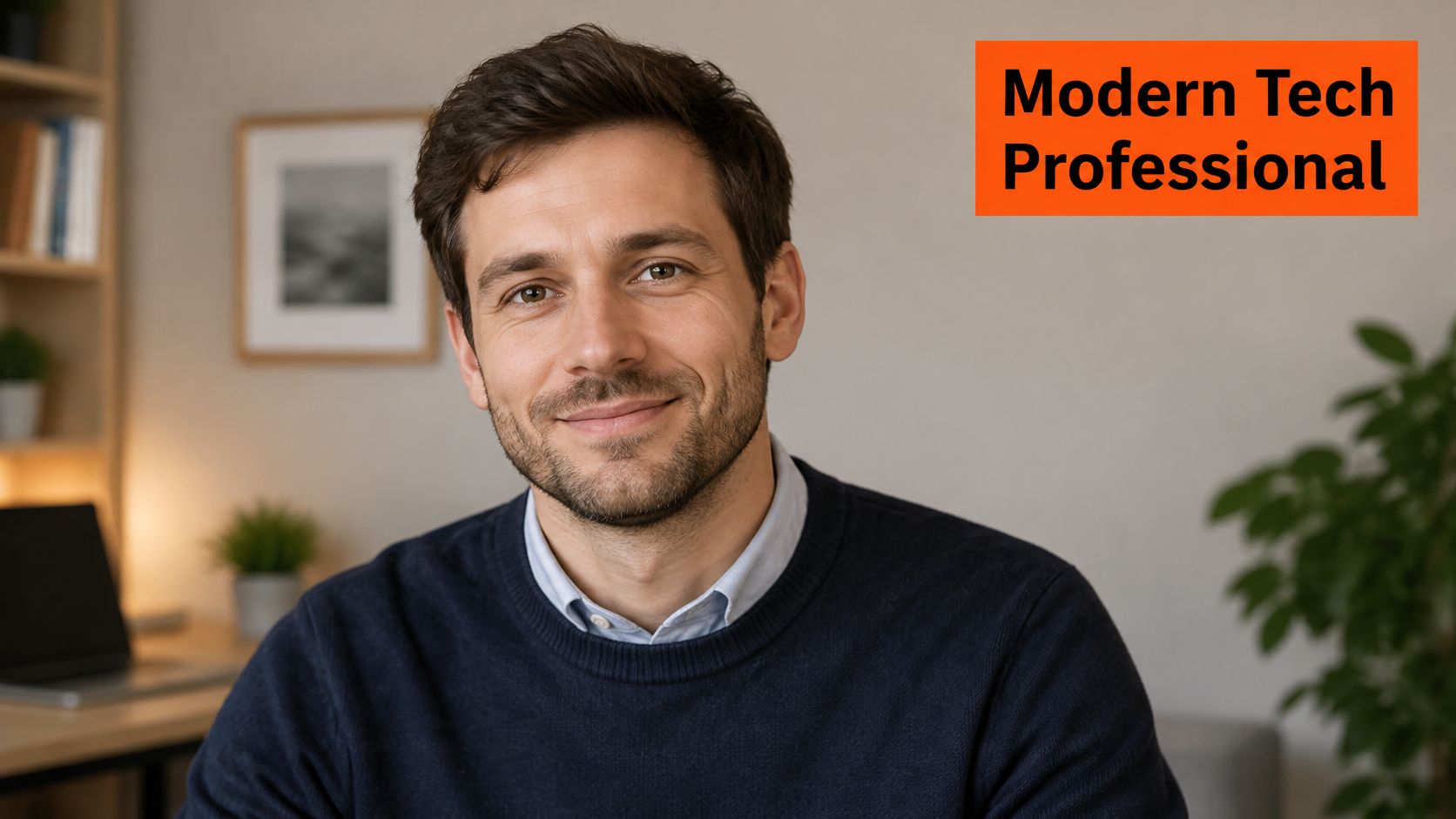
Check the sweater under the actual light before the shoot. Pilling catches highlights and makes a clean garment look worn. Steam it, remove lint, and make sure the shirt collar sits evenly above the neckline. A striped knit is a poor choice for a profile image because fine lines can produce moiré on high-resolution screens.
Keep the expression easy and direct. The knit is already doing some of the work of making the portrait feel approachable, so there's no need to exaggerate the smile. If your everyday work wardrobe is this casual, matching it in the headshot helps your photo feel recognizable when colleagues meet you.
5. Environmental portrait in natural window light
An environmental portrait places you in a real workplace, with enough background detail to connect the image to what you do. Use it when the setting supports your profession: a realtor near a listing, an architect beside a drawing table, or an industrial engineer in a clean workspace. A blurred office can add context, but clutter makes the image feel unfinished.
Start by standing within a few feet of a window and facing the light. Soft daylight gives the face shape and puts a natural catchlight in the eyes. Keep the background a few feet behind you so it falls out of focus. Remove cables, personal items, and anything that pulls attention away from your face.
For example, an architect might stand near a completed building or a tidy model table. Keep the subject sharp and the setting recognizable, not competing. If the window light is harsh, move farther from the glass or use a sheer curtain to soften it. Avoid mixing strong window light with bright overhead fixtures; the different color temperatures can make skin look uneven.
This look fails when the background is busier than the person. It also fails when the window creates a hard stripe of light across the face. If the environment doesn't tell a useful story about your work, choose a plain backdrop instead.
A short demonstration can help you judge the window-light setup before you shoot:
6. Black-and-white monochrome portrait
Black-and-white headshots suit authors, speakers, keynote presenters, and thought leaders who want an editorial feel. Removing color shifts attention to expression, facial structure, and texture. That can make a portrait distinctive, but monochrome isn't a shortcut for a weak image. The contrast and tonal range need to be right.
Wear fabric with visible texture, such as wool or tweed. A smooth black shirt against a dark backdrop can disappear, while textured fabric gives the image useful detail. Keep a clean white or light collar in the frame to create separation. Ask for a test conversion before committing to a set, especially if you'll use the portrait on both light and dark LinkedIn banners.
Black and white should look intentional. If the skin, shirt, and background all collapse into the same gray, the conversion has removed information rather than simplifying the frame.
A conference speaker's portrait for a publisher page is a natural use case. The same image may feel too stylized for a conservative corporate directory, so keep a color version for that setting. Our black-and-white headshot guide covers the look in more detail. AiHeadshots offers multiple portrait styles and backgrounds, so you can choose monochrome for an editorial profile while keeping a color option for more conventional business use.
7. Tight crop with direct eye contact
A tight head-and-shoulders crop suits recruiters, sales leaders, and job seekers whose photo often appears as a small circle in search results. Frame from just above the head to the upper shoulders, or to mid-chest if your photo will be cropped into a circle, leaving enough room around your hair and chin. Cut too close and the portrait feels cramped; leave too much space and your face becomes harder to read.
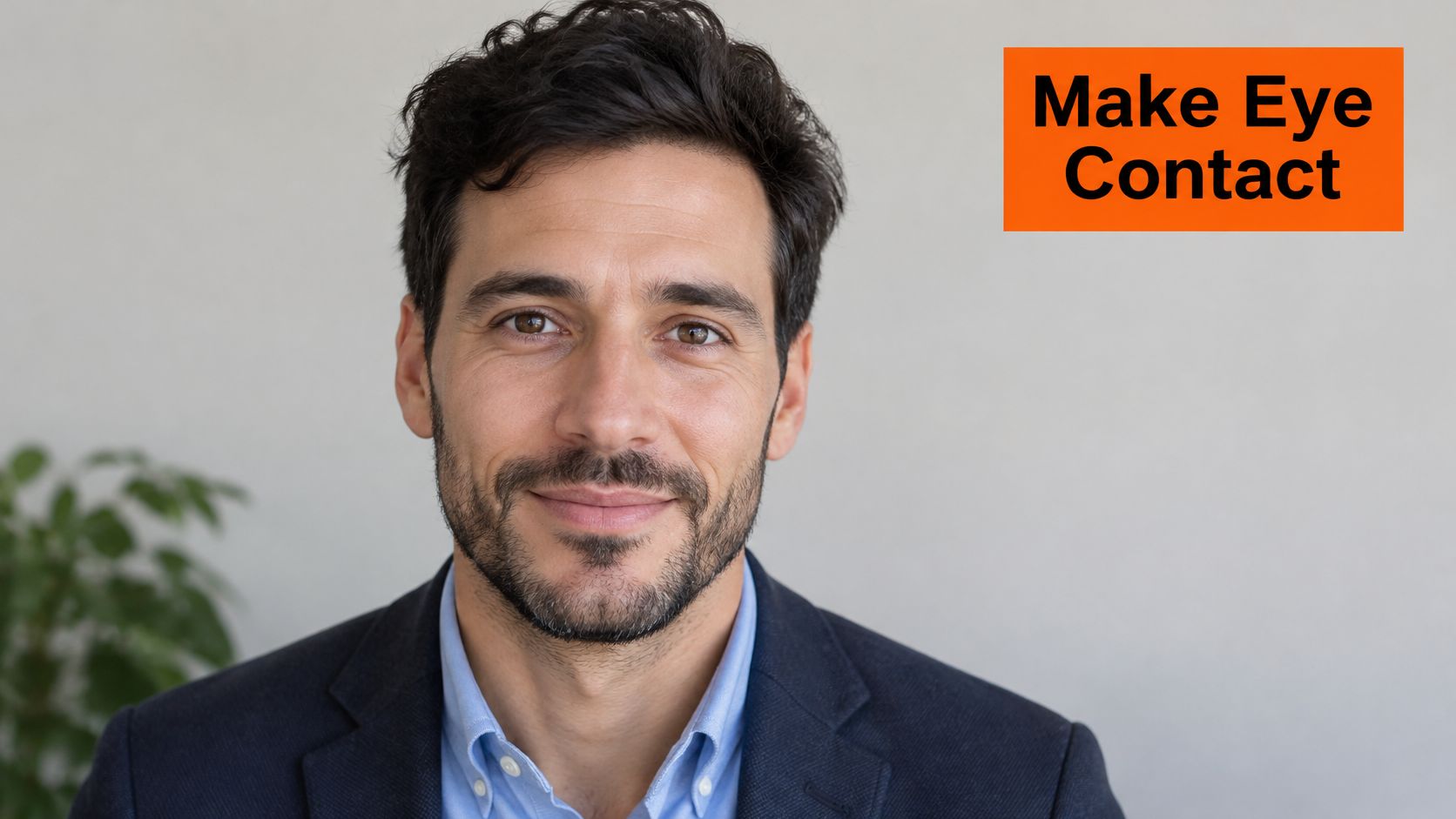
Meet the lens with your eyes. Keep your chin level and your expression calm or warmly engaged. Looking above the camera shifts your gaze and can make the portrait feel disconnected. Use even light across your face, with a clean background that keeps attention on your expression.
Recruiters reportedly spend about 19% of an initial profile review, roughly 1.4 seconds, on the photo, according to the reported eye-tracking findings. Make your face legible at a glance. Check the finished crop on your phone at the size it will appear in daily use. If your eyes blur or your jaw blends into the background, adjust the light or framing before uploading.
For practical framing advice, follow this guide to taking a LinkedIn headshot. AiHeadshots offers LinkedIn-oriented portrait styles, and its Basic tier costs $29. Check the pricing page for the available packs and options.
8. Clean polo or button-down with a clinical or service backdrop
Doctors, therapists, dentists, and service consultants need a portrait that feels calm and accessible. A clean polo or open-collar button-down against white or soft blue fits that work better than a dark executive suit. Keep the collar neat and the shirt muted. The goal is a professional look without unnecessary formality.
For a physician's hospital bio, choose a well-fitting shirt and a clean white background. For a therapist's directory profile, soft blue can feel less stark while still reading as professional. Check practice or licensing-body guidance before settling on attire. Use the same portrait on LinkedIn, your practice website, and directory listings so clients recognize you across the places they find you.
Light the face clearly and keep the background quiet. AiHeadshots creates professional headshots with realistic lighting and studio-quality retouching, designed to preserve natural facial detail rather than produce an over-smoothed finish. That balance matters for clinical and service roles, where an unfamiliar-looking portrait can weaken the sense of personal connection.
Choose a photo that still looks like you in person. Preserve recognizable features and your professional age. A polished portrait should present you clearly, not make you look like someone else. In healthcare and counseling, clients may see your profile before meeting you, so the image should set an accurate expectation.
Eight LinkedIn headshot men styles compared by role, backdrop, formality, and framing
| Item | Best for | Backdrop | Formality | Frame |
|---|---|---|---|---|
| Navy suit, white shirt, light gray seamless backdrop | Finance, law, consulting | Light gray or soft white seamless | Formal | Head and shoulders |
| Charcoal suit with tie on a dark studio backdrop | Executives, board members, general counsel | Dark charcoal or deep gray | Highly formal | Tight crop |
| Open-collar blazer with no tie | Sales leaders, consultants, product managers, founders | Neutral or softly textured | Smart business casual | Head and shoulders |
| Crew-neck knit over collared shirt | Tech professionals, engineers, designers, startup founders | Warm gray, beige, or soft blue | Casual professional | Head and shoulders |
| Environmental portrait in natural window light | Architects, realtors, designers, industrial engineers | Blurred, recognizable work setting | Approachable professional | Head and shoulders or three-quarter |
| Black-and-white monochrome portrait | Authors, speakers, thought leaders | Dark or mid-gray | Editorial, stylized | Head and shoulders or tight crop |
| Tight crop with direct eye contact | Recruiters, sales leaders, job seekers | Simple, uncluttered | Depends on wardrobe | Top of head to mid-chest |
| Clean polo or button-down with a clinical or service backdrop | Doctors, therapists, dentists, service consultants | Clean white, soft blue, or light gray | Approachable professional | Head and shoulders |
Pick the look your role demands, then shoot it
Choose one style that fits your work, then keep the wardrobe, backdrop, expression, and crop consistent across your professional profiles. Set those choices before booking a photographer or generating portraits. A consistent image makes it easier to recognize you on LinkedIn, your company bio, and your professional directory.
Match the clothes and light to your role. For finance or law, a navy suit against a light background reads formal and direct. A consultant can use an open-collar blazer for a less formal look. A product leader may find a knit over a collared shirt better suited to a workplace where suits are uncommon. For a clinical portrait, use soft light and a composed expression to keep the impression warm rather than severe.
Check the frame at thumbnail size. Keep your eyes visible and your face distinct from the backdrop. Leave room above your hair and below your chin. A headshot supports your professional presentation, but your headline, experience, and skills still need to make the case.
A studio session gives you a photographer and a controlled set. AiHeadshots offers another option for a fast portrait without a studio visit. Upload 10–20 phone selfies to receive 30+ studio-grade headshots in about 30 minutes. Choose among Basic at $29, Professional at $39, and Executive at $59. The service creates professional headshots for LinkedIn and other professional uses, with realistic lighting, studio-quality retouching, and multiple background styles powered by Studio Pod technology.
Choose a studio session when you want a photographer to direct the setup in person. Choose a selfie-based workflow when speed and background options matter more. Upload 10 selfies to see your first headshot in about 30 minutes. Plans start at $29.
Upload 10–20 phone selfies to AiHeadshots and choose a LinkedIn look that fits your role. You'll receive 30+ studio-grade headshots in about 30 minutes, without a studio visit.
