



The pose decides more than the camera does. A photographer day rate runs $300–$600+, and the pose is the one part of a headshot you control before you book anything. At Studio Pod, we've photographed 10,000+ real professionals in Houston since 2019, and the same body angles keep producing usable business portraits.
Facial presentation matters because people form judgments from unfamiliar faces after only 100 milliseconds, including impressions of trustworthiness, competence, and likability, as documented in the 2006 face-perception study. That doesn't mean one pose guarantees a hiring or sales result. It does mean your eyes, head angle, posture, and expression need to read clearly at thumbnail size.
This list covers eight business headshot poses, ordered from easiest to most demanding. Each one explains what it communicates, where it fits, where it fails, and how to shoot the matching phone selfies for AiHeadshots. Upload 10–20 selfies, receive 30+ studio-grade headshots in about 30 minutes, and choose from Basic at $29, Professional at $39, Executive at $59, or Teams pricing from $22–29 per seat at 10 or more seats.
Table of Contents
- 1. The direct gaze with shoulder angle
- 2. The three-quarter turn with soft eye contact
- 3. The hands-in-pocket casual stance
- 4. The shoulder lean with natural hand placement
- 5. The seated pose with angle and depth
- 6. The power pose with crossed arms
- 7. The chin-down smize with confident gaze
- 8. The over-the-shoulder pose with backward glance
- 8-Point Business Headshot Pose Comparison
- Shoot one pose this week and upload the set
1. The direct gaze with shoulder angle
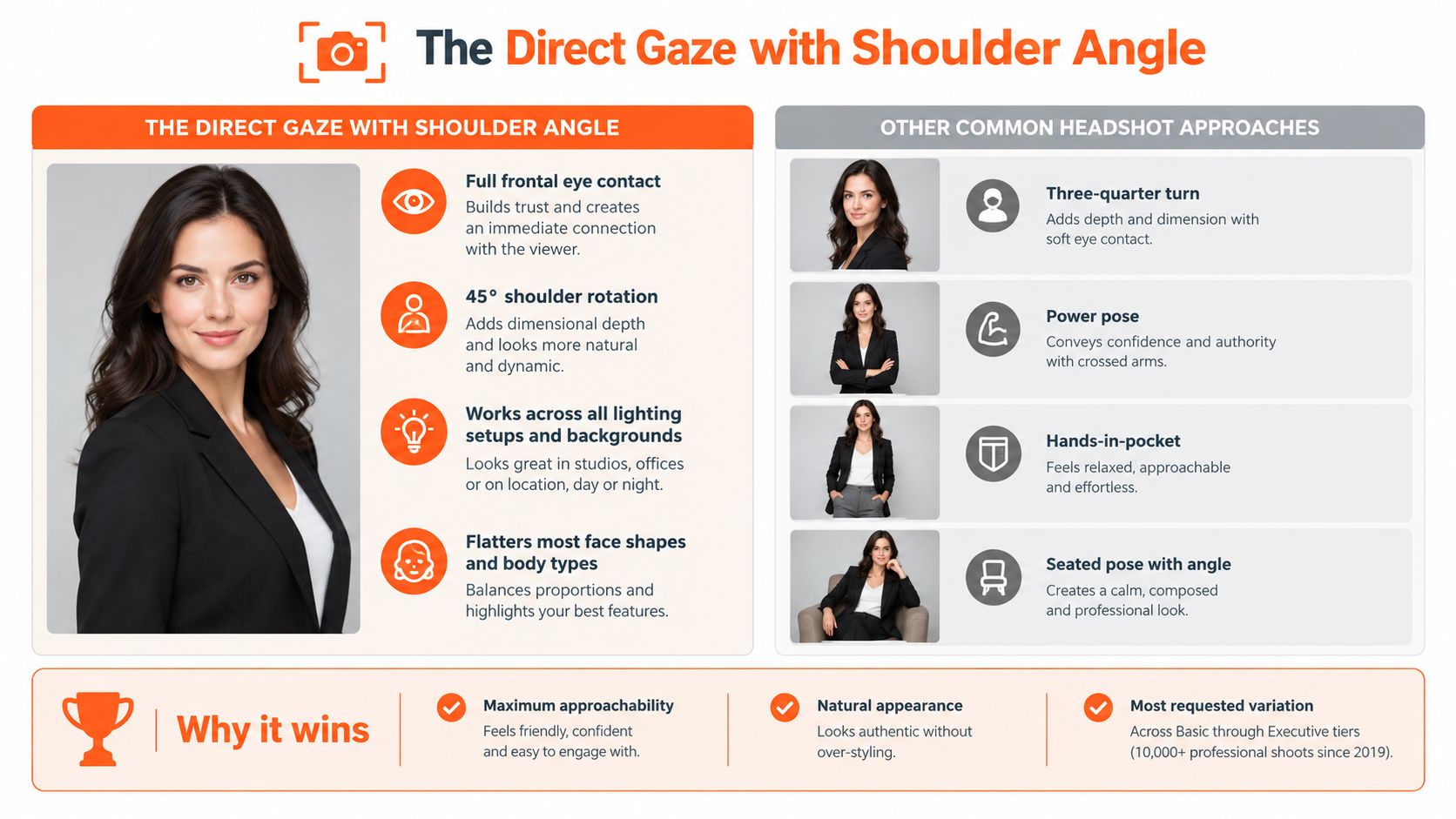
Start with the most reliable setup. Face the camera directly, then turn your shoulders approximately 45 degrees away from center. Your eyes stay square to the lens while your torso creates asymmetry and depth. The result feels open without looking like a passport photo.
This pose works especially well for LinkedIn profiles, corporate bios, managers, engineers, sales professionals, and team directories. It also suits finance, healthcare, technology, and professional services, where viewers need to recognize your face quickly and read a composed, credible expression.
Keep your shoulders low and relaxed. Tension shows first in the neck and upper face. Keep your chin level during the shoulder turn. Raising it can look aloof, while dropping it too far reduces facial clarity. A neutral expression with engaged eyes suits conservative roles. A restrained smile adds warmth for client-facing work.
Practical rule: Turn your shoulders, not your gaze. The eyes create connection, while the angled torso prevents stiffness.
For phone uploads, shoot 3–4 of your 10–20 images in this setup. Hold the phone at eye level or slightly above it, and keep the lens near the center of your face. A low phone position creates under-chin shadows that no pose can fully fix. Use a fitted jacket, knit top, or solid shirt that keeps the shoulder line clean.
We've refined this variation through 10,000+ professional shoots since 2019. It remains one of the most requested looks across AiHeadshots Basic, Professional, and Executive tiers. For more direction on the body turn and facial position, use our guide to how to pose for headshots.
2. The three-quarter turn with soft eye contact
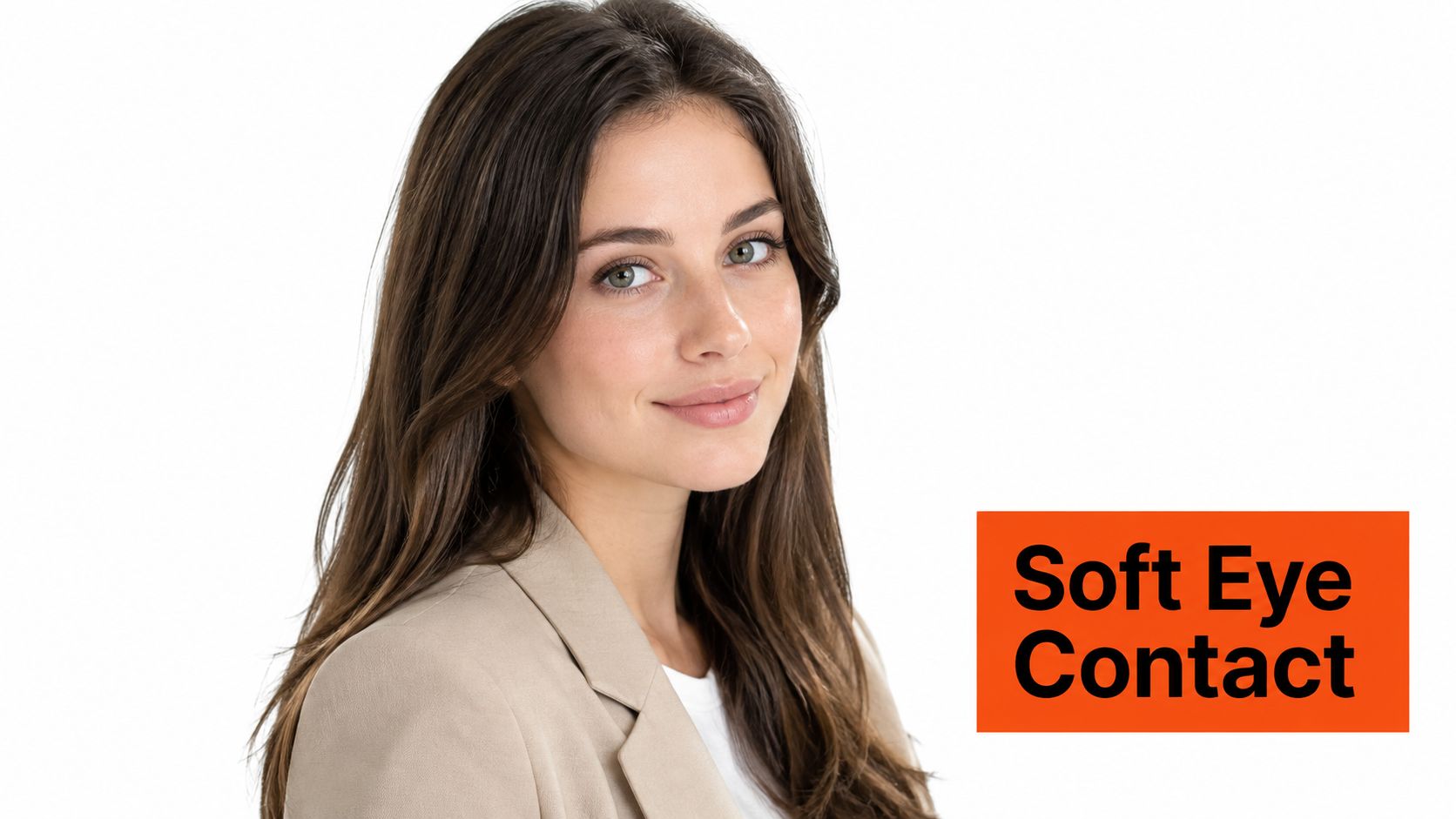
The three-quarter pose adds more dimension than a direct stance. Turn your body and head approximately 30–40 degrees off-axis, then bring your attention back to the camera with engaged eyes. Your face looks as if you've just turned toward the person viewing the portrait.
This setup fits therapists, counselors, recruiters, coaches, consultants, authors, and thought leaders. It gives relationship-driven professionals a softer entry point than an intense straight-on gaze. The eyes still carry the connection, but the body angle feels less confrontational.
Turn your body first. Then rotate your head back toward the lens. Keep your chin slightly forward rather than pulling it down. That small adjustment preserves the jawline without creating a compressed neck. Your expression should stay calm and available. A broad smile can work for coaching or recruiting, but it can weaken the reflective quality that suits a therapist or academic.
Shoot these phone selfies from slightly left or right of center. That angle gives AiHeadshots a clearer reference for the three-quarter position. Don't exaggerate the turn. Once one eye starts disappearing, the pose loses the accessibility that makes it useful.
Match the expression to the relationship
A counselor needs warmth and safety. A recruiter needs active listening and energy. A consultant needs confidence without distance. Use a closed-mouth smile or calm neutral expression for the first two, then add a restrained open smile for business development.
This pose fails in roles that depend on maximum directness, including some legal, financial, and executive contexts. It also fails when your gaze drifts away from the lens. The head angle can suggest conversation, but only eye contact makes the portrait feel connected.
3. The hands-in-pocket casual stance
Hands in pockets solve a common problem. You don't have to invent a gesture, and your shoulders often relax as soon as your hands have somewhere to rest. Face the camera directly or use a slight three-quarter angle, then let one or both hands settle naturally into your trousers or jacket.
This pose fits technology founders, software engineers, product managers, design leads, startup executives, venture capital professionals, creative agencies, content strategists, and brand builders. It communicates casual confidence rather than formal authority. That makes it useful for companies that want polished portraits without a rigid corporate feel.
Keep your hands loose. Don't clench your fists inside the pockets, and don't pull the fabric tight. If you're wearing a blazer, place your thumbs just outside the pockets for a defined hand shape. Fitted clothing works better than oversized fabric because pockets can create bunching around the waist and hips.
Hands in pockets should look like a resting position, not a hiding place.
Set the posture before raising your phone. Put your hands in the pockets, settle your weight, relax your shoulders, then lift the camera. That sequence produces a more natural starting position than taking a selfie first and trying to reconstruct the stance afterward.
The pose fails for conservative legal, medical, and financial profiles when the styling becomes too informal. A hoodie, heavily wrinkled shirt, or slouched neck changes the signal. Pair the pose with a solid overshirt, blazer, knit, or clean button-down. Keep your face prominent because hands disappear in a tight crop.
4. The shoulder lean with natural hand placement
A shoulder lean breaks the upright default. Shift your weight onto one shoulder or hip, then place one hand near the jaw, collarbone, or chest. The pose gives your hands a purpose and makes the portrait feel closer to a real conversation.
Use it for designers, creative directors, marketing managers, brand strategists, startup founders, content creators, social media managers, journalists, and media professionals. These roles often need approachability alongside competence. The lean supports that balance.
Your hand should perform a gesture you'd naturally make while speaking. A light touch near the collarbone can feel open. A relaxed hand near the jaw can create a thoughtful portrait. A hand resting against the chest can support a personal-brand image. Avoid touching your hair or adjusting clothing. Those actions create tension and make the pose look unfinished.
Shoot the phone selfie after shifting your weight. Angle your body slightly away from the camera, settle into the shoulder lean, then raise the phone. Keep your face open. This pose amplifies genuine smiles, but it also amplifies forced ones. If your expression feels strained, return to a neutral look with alert eyes.
The pose doesn't fit every corporate setting. A bank director, trial lawyer, or hospital executive may need more structure. It also fails if the lean becomes a slump. Keep the spine long and the shoulders relaxed rather than collapsed.
The principle is simple. Natural posture doesn't mean identical posture for everyone. People with mobility aids, physical limitations, or camera anxiety can use a supported seated position or a hand resting on a desk instead. The signal stays approachable without forcing an uncomfortable shape.
5. The seated pose with angle and depth
Sitting gives the portrait a grounded, conversational quality. Use a stool, chair, sturdy couch, or another stable surface. Turn your body slightly away from the camera, then bring your face back toward the lens. You appear available and present, not posed above the viewer.
This setup suits therapists, psychologists, counselors, professors, academics, doctors, healthcare providers, HR directors, people-operations leaders, executive coaches, and organizational consultants. It also helps if you feel self-conscious about full-body proportions because the frame can focus attention on the face and shoulders.
Sit upright without locking your spine. A forward lean of approximately 10 degrees communicates engagement without strain. Keep your feet flat on the floor or a footrest. Dangling legs create awkward tension that can travel into the shoulders. Let your hands rest on your lap or a nearby surface. Don't grip your legs or close your fists.
For phone selfies, sit on the edge of a sturdy chair, couch, or bed. Position the phone at eye level before leaning forward slightly. Avoid shooting from below, especially from a soft couch that drops your hips and rounds your back. A level camera keeps the face proportional and preserves the direct, professional quality of the pose.
A seated pose works because it changes the relationship with the viewer. You look ready to listen, not merely ready to be evaluated.
This pose fails when the seat becomes the subject. Large armrests, visible clutter, or an overly casual setting can pull attention away from your face. Keep the crop tight and the background quiet. Choose a structured jacket, solid knit, or polished shirt that holds its shape while seated.
6. The power pose with crossed arms
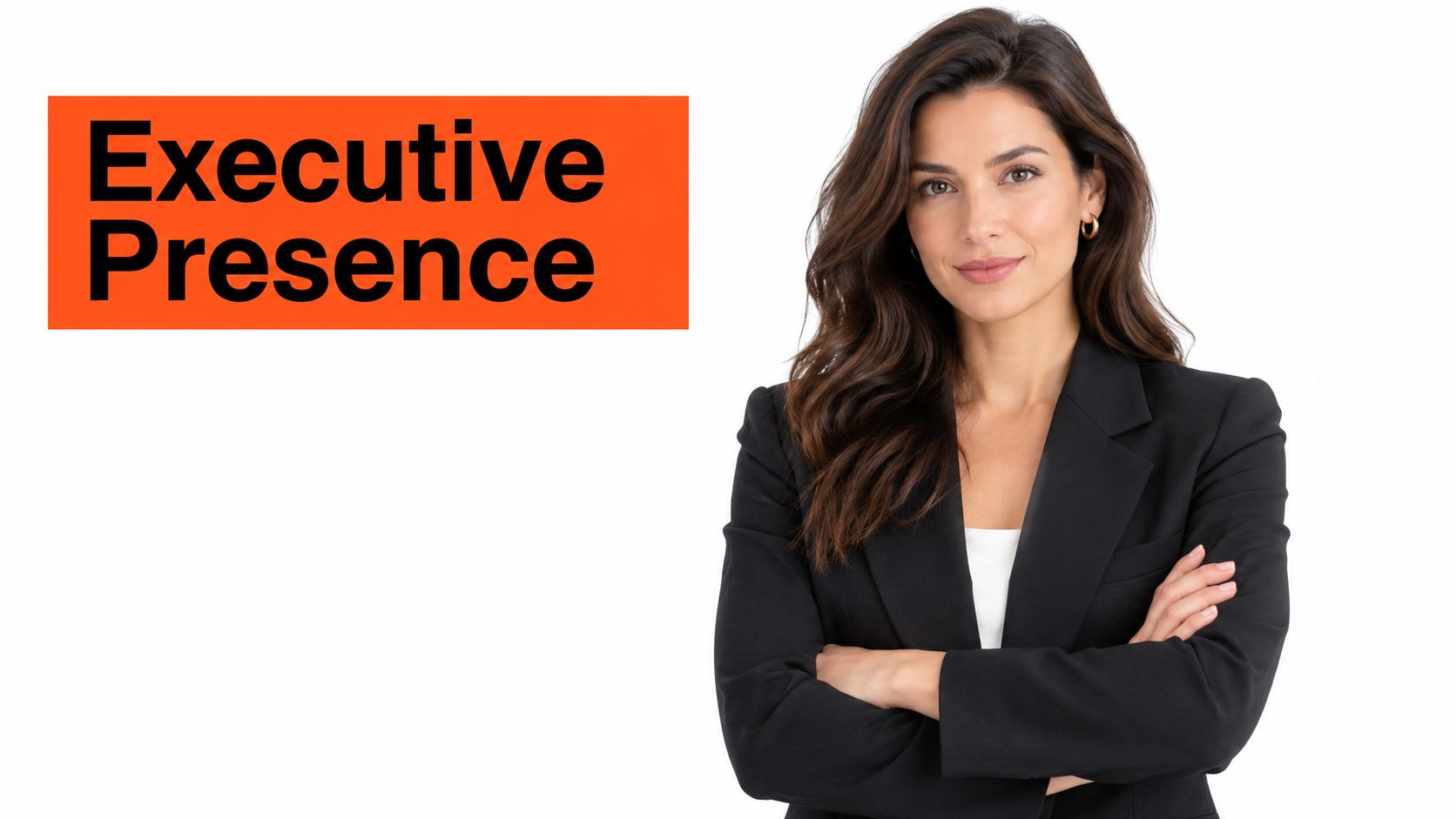
Crossed arms create a clear authority signal. Face the camera directly or turn slightly into a three-quarter angle, then fold your arms at the chest or waist. The position suits CEOs, founders, law firm partners, real-estate agents, venture capital professionals, and private-equity professionals who need decisiveness in a corporate profile.
The trade-off is obvious. Crossed arms can look confident, or they can look defensive. Your expression decides which reading wins. Keep the jaw relaxed, the eyes engaged, and the mouth neutral or gently smiling. A hard stare with tight arms creates distance. A genuine smile makes the structure feel more accessible.
Relax your forearms and hands. White knuckles, raised shoulders, and compressed sleeves signal effort. Push one elbow slightly forward to add depth. Keep the other arm supported naturally. A blazer or structured jacket handles this pose better than thin fabric that bunches across the chest.
For phone selfies, angle the elbow closest to the camera slightly forward. Hold the phone at eye level and keep your shoulders down. Shoot several expression variations, including a composed neutral face and a restrained smile. The system needs enough natural variation to distinguish authority from tension.
The pose isn't appropriate for every professional identity. It can feel too closed for therapists, recruiters, hospitality leaders, and relationship-focused consultants. It can also overstate authority for junior professionals who need approachability more than command.
Our corporate headshot posing guide covers the same fundamentals: upright posture, a controlled shoulder angle, a slightly forward chin, and direct eye contact.
7. The chin-down smize with confident gaze
Lower your chin slightly while keeping your eyes on the camera. The expression combines a controlled smile with engaged eyes. Your face reads warm and confident, while the lowered chin reduces the confrontational quality of a high, dominant angle.
This pose has particular value for women executives, board members, entrepreneurs, leaders in male-dominated industries, healthcare leaders, academic leaders, and professional-services partners. It creates distinction without requiring a broad smile. The look works well for law, consulting, accounting, finance, construction, technology, and medicine when you need authority with visible warmth.
Angle your chin down approximately 10–15 degrees. Keep the movement small. Too much downward tilt hides the eyes and makes the face look withdrawn. Keep your eyes engaged with the lens. Looking down while lowering the chin reads as shy or uncertain, not composed.
Practice the expression by smiling naturally and watching your eyes. The smile needs to reach the upper face. A mouth-only smile looks manufactured, especially in a close crop. For a neutral version, keep the lips relaxed and focus on alert eyes rather than trying to look severe.
Shoot the phone slightly above eye level, then angle your chin toward the lens. Keep the camera close enough that your face remains prominent, but don't crowd it. The practical aim is facial clarity, not a dramatic fashion angle.
A lowered chin only works if the eyes remain present.
This pose fails when the chin drops too far or the eyebrows lift in surprise. It also fails when the smile conflicts with the role. A litigation attorney may want a calm, closed-mouth expression, while a healthcare leader can use a warmer version. Use our guide to happy facial expressions for expression options that stay natural.
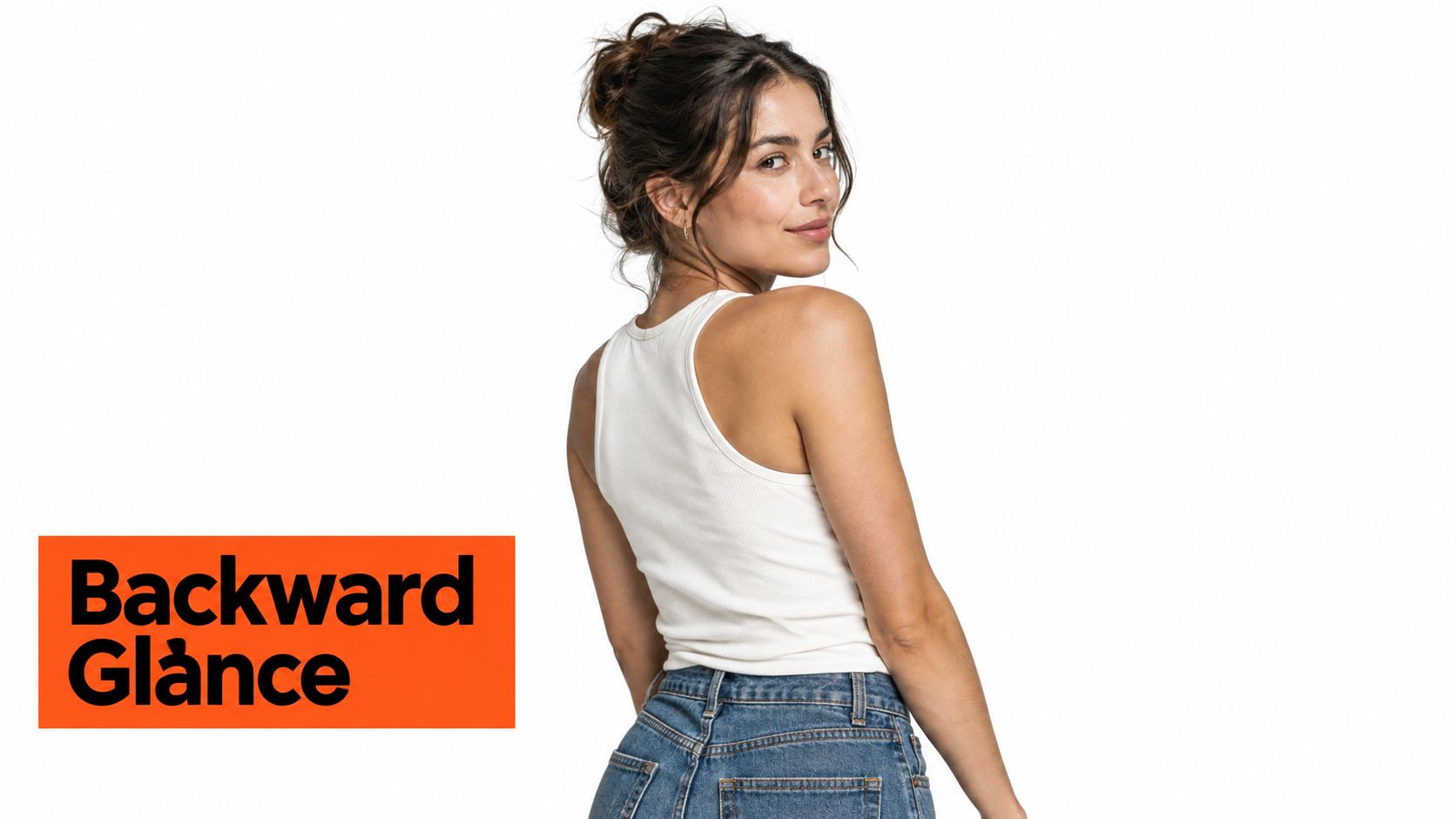
8. The over-the-shoulder pose with backward glance
The over-the-shoulder pose is the most demanding setup on this list. Face away from the camera, then turn your head back over one shoulder until you meet the lens. Your body creates movement and intrigue, while the backward glance gives the portrait a distinctive personal-brand quality.
Use it for founders, coaches, consultants, authors, speakers, creative directors, designers, influencers, and personal-brand photographers. It can work on a website, speaker page, book jacket, or campaign image where you have more room for visual personality.
It doesn't suit every corporate context. Traditional law, finance, healthcare, and formal team directories usually need direct facial clarity and a straightforward relationship with the viewer. The pose can also look cold if your eyes lose engagement. Mystery isn't useful if it becomes emotional distance.
Turn from the shoulders first. Then rotate your head back. This prevents the neck from carrying the entire movement and helps the pose look intentional rather than strained. Angle your body 45–60 degrees away from the camera instead of standing fully perpendicular. That keeps enough of your face visible and gives the shoulders a clean line.
For phone selfies, stand facing away from a mirror or wall. Turn your head back and raise the phone in one smooth motion. Keep the camera near eye level. Take several versions with a calm expression, a slight smile, and a stronger smile. The pose is sensitive to small changes in eye direction, neck tension, and shoulder height.
Wardrobe should support the movement. A jacket with a defined shoulder or a clean solid top gives the turn structure. Avoid collars, hair, or accessories that cover the eye nearest the camera.
8-Point Business Headshot Pose Comparison
| Pose | Implementation Complexity 🔄 | Resource Requirements ⚡ | Expected Outcomes 📊⭐ | Ideal Use Cases | Key Advantages 💡 |
|---|---|---|---|---|---|
| The direct gaze with shoulder angle | Low 🔄, easy, repeatable | Low ⚡, any lighting/background, minimal direction | ⭐⭐⭐⭐, high approachability & professional polish 📊 | LinkedIn, corporate/team photos, executive bios | Maximum connection, natural look, flatters many face types |
| The three-quarter turn with soft eye contact | Moderate 🔄, subtle head/eye alignment | Moderate ⚡, gentle direction, good lighting | ⭐⭐⭐, thoughtful, flattering for wider faces 📊 | Coaches, consultants, healthcare, authors | Balances profile dimension with frontal accessibility |
| The hands-in-pocket casual stance | Low 🔄, simple but needs neat clothing | Low ⚡, no props, casual wardrobe | ⭐⭐⭐, casual-confidence, authentic 📊 | Tech, startups, creative roles, product teams | Solves hand-placement anxiety, appears relaxed and genuine |
| The shoulder lean with natural hand placement | Moderate 🔄, requires authentic gesture | Low–Moderate ⚡, no props, guidance helpful | ⭐⭐⭐, natural, relaxed, creative appeal 📊 | Creative, marketing, content, startup professionals | Avoids "dead hands", conveys approachable confidence |
| The seated pose with angle and depth | Moderate 🔄, posture control and props | Moderate ⚡, chair/stool and space required | ⭐⭐⭐⭐, conveys approachability and stability 📊 | Therapists, academics, healthcare, consultants | Natural hand placement, flattering for body proportions |
| The power pose with crossed arms | Low 🔄, easy but expression-sensitive | Low ⚡, structured clothing recommended | ⭐⭐⭐⭐, strong authority and presence 📊 | Executives, lawyers, real-estate, finance | Commands attention, eliminates hand-placement issues |
| The chin-down smize with confident gaze | High 🔄, subtlety needed to avoid misread | Low ⚡, minimal props, careful direction | ⭐⭐⭐⭐, sculpts features, warm authority 📊 | Women leaders, executives, professional services | Enhances cheekbone/jaw definition while remaining approachable |
| The over-the-shoulder pose with backward glance | High 🔄, skillful execution to avoid strain | Moderate ⚡, guidance/premium retouching helpful | ⭐⭐⭐, distinctive, attention-grabbing 📊 | Entrepreneurs, creatives, authors, personal brands | Dynamic and memorable, strong personal-brand impact |
Shoot one pose this week and upload the set
Choose the pose that fits your industry, your audience, and your face. A recruiter needs approachable eye contact. A lawyer may need controlled authority. A therapist needs warmth and safety. A founder can use casual confidence, while a creative director has more room for an unusual turn or hand placement.
Don't treat the eight poses as a ranking of personal attractiveness. They solve different communication problems. The direct gaze gives you the clearest identity signal. The three-quarter turn softens the interaction. Hands in pockets relax the frame. The shoulder lean adds conversational energy. Sitting creates availability. Crossed arms provide structure. The chin-down smize balances warmth and authority. The over-the-shoulder pose builds visual personality, but it demands the most control.
Your phone setup matters as much as the pose. Use daylight or a bright, even room. Keep the lens clean. Hold the phone at eye level or slightly above. Shoot several straight-on images, several three-quarter images, and the pose variation you want AiHeadshots to reproduce. Keep your face unobstructed and your eyes visible.
A profile photo gets used in more places than your LinkedIn page. The same image can appear in recruiting searches, client introductions, conference pages, email signatures, company directories, and speaker bios. A pose that looks expressive in a large portrait can lose its meaning after a tight crop, so check every candidate at thumbnail size.
LinkedIn reports that profiles with a photograph can receive up to 21 times more profile views and as many as 36 times more messages than profiles without one, according to LinkedIn's professional photo guidance. Those figures concern having a profile image, not a particular shoulder angle or smile. The practical lesson is narrower and more useful: once you choose to use a portrait, make it recognizable, current, and aligned with your role.
AiHeadshots gives you a fast way to test the choices. We built AiHeadshots from photographer experience, not as a software team retrofitting open models. Studio Pod founders Joseph West and Chris Bailey created an automated headshot studio after photographing real professionals in Houston. Upload 10–20 phone selfies, receive 30+ variations in about 30 minutes, and compare expressions, angles, wardrobe, and backgrounds before choosing the portrait that represents you.
AiHeadshots has served 30,000+ customers, delivered 255,000+ headshots, and carries a 4.9-star rating. Plans include Basic at $29, Professional at $39, Executive at $59, and Teams volume pricing from $22–29 per seat for 10 or more seats. The service includes a 100% money-back guarantee within 14 days. Input files are retained for 7 days, outputs for 30 days, and billing records for 90 days, as explained in the AiHeadshots pricing information.
Choose one pose this week. Shoot 3–4 of your 10–20 selfies in that setup, using the expression, body angle, and wardrobe notes from its section. Upload the set at AiHeadshots, then see your first headshot in about 30 minutes for $29.
Upload 10 selfies to AiHeadshots, and we'll turn your chosen business headshot pose into 30+ studio-grade variations in about 30 minutes. Start with the $29 Basic tier, compare expressions and angles, and select a portrait built for LinkedIn, corporate profiles, or your next professional bio.
