



The right lawyer profile picture signals judgment. Before anyone reads your bio, the suit, expression, crop, background, lighting, and retouching already tell them whether you look credible, current, and easy to trust. That balance matters because legal buyers often make fast decisions on a small screen, and professional network data summarized at Morphed's LinkedIn profile picture statistics roundup says profiles with a photo receive 21 times more views, 9 times more connection requests, and up to 36 times more messages.
The seven examples below are inspiration models, not promises about clients, jobs, or revenue. The decision is simpler. Your firm needs one visual system across bios, LinkedIn, directories, comments, speaker pages, and pitch decks, while each attorney still needs a portrait that feels like a real person. That's also why design and photography planning belong inside a broader law firm web design strategy.
AiHeadshots fits that system well because it was built by Studio Pod, an automated headshot studio in Houston that has photographed 10,000+ real professionals since 2019. We're photographers first. That matters. A traditional photographer day rate often starts around $300 to $600+, while AiHeadshots pricing starts at $29 and delivers 30+ studio-grade headshots in about 30 minutes.
Table of Contents
- 1. AiHeadshots
- 2. Headshots.com
- 3. BLINK Photo Co., EventHeadshots.com
- 4. Law Firm Photos
- 5. WASIO faces
- 6. HeadshotPro
- 7. Aragon AI
- Top 7 Lawyer Headshot Providers Comparison
- Turn inspiration into one firm-wide visual system
1. AiHeadshots
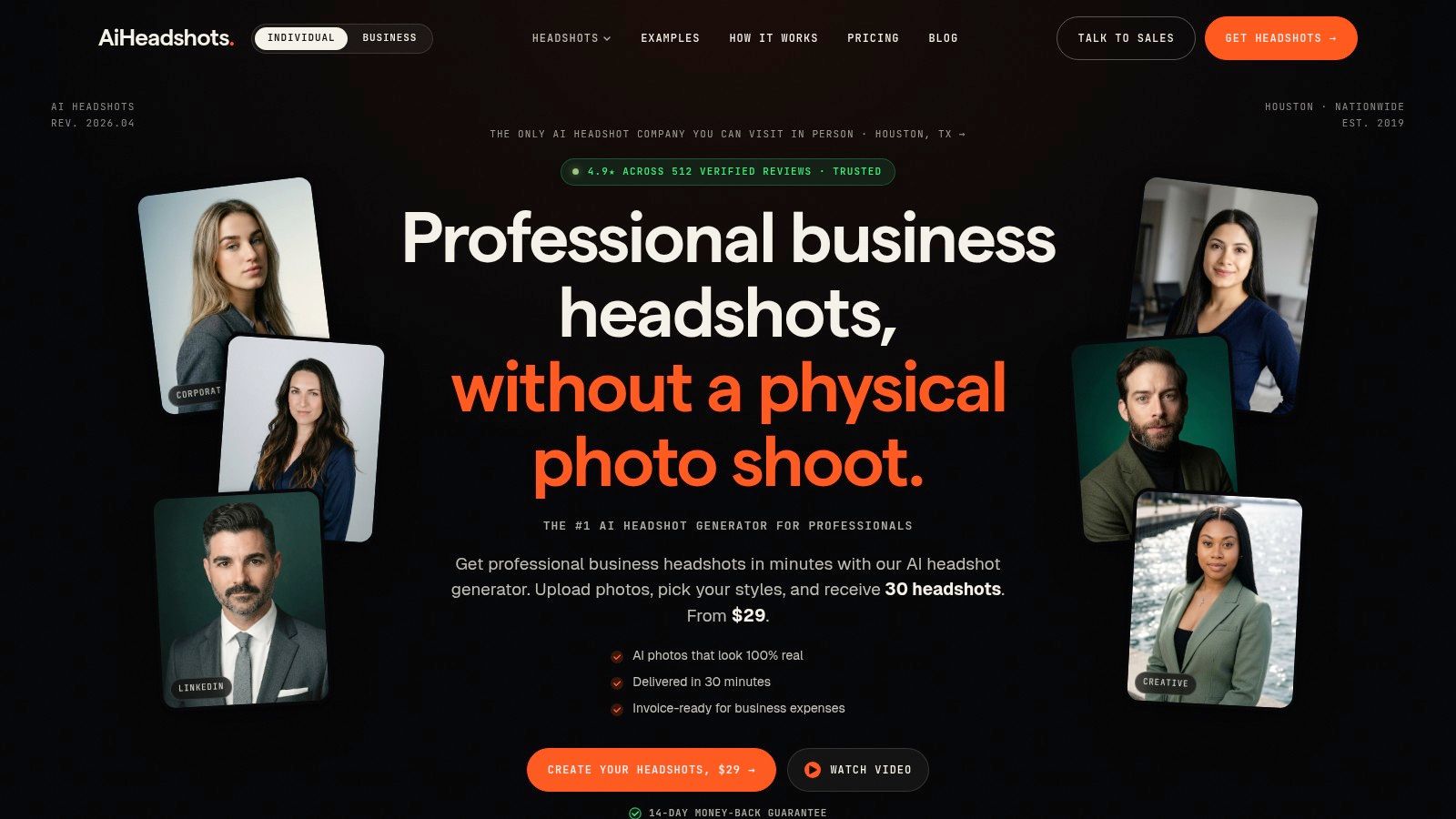
AiHeadshots suits firms that need a controlled, modern headshot system without scheduling a full photo day. Studio Pod built it after photographing more than 10,000 professionals in a real studio, and that background shows in the choices that matter for lawyers: clean crops, neutral lighting, restrained retouching, and expressions that read as credible on a bio page and approachable on LinkedIn.
The operational advantage is obvious. Attorneys upload 10 to 20 phone selfies and get a set of polished portraits quickly. That makes AiHeadshots useful for lateral hires, office launches, recruiting pushes, and overdue website refreshes where consistency matters more than creating one hero portrait for a managing partner.
Best for the firm that needs one visual rule set
The decision here is not AI versus photographer. It is standardization versus improvisation.
Law firm portrait grids break when each attorney makes separate visual choices. One person picks a dark backdrop. Another submits a bright window selfie. A third crops from a vacation photo. The problem is not taste alone. It is operational drift.
AiHeadshots works well if the firm sets a clear visual system first. In practice, that means choosing five rules and enforcing them: background family, crop height, wardrobe range, expression range, and retouching limit. Once those are fixed, individual attorneys can still look like themselves.
Practical rule: Standardize crop and eye line before you argue about ties, jewelry, or lapels.
I see firms reverse that priority all the time. They spend energy on wardrobe and ignore thumbnail behavior. For lawyer profile pictures, the face has to read fast on a small screen. That is why this workflow tends to outperform ad hoc portraits pulled from different years, offices, and devices.
Where it fits in a seven-option shortlist
Among the seven examples in this guide, AiHeadshots represents the modern, AI-assisted workflow with the strongest bias toward repeatability. It is less formal than a highly produced courtroom portrait. It is more controlled than asking every attorney to source a local photographer. It is also easier to roll out firm-wide than a boutique custom shoot.
That trade-off matters. If the goal is one visual system across bios, LinkedIn, speaker pages, and directories, speed and consistency usually beat artistic variation. If the goal is a signature environmental portrait for a founding partner, in-person production still wins.
Use simple outfit rules here. Navy, charcoal, black, and mid-tone solids reproduce reliably. Keep pose direction minimal. Squared shoulders, slight body angle, chin forward, relaxed mouth. Retouching should stay conservative. Reduce distraction, keep skin texture, and avoid the plastic finish that makes legal portraits look synthetic.
AiHeadshots is a strong fit for firms that want modern, uniform lawyer profile pictures at scale and can commit to a documented brand standard. It is a weaker fit for firms that want location-specific storytelling, custom lighting setups, or highly stylized editorial portraits.
2. Headshots.com

Headshots.com is a strong managed option for firms with multiple offices and a central marketing team. The appeal is operational, not artistic. You get a remote capture workflow, centralized editing, and QA that keeps portraits uniform across offices without arranging a traveling photo day.
That matters when the assignment is scale. New associates join. Partners lateral in. Practice groups update pages at different times. A managed remote system reduces the scheduling drag that usually breaks consistency.
Best for managed uniformity across offices
This style suits firms that want a formal but neutral look. Keep wardrobe simple. Navy, charcoal, black, and soft solids reproduce better than bold patterns. Keep expressions alert and controlled, not stern.
For LinkedIn especially, the crop still does heavy lifting. This guide to choosing a LinkedIn profile photo is useful because it focuses on readability, face prominence, and thumbnail behavior rather than vanity.
A law firm bio grid should look like one publication, not seven unrelated portrait sessions.
The trade-off is straightforward. Virtual capture simplifies rollout, but it won't fully replace premium on-site lighting and direction for top-tier executive portraits. Pricing is also quote-based, so it's less transparent if you're comparing vendors line by line. Visit Headshots.com if your priority is centralized execution over local studio personality.
3. BLINK Photo Co., EventHeadshots.com
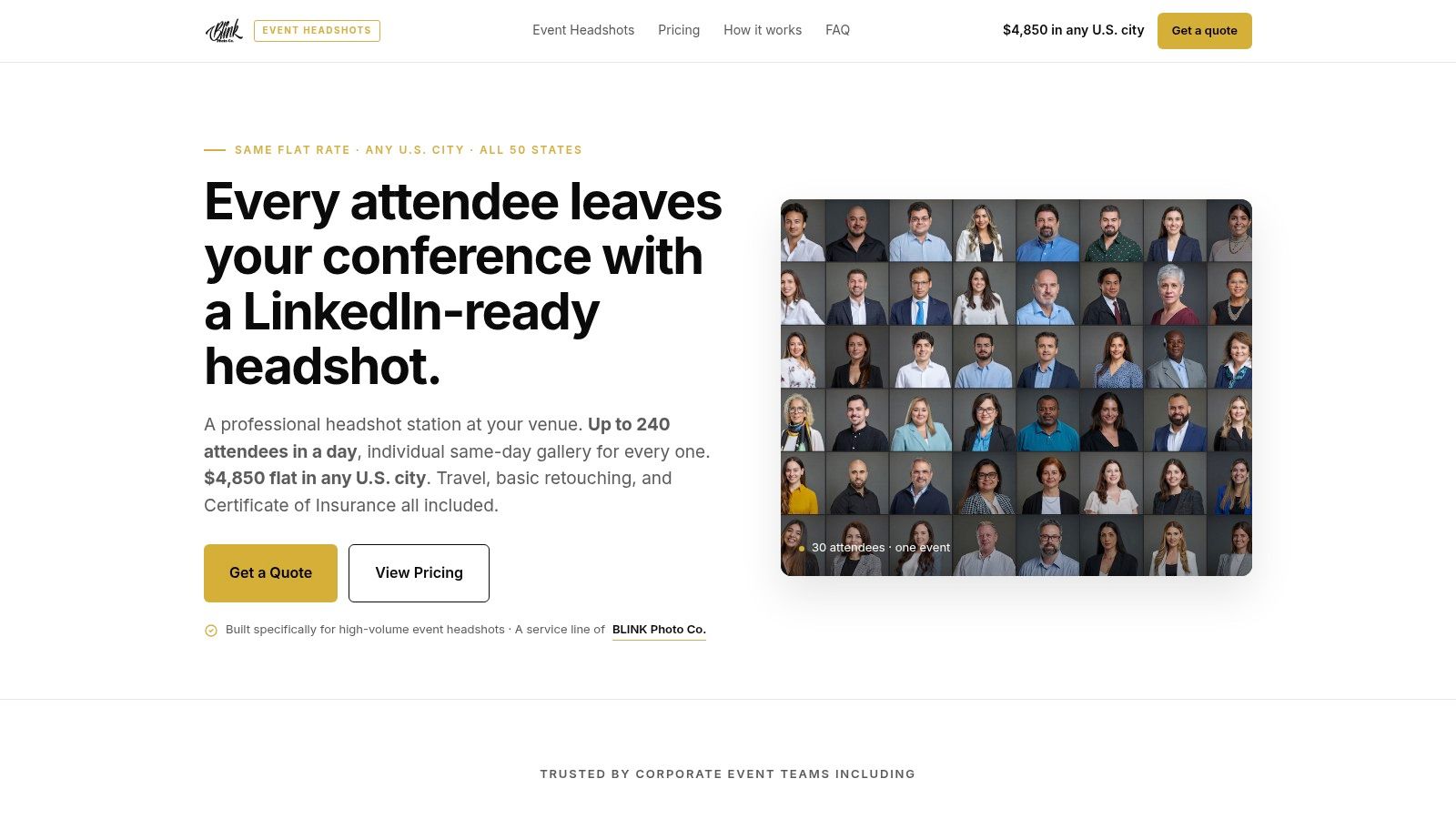
EventHeadshots.com from BLINK Photo Co. is built for the firm that wants a real headshot station on-site. That's a different decision from AI or remote capture. You're saying the portrait day itself matters, and you want a controlled setup inside your office, retreat, or conference.
That's often the right call for large refreshes. Everyone gets photographed under the same lights, against the same background family, with tethered review and a predictable delivery flow. Legal communications teams also tend to appreciate the operational details, including NDAs, COIs, and conflict-aware logistics.
Best for a formal look with in-person control
This route works especially well if your firm wants a more traditional authority signal. Think cleaner posture, squared shoulders, and a narrower expression range. The danger is overdoing it. Too much stiffness reads dated faster than a slightly softer smile does.
Recent commentary at Capturely's law firm headshots guide points to a useful shift in legal portrait style. The strongest current work often uses softer natural light, more approachable expressions, and standardized crops that still hold a partner grid together. That's a smart middle ground for firms that want credibility without coldness.
The trade-off is speed and logistics. On-site sessions require scheduling, a physical setup, and travel planning. If you want a traveling team with legal-friendly operational support, EventHeadshots.com is worth shortlisting.
4. Law Firm Photos
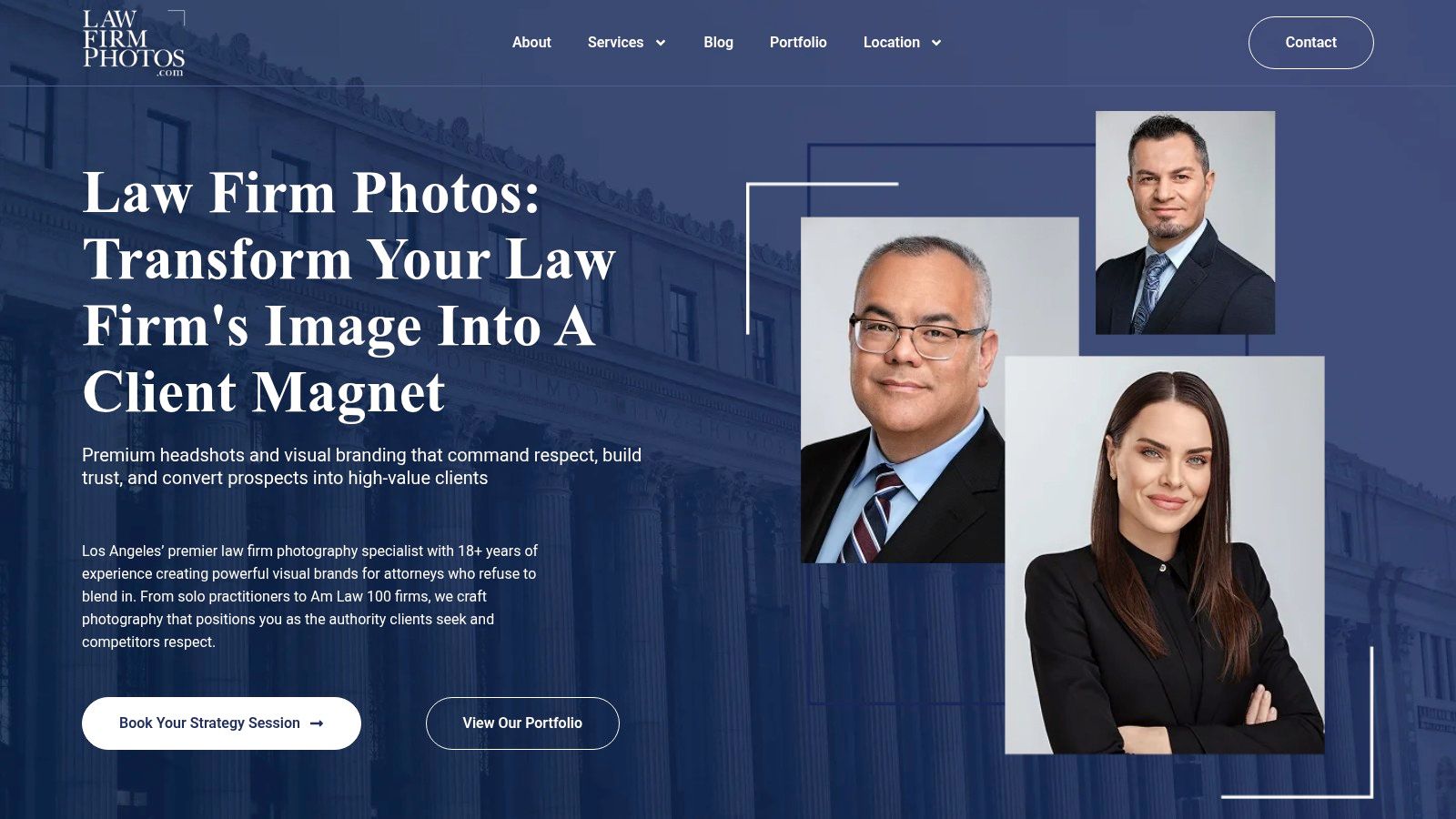
Law Firm Photos is the boutique specialist in this group. The obvious draw is legal focus. The studio works specifically with law firms on attorney headshots, partner portraits, and team imagery, with mobile studio options or Los Angeles studio sessions.
That changes the conversation. General corporate photographers often understand lighting but not law firm politics. Legal-specific shops usually know the difference between a litigation team that wants gravitas and a startup practice that needs a more modern, founder-friendly look.
Best for firms refining a specific visual identity
If your firm already has a recognizable web presence, this kind of consultative service can be valuable. You can match an existing color palette, background family, and portrait mood rather than starting from zero. That's especially useful during a rebrand or site refresh.
A lot of firms miss the aesthetic system underneath the photo. This article on building a law firm headshot aesthetic gets at the right question. You're not choosing isolated portraits. You're choosing a repeatable visual language for partners, associates, and laterals.
What to watch: If the portraits look impressive one by one but inconsistent in a grid, the system failed.
The trade-off is cost and geography. This is a premium, consultation-driven service with quote-based pricing, and travel adds time outside its home market. Still, Law Firm Photos makes sense when firm identity matters more than speed.
5. WASIO faces
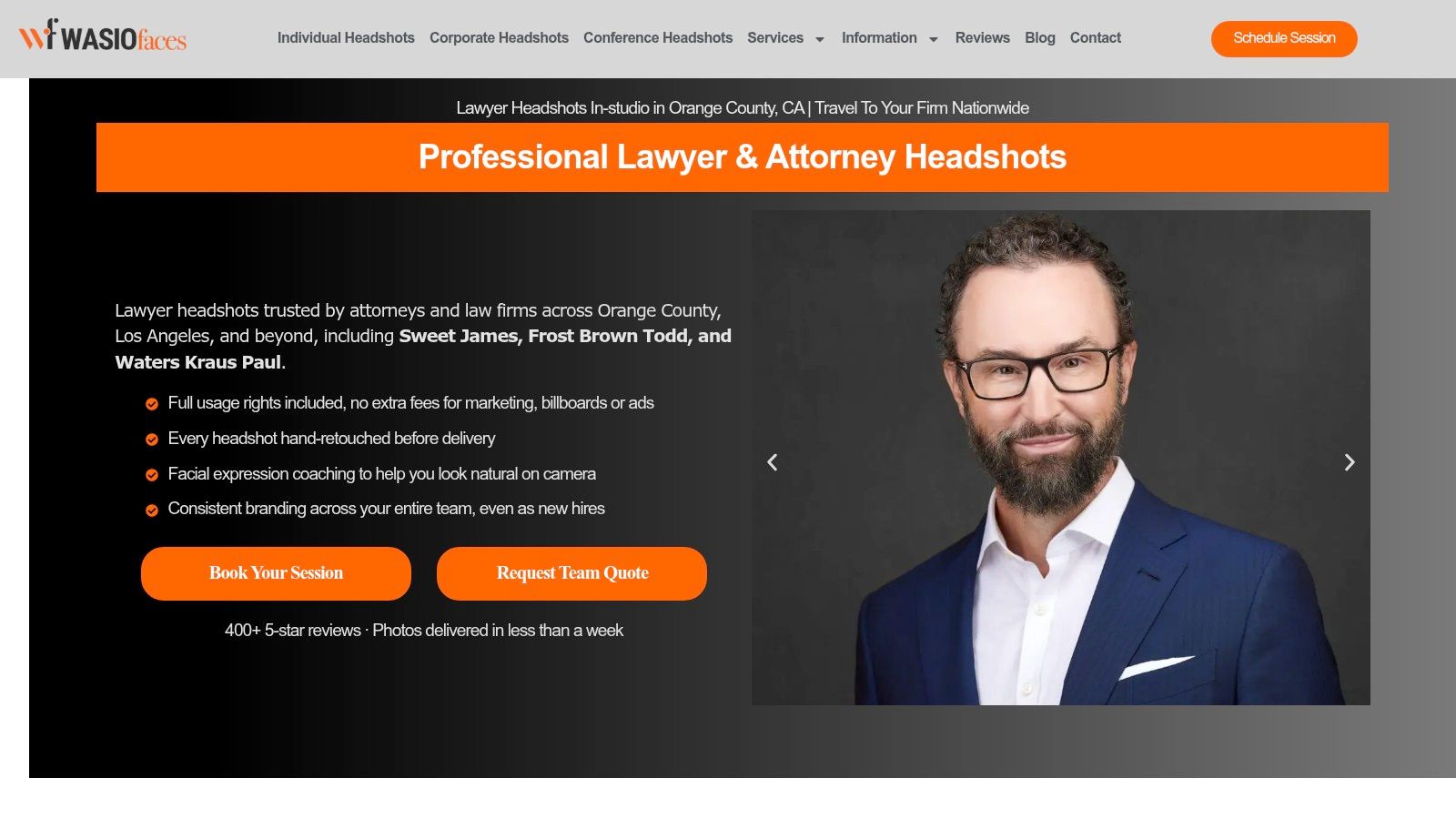
WASIO faces fits the firm that wants polish without over-retouching. That sounds minor. It isn't. Lawyers lose credibility fast when skin texture disappears, glasses distort oddly, or teeth and eyes look excessively processed.
This studio leans into attorney-specific coaching and deliverables sized for web, LinkedIn, print, and email signatures. That last point matters more than most firms realize because the same image often gets reused across several surfaces.
Best for approachable authority
A good WASIO-style portrait sits between rigid and casual. Slight shoulder angle. Relaxed jaw. Direct eye line. Controlled smile. The attorney still looks serious, but not closed off.
That aligns with platform behavior. A major 2026 analysis of LinkedIn profile photos found that law professionals ranked among the strongest performers for photo quality, with law, consulting, and investment banking identified as the top sectors overall in Snappr's analysis of LinkedIn profile photos. The message is clear. Lawyers are already competing in a visually polished category.
The downside is the usual boutique constraint. Group pricing is custom, scheduling takes lead time, and travel fees apply outside Southern California. If you want natural retouching and lawyer-specific direction, WASIO faces is a credible option.
6. HeadshotPro
HeadshotPro is one of the more established AI headshot platforms for both individuals and firms. It's a practical option for legal teams that want fast portraits, team controls, and enterprise-friendly rollout features without arranging in-person photography.
Its strengths are operational. Individual packages are simple. Team plans add admin control and volume logic. That makes it easier to manage headshots for recruiting classes, laterals, and directory refreshes.
Best for fast AI at firm scale
The visual style usually lands in the clean corporate lane. That works well for firms that want modern, standardized lawyer profile pictures without a lot of artistic variation. The right use case is a controlled bio page, not a dramatic editorial portrait.
The main caution is likeness fidelity. AI output depends heavily on the source selfies, and skin texture or facial nuance can vary from set to set. That's true across the category, including products we compete with. Photographer-built systems start with a stronger understanding of what makes a headshot believable.
There's also a platform rule lawyers shouldn't ignore. LinkedIn expects an authentic portrait, not a logo, stock image, animal, or promotional graphic, as outlined in On The Map's LinkedIn for lawyers guide. Whatever tool you use, the final image needs to read as a real face-first identity signal. If that fits your rollout, HeadshotPro belongs on the list.
7. Aragon AI
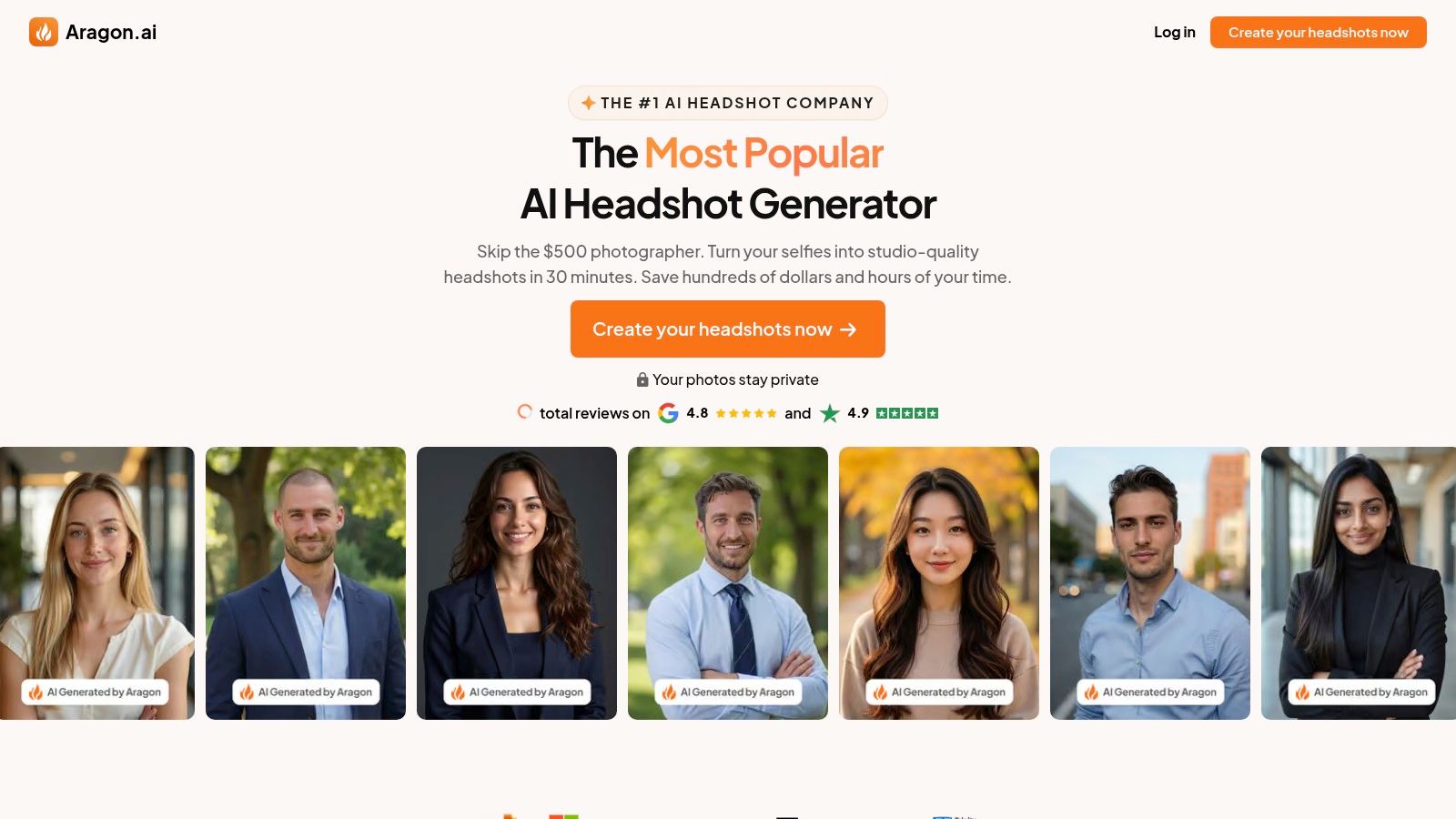
Aragon AI is a straightforward option for individual lawyers who need a polished image quickly. It's especially practical for associates, lateral hires, or solo attorneys updating LinkedIn, speaking pages, and firm bios on short notice.
Its appeal is obvious. The packages are easy to understand. The results aim for a studio-style look from uploaded selfies. For someone who needs a credible portrait without booking a shoot, that's a workable path.
Best for the lawyer who needs speed over direction
Aragon sits on the more self-service end of the spectrum. That means you don't get on-site lighting, wardrobe coaching, or live posing direction. If you already know the look you want, that's fine. If you don't, the quality of your inputs matters a lot.
The safest visual approach is still simple. Use a head-and-shoulders crop with the face centered. Avoid full-body framing, selfies with obvious distortion, cropped group photos, or old photos that no longer resemble you, as explained in ProShoot's examples of lawyer headshots. If you're comparing AI tools directly, this guide to the best AI headshot generators gives helpful context on trade-offs between speed, realism, and consistency.
One more operational point matters for lawyers handling image data. A documented privacy policy discussed in Snap Suited's review of AI headshot privacy practices says uploaded selfies are deleted within 30 days of the session, while generated headshots remain until the user deletes them or closes the account. For any AI workflow, verify retention before uploading. If Aragon's speed-first setup matches your need, visit Aragon AI.
Top 7 Lawyer Headshot Providers Comparison
| Service | Implementation (🔄) | Resource needs (⚡) | Expected outcome (⭐ / 📊) | Ideal use cases (💡) | Key advantage (⭐) |
|---|---|---|---|---|---|
| AiHeadshots | Low, upload selfies; automated pipeline 🔄 | 8–20 varied selfies; internet; optional team admin ⚡ | High photorealism, studio-like results ⭐⭐⭐⭐ 📊 predictable branding | Fast individual or team headshot rollouts; directories | Fast, cost-effective, commercial rights included ⭐ |
| Headshots.com | Moderate, remote capture + centralized QA 🔄🔄 | Remote capture tools, centralized editors, admin support ⚡ | Consistent studio-quality portraits ⭐⭐⭐⭐ 📊 uniform firm-wide presence | Multi-office law firms, firm directories, large teams | Uniformity and managed rollout for firms ⭐ |
| BLINK Photo Co. / EventHeadshots.com | High, on-site setup and logistics 🔄🔄🔄 | Venue/studio booth, scheduled photographers, travel ⚡ | True in-person studio quality and compliance ⭐⭐⭐⭐ 📊 high trust for events | Firm retreats, recruiting events, large group refreshes | In-person quality with legal compliance (NDAs/COIs) ⭐ |
| Law Firm Photos | Moderate-High, consultative, mobile or studio sessions 🔄🔄 | Consultation, mobile studio or LA studio, scheduling ⚡ | Boutique, brand-matched portraits ⭐⭐⭐⭐ 📊 cohesive partner-level branding | Partner portraits, brand-focused firm shoots | Deep legal-industry specialization and consultative approach ⭐ |
| WASIO faces | Moderate, studio sessions + coordinated firm days 🔄🔄 | Studio time, scheduling for firm days, retouching ⚡ | Natural, credible portraits tuned for web/print ⭐⭐⭐ 📊 consistent professional look | Attorneys needing coaching; firm headshot days | Attorney-specific coaching and subtle retouching ⭐ |
| HeadshotPro | Low, AI platform with team/admin features 🔄 | Selfies; optional enterprise setup (SSO, SOC2) ⚡ | Fast, brand-consistent portraits ⭐⭐⭐⭐ 📊 suitable for large directories | Firms needing rapid, secure team rollouts | Enterprise security and admin controls for teams ⭐ |
| Aragon AI | Low, upload selfies, quick generation 🔄 | Selfies of decent quality; online access ⚡ | Photorealistic shots but input-dependent ⭐⭐⭐ 📊 quick individual use | Associates, lateral hires, one-off LinkedIn/profile images | Straightforward pricing and fast turnaround ⭐ |
Turn inspiration into one firm-wide visual system
The strongest lawyer profile pictures aren't just flattering. They're consistent, readable, and appropriate to the firm's audience. A white-shoe litigation practice can lean more formal. A startup, labor, family, or estate firm often benefits from a more approachable expression and softer light. A modern business practice usually lands in the middle.
Once you choose the direction, lock the system. Standardize crop, background family, lighting direction, wardrobe range, expression, and retouching limits. Then use those same specifications across attorney bios, LinkedIn profiles, speaking pages, email signatures, print collateral, and recruiting materials. If you want to see how consistency plays out across real outputs, browse AiHeadshots examples and customer reviews.
The workflow depends on scale and schedule. On-site services fit large coordinated refreshes. Boutique studios fit firms with a strong existing brand and time for consultation. Managed virtual options fit multi-office operations. AI fits firms and individuals who need speed, consistency, and lower cost. We built that last category from actual studio practice, not generic image software, and we explain that background clearly on our about page.
Use this review sequence before approving any portrait set:
- Check eye line: The attorney should look engaged and direct, not distracted or vacant.
- Check shoulder angle: A slight turn usually feels more natural than a fully squared stance.
- Check clothing contrast: The jacket, shirt, and background need enough separation to hold up at thumbnail size.
- Check skin texture: Retouching should clean distractions, not erase the person.
- Check spacing: Every attorney in the grid should have consistent head size, crop height, and margin behavior.
If you're deciding between AI and a photographer, compare the actual business case. A photographer day rate often starts at $300 to $600+, while AiHeadshots pricing starts at $29. If you need volume rollout, team plans keep the visual system intact. If you want the thinking behind our standards, read the 10,000 headshots study from Studio Pod. And if you're ready to test the workflow on your own portrait, go straight to AiHeadshots try.
Upload 10 selfies, see your first headshot in 30 minutes, $29.
AiHeadshots gives lawyers and law firms a fast way to create consistent, credible profile photos without booking a studio day. You upload 10 to 20 selfies, choose the look that fits your firm, and get studio-grade results built from Studio Pod's experience photographing 10,000+ real professionals since 2019. See how it works at AiHeadshots.
