



Great headshot examples reveal decisions, not just polish. Look at pose, lighting, background, attire, and expression before judging whether an image works. LinkedIn needs immediate professional clarity. A corporate website needs consistency across people. An actor portfolio needs range without losing likeness.
The stakes arrive quickly. Research summarized by Alex Kaplan Photography places face-based first impressions at about 100 milliseconds, and reports that profiles with professional photos can receive up to 21 times more profile views and 36 times more messages than profiles without one. A traditional photographer can cost $300–$600 or more, while AiHeadshots starts at $29 and delivers 30+ studio-grade headshots in about 30 minutes.
AiHeadshots comes from Studio Pod, an automated headshot studio in Houston founded by photographers Joseph West and Chris Bailey. The team has photographed 10,000+ real professionals since 2019, so the analysis below starts with photographer-led visual judgment, not generic software advice. These seven examples show how to replicate the choices that make a portrait useful.
Table of Contents
- 1. AiHeadshots
- 2. Try it on AI examples gallery
- 3. Dreamwave professional headshots examples
- 4. HeadshotPro example-rich homepage
- 5. Secta Labs team and enterprise examples
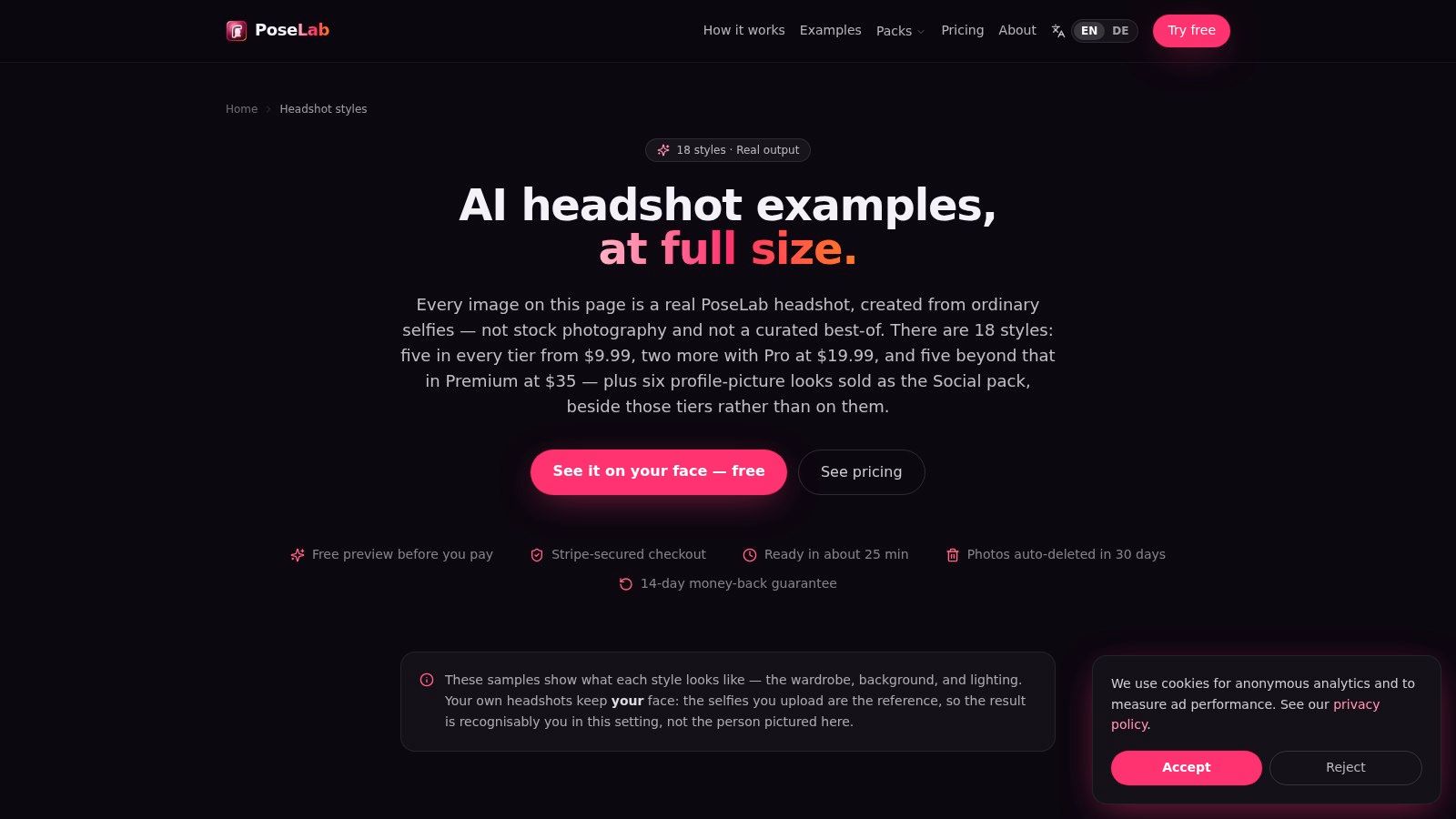
- 6. PoseLab all 18 styles examples page
- 7. Peter Hurley Photography corporate portfolio
- 7 Great Headshot Examples Compared
- Turn the examples into your own brief
1. AiHeadshots
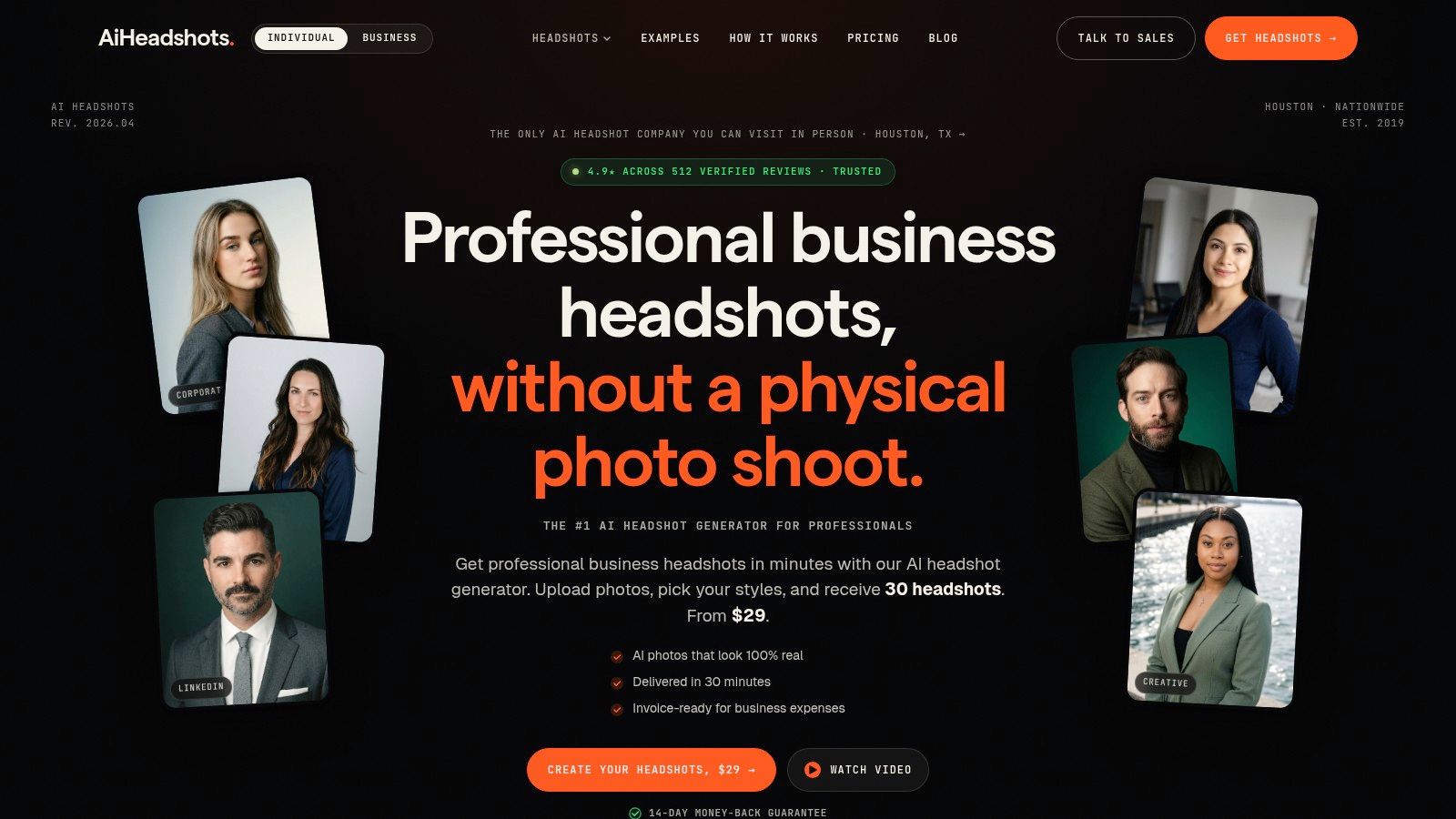
The strongest AiHeadshots example is the versatile professional portrait. The subject looks directly at the camera with a relaxed but controlled expression. The lighting is even across the face, the background stays clean, and the crop gives the eyes priority without cutting too tightly into the hair or shoulders.
That combination works because it doesn't force one personality onto every use case. A legal profile can use a darker jacket and restrained background. A real-estate professional can choose a brighter setting and warmer expression. An actor can select a more characterful portrait without losing facial accuracy.
AiHeadshots turns 10–20 phone selfies into 30+ finished headshots in about 30 minutes, without a studio visit. The output includes corporate, executive, creative, black-and-white, outdoor, and resume or CV looks. The photographer-led heritage matters here. Studio Pod's experience in Houston informs the lighting, facial detail, pose, and retouching choices, so the result aims to preserve a recognizable person rather than create a generic polished face.
Practical rule: Choose the version whose clothing and background match the destination. Don't automatically choose the most dramatic image.
The tiers are clear: Basic costs $29, Professional costs $39, and Executive costs $59. Teams receive volume pricing of $22–$29 per seat at 10+ seats, which fits companies building a consistent profile library. AiHeadshots also offers a 100% money-back guarantee within 14 days. Input photos are retained for 7 days, outputs for 30 days, and billing records for 90 days, as listed in the product information.
The trade-off is equally clear. Strong results require varied, usable selfies, and weak inputs can require a re-upload. People needing complex art direction or an in-person session still have a reason to hire a photographer. For most LinkedIn, executive, recruiting, medical, legal, real-estate, and team portraits, start with the AiHeadshots examples gallery, review the customer reviews, and compare the available pricing.
2. Try it on AI examples gallery
Try it on AI's gallery works as a breadth benchmark. Its industry organization lets you compare how finance, healthcare, real estate, and legal portraits adjust clothing, background, and expression without turning the subject into a costume.
Finance examples typically depend on conservative styling and controlled posture. Healthcare portraits benefit from a softer expression and brighter setting. Real-estate images can tolerate more environmental context, provided the face remains the visual anchor. Legal portraits need authority, but excessive shadow or severe expression can make the result feel less approachable.
The useful test is not whether every image looks polished. Ask whether the profession reads in the first glance, then check whether the wardrobe and background compete with the face. A company bio needs more open space around the subject than a circular LinkedIn avatar, and a thumbnail needs stronger eye contact than a full-page portrait.
The gallery's role-focused pages make that comparison easy, and its public examples help you assess realism before committing. The page claims fast generation from limited inputs, including a single selfie, but the practical quality question remains the same: does the finished portrait preserve the person's likeness?
A professional signal should support the role, not perform it.
Try it on AI doesn't make pricing prominent on the examples page, and technical data-handling details aren't visible there. That creates a research step for teams with procurement or privacy requirements. Use the gallery to choose a visual direction, then review the provider's current terms before uploading employee photos. See the Try it on AI comparison for a direct alternative.
Visit the Try it on AI examples to compare industry-specific presentation.
3. Dreamwave professional headshots examples
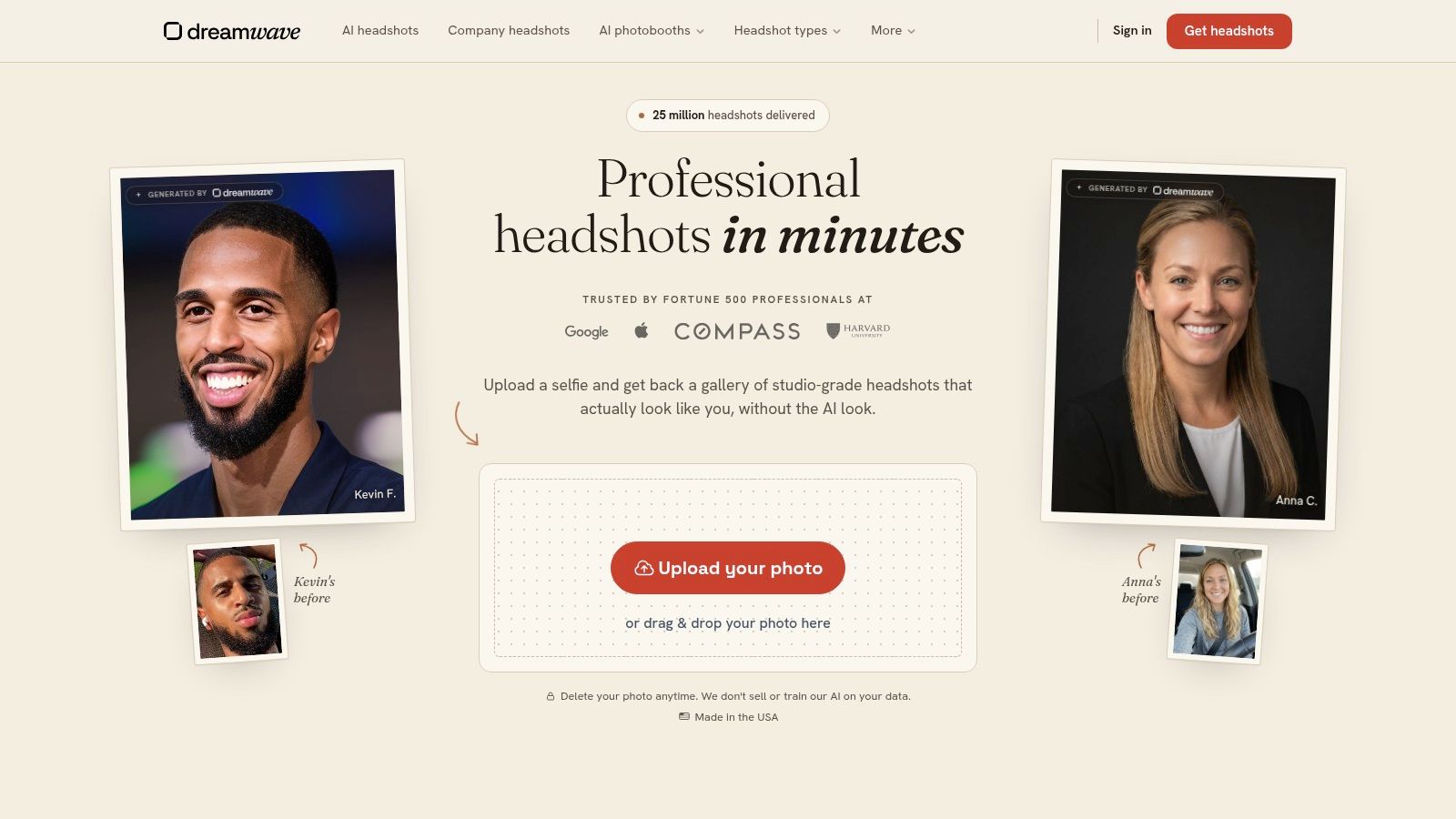
Dreamwave's gallery is most useful for studying controlled variation. The before-and-after views and filters for Business Casual, Business Formal, and Real Estate show how a change in wardrobe or setting shifts perceived role while keeping the subject recognizable.
That distinction matters for teams. Identical portraits can look mechanical, but unrestricted variation makes a company directory feel disorganized. The better approach is controlled variation. Keep the crop, lighting direction, and general background treatment compatible, then allow clothing and expression to reflect seniority or function.
Dreamwave's editor includes outfit and background swaps. Those tools are useful only after the company defines the visual brief. A background change should support the audience, not distract from the eyes. A formal jacket should fit the person's proportions and role, not signal authority by default.
Define the permitted wardrobe, background, and crop before choosing individual portraits.
The gallery's enterprise language around privacy, security, and bulk workflows is relevant to HR and IT teams. Public pricing isn't shown on the examples page, so internal stakeholders should test likeness, facial detail, and consistency through a pilot rather than relying only on presentation copy. A team should inspect several people with different face shapes, hair, skin tones, and source-photo quality.
Dreamwave is a strong reference for teams asking whether a provider can support a coherent internal system. It is less useful if you're choosing one expressive portrait purely for personal branding. Compare its visual approach with the Dreamwave alternative, then inspect the Dreamwave professional headshots gallery.
4. HeadshotPro example-rich homepage
HeadshotPro's strongest teaching device is the selfie-to-studio comparison. It lets a viewer inspect the transformation instead of judging only the final image.
Start with likeness. Does the output preserve the original facial structure, hairline, eye shape, and natural proportions? Next, inspect the clothing. Professional attire should sit correctly on the shoulders and neck, with believable scale and fabric behavior. Finally, check the office or studio background. It should establish context without pulling attention away from the face.
The conservative presentation works well for a LinkedIn profile or company page where the subject wants a low-risk corporate portrait. It doesn't need editorial drama. It needs direct eye contact, clean framing, and an expression that feels credible.
HeadshotPro's homepage includes a large, scrollable grid of before-and-after examples and presents a 14-day money-back guarantee, making it straightforward for non-creative stakeholders to understand the input-to-output process. Pricing specifics aren't prominent in the examples area, and enterprise controls receive less emphasis there than they do on some team-focused pages.
Inspect the original selfie and final portrait together. Then reduce the final image to thumbnail size.
That last step catches weak crops quickly. A portrait that looks balanced at full size can lose the chin, hair, or shoulder structure inside a small circular avatar. Review the HeadshotPro comparison alongside the HeadshotPro homepage before choosing a provider.
5. Secta Labs team and enterprise examples
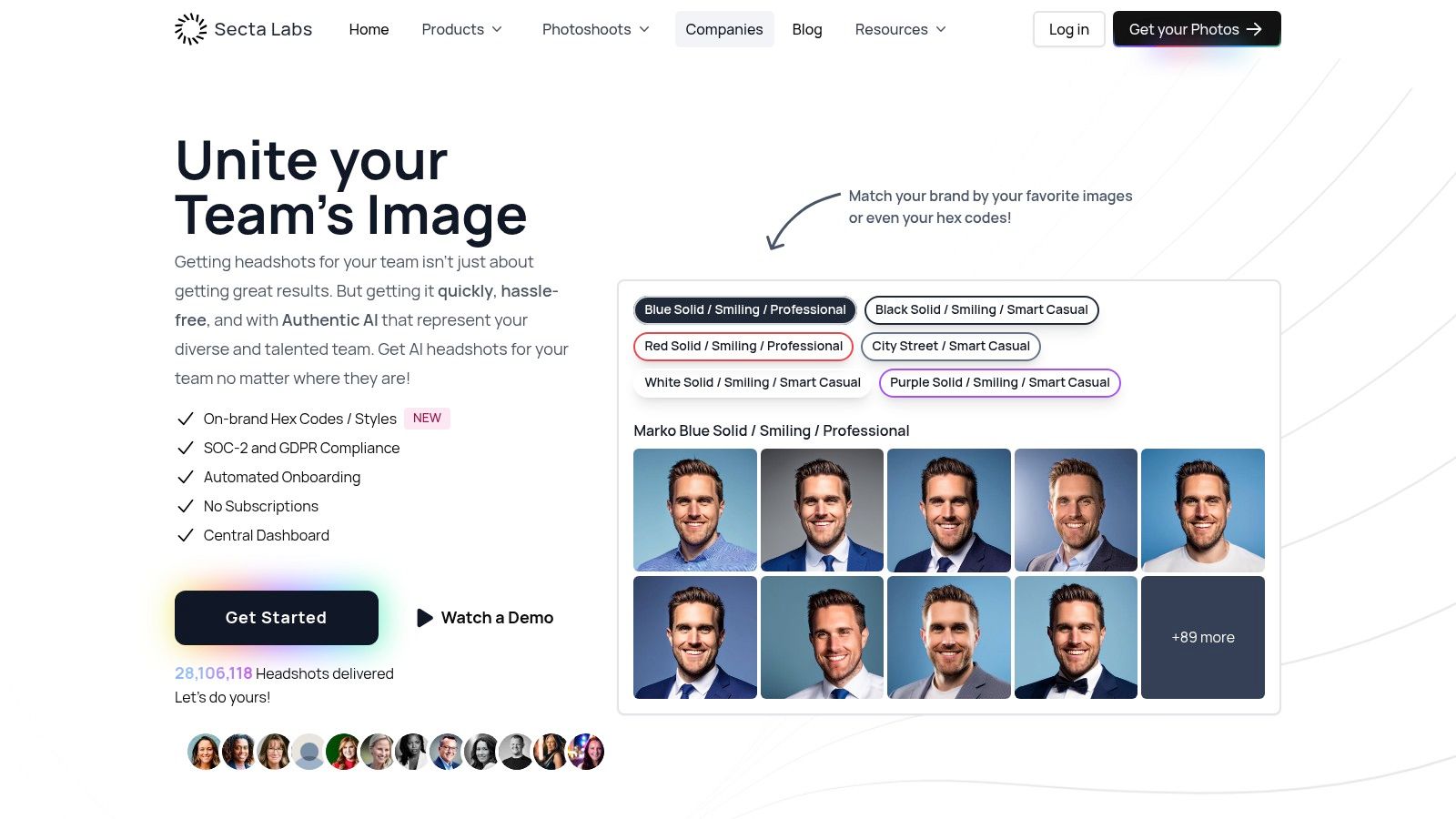
Secta Labs treats the headshot as part of a brand system. Its examples emphasize on-brand backgrounds, hex-code theming, style presets, and centralized workflows. That focus changes the evaluation. You're no longer asking only whether one person looks good. You're asking whether an entire group looks like it belongs to the same organization.
A coherent team set needs shared decisions. Background color should remain within one family. Crop depth should feel consistent. Lighting direction should avoid making one department look bright and another look cinematic. Wardrobe can vary, but a short attire guide prevents one person from appearing in a formal suit while another appears in a casual vacation shirt.
The style presets, including Lawyer, CEO, and Modern Office, give teams useful starting points. They should still be treated as references rather than automatic answers. A law firm may want restraint without making every portrait severe. A technology company may want a modern office setting, but the environment shouldn't overpower the subject.
Secta's team page mentions SOC 2 and GDPR alongside onboarding, a central dashboard, and enterprise workflows. Pricing isn't displayed on the examples page and requires a demo or pricing flow. The examples also sit inside a broader team pitch, so a buyer should request samples that match the company's actual brand colors and employee mix.
Approve the visual system before collecting portraits. One crop, one background family, and one attire guide create more consistency than a large style menu.
Use the Secta Labs team examples to study group presentation, then compare the team-focused alternative if you need coordinated portraits at volume.
6. PoseLab all 18 styles examples page
PoseLab's style library makes art direction easier to see. Each of its 18 labeled styles connects attire, lighting, background, and role, with examples such as Corporate, Executive, Founder, and LinkedIn. That labeling helps non-photographers understand why two technically clean portraits can communicate different things.
The Corporate style should read as dependable and restrained. Executive portraits can use stronger posture and more deliberate expression. Founder images often allow a little more environment or personality. A LinkedIn version needs to survive a small crop, so facial clarity matters more than an elaborate setting.
PoseLab's watermark previews and style descriptions are practical for a small pilot. A freelancer can compare conservative and distinctive options before choosing a direction. A small business can give stakeholders a defined set of choices instead of collecting random screenshots and debating taste.
The mistake is choosing novelty over purpose. A dramatic background can look impressive in a gallery and fail on a company directory. A highly serious expression can signal authority and still feel unlike the person in a real conversation.
PoseLab presents fast turnaround of about 25 minutes, low-cost tiers, and auto-deletion after 30 days on its examples page. Its smaller or newer brand footprint means teams should still vet output quality and support. The curated style library may also require workarounds for highly customized brand environments.
Use the PoseLab style examples to compare visual intent, not just surface finish. Write down the job the portrait must perform before selecting a style.
7. Peter Hurley Photography corporate portfolio
Peter Hurley's portfolio is the human-photography benchmark in this group. The portraits show what expression coaching, subtle posing, studio lighting, and restrained backgrounds can achieve when a photographer directs small decisions in real time.
The visible differences are often minor. A chin angle changes the jawline. A slight shoulder turn prevents a flat stance. Eye engagement changes the emotional temperature. Shadow shape adds structure without making the face look harsh. These details create portraits that feel directed rather than assembled from a generic preset.
That level of control suits actors, executives, public-facing leaders, and anyone whose image depends on a specific character. An actor may need several distinct expressions while preserving likeness. An executive may need one composed portrait that communicates authority without stiffness. A photographer can react to posture and micro-expression as they happen.
The trade-off is service logistics. This is a premium in-person offering, with scheduling and coordination, and pricing isn't public on the portfolio page. Online generation is faster and easier to repeat, but it doesn't replace a photographer's live coaching for a highly specific brief.
Preserve the human decisions, even when you change the production method.
Study the Peter Hurley corporate portfolio for chin angle, shoulder position, eye connection, and expression. Studio Pod's 10,000-headshots study explains the photographer-led framework behind AiHeadshots. For a faster alternative, AiHeadshots produces 30+ headshots in about 30 minutes from 10–20 phone selfies, starting at $29. Review AiHeadshots pricing before choosing between a bespoke session and a generated set.
7 Great Headshot Examples Compared
| Service | 🔄 Implementation complexity | ⚡ Resource & speed | ⭐ Expected quality / outcomes | 📊 Ideal use cases | 💡 Key advantages / tips |
|---|---|---|---|---|---|
| AiHeadshots | Low client-side complexity; requires 10–20 varied selfies; photographer-led pipeline | Fast (~30 min); clear pricing tiers (Basic $29 → Executive $59); team pricing for volume | High, studio-quality lighting, accurate facial detail, consistent, brand-ready sets (4.9★ social proof) | Executives, recruiters, SMBs, legal, medical, real-estate, actors | Choose version matching platform/background; 14‑day money-back; short input/output retention |
| Try it on AI, Examples Gallery | Very low: browse gallery; single-selfie claims for demos | Claims fast generation; pricing/data-handling not prominent on examples page | Medium–High, broad, role-focused examples to judge realism and consistency | Role-aligned starting points for finance, healthcare, real estate, legal | Use industry pages to match audience expectations; note pricing and data details are not visible |
| Dreamwave, Professional Headshots Examples | Moderate: interactive filters and editor; before/after toggles | Speed/pricing not public on examples page; enterprise flow implied | High, controlled visual system preserving likeness across styles | HR/IT teams evaluating provider consistency for internal profiles | Use toggles to test variation; validate marketing claims with a pilot |
| HeadshotPro, Example-Rich Homepage | Low–moderate: large selfie-to-studio grids for quick inspection | Fast visual review; 14-day money-back; pricing less prominent on examples | Medium, conservative, low‑risk corporate portraits; realistic transformations | Individual professionals and non-creative stakeholders needing quick clarity | Compare original vs final at thumbnail size to check likeness before judging polish |
| Secta Labs, Team and enterprise examples | Higher: enterprise workflows, hex-code theming, centralized dashboard | Demo-required pricing; onboarding and compliance-centric setup | High for team coherence, brand-matched backgrounds and consistent crops | HR, marketing, operations standardizing employee profiles at scale | Approve a visual system (background/crop/attire) before shooting; SOC2/GDPR mentions reduce vendor risk |
| PoseLab, all 18 styles examples page | Low: clearly labeled style library and watermark previews guide selection | Fast turnaround (~25 min); transparent low-cost tiers; 30-day auto-deletion claim | Good, intentional art direction across 18 explicit styles for role signaling | Pilots, freelancers, SMBs choosing between conservative vs distinctive portraits | Write the portrait's job first, then pick the style that supports it; budget-friendly tests available |
| Peter Hurley Photography, corporate portfolio | High: in-person sessions with expression coaching, posing and studio control | Scheduling and logistics required; premium (not publicly listed) pricing; slower than online | Very high, benchmark human-directed quality: nuanced expression, tailored posing, studio lighting | Actors, executives, public-facing leaders needing tightly directed character | Use photographer cues (chin, shoulders, eye engagement) as briefs for generated sets or sessions |
Turn the examples into your own brief
A useful headshot brief starts with likeness. If the image doesn't look like you, polished lighting and attractive clothing won't fix it. Check the eyes, facial proportions, hairline, skin texture, and expression against how you appear in person.
Expression comes next. LinkedIn usually benefits from direct eye contact and approachable confidence. A corporate website may need a consistent expression across every employee. An actor portfolio needs deliberate range, so one neutral portrait shouldn't be the only option.
Lighting comes third. Soft, even light keeps the face readable and works across professional platforms. Directional light can add authority or character, but it also creates stronger shadows and a narrower use case. Background, attire, and crop then refine the message for its destination.
Use this short brief before selecting a final image:
- Platform: Identify LinkedIn, a company bio, team directory, resume, speaker page, or actor portfolio.
- Audience: Decide whether the viewer is a recruiter, client, hiring manager, casting director, or internal colleague.
- Wardrobe: Choose clothing that matches the role without loud patterns, heavy logos, or distracting detail.
- Background: Select a plain, softly blurred, studio, or environmental setting that supports the face.
- Expression: Specify approachable, composed, authoritative, creative, or character-focused.
- Crop: Keep the eyes sharp, the face prominent, and enough surrounding space for platform-specific crops.
Professional headshots are commonly framed from the head and shoulders or mid-chest up, with the face occupying about 60% of the frame, according to headshot framing guidance. Technical requirements also matter. For print-oriented use, AVMA headshot guidelines recommend 8 x 10 inches at 300 DPI, while digital uses often require square or portrait crops such as 1:1, 4:5, or at least 1000 x 1000 pixels.
A great LinkedIn headshot isn't automatically the right actor-portfolio image. A consistent corporate team set needs shared visual rules. The best examples make those differences visible, then give you enough variations to choose the portrait that performs the right job.
Upload 10 selfies and see your first headshot in 30 minutes for $29, or review the AiHeadshots pricing options.
Upload 10 selfies and AiHeadshots will create 30+ photographer-informed professional portraits in about 30 minutes, with options for LinkedIn, teams, executives, actors, and other professional uses. Visit AiHeadshots to choose a style that matches your audience, background, attire, and expression brief.
