



AiHeadshots is the strongest value for a fast, studio-quality LinkedIn refresh at $29. Traditional photographers remain the better fit for bespoke, on-location, or highly editorial portraits.
The best LinkedIn headshot is credible first. LinkedIn's published guidance says profiles with a photo receive 21 times more profile views and 9 times more connection requests than profiles without one, making the image more than a decorative profile detail. LinkedIn's business guidance and benchmark summary support the practical point: your portrait needs to look like you, use controlled light, keep retouching restrained, and fit the expectations of your profession.
The key decision is choosing between a photographer, a full AI photoshoot, and an enhancement-first service. Photographer day rates run $300–$600+, while AiHeadshots starts at $29 and delivers 30+ studio-grade headshots in about 30 minutes. AiHeadshots comes from Studio Pod, an automated headshot studio in Houston where photographers Joseph West and Chris Bailey have photographed 10,000+ real professionals since 2019. They built an AI product from photography experience, not a software product retrofitted around generic image models.
Table of Contents
- 1. AiHeadshots
- 2. Try It On AI
- 3. StudioShot
- 4. Aragon AI
- 5. HeadshotPro
- 6. Dreamwave
- 7. Headshots.com
- Top 7 LinkedIn Headshot Services Comparison
- Choose the portrait you can use everywhere
1. AiHeadshots
AiHeadshots is the strongest all-around choice for professionals who need several credible LinkedIn portraits quickly. You upload 10–20 phone selfies, choose styles, and receive 30+ studio-grade headshots in about 30 minutes. No studio visit is required.
That workflow matters because a LinkedIn portrait needs more than a sharp face. It needs believable lighting, clean separation from the background, accurate identity, controlled retouching, and enough variation to find one expression that feels natural. AiHeadshots was built by Studio Pod photographers Joseph West and Chris Bailey after the studio photographed more than 10,000 real professionals in Houston since 2019. Our approach starts with portrait fundamentals, including facial detail, light direction, wardrobe context, and the way an image reads at small profile size.
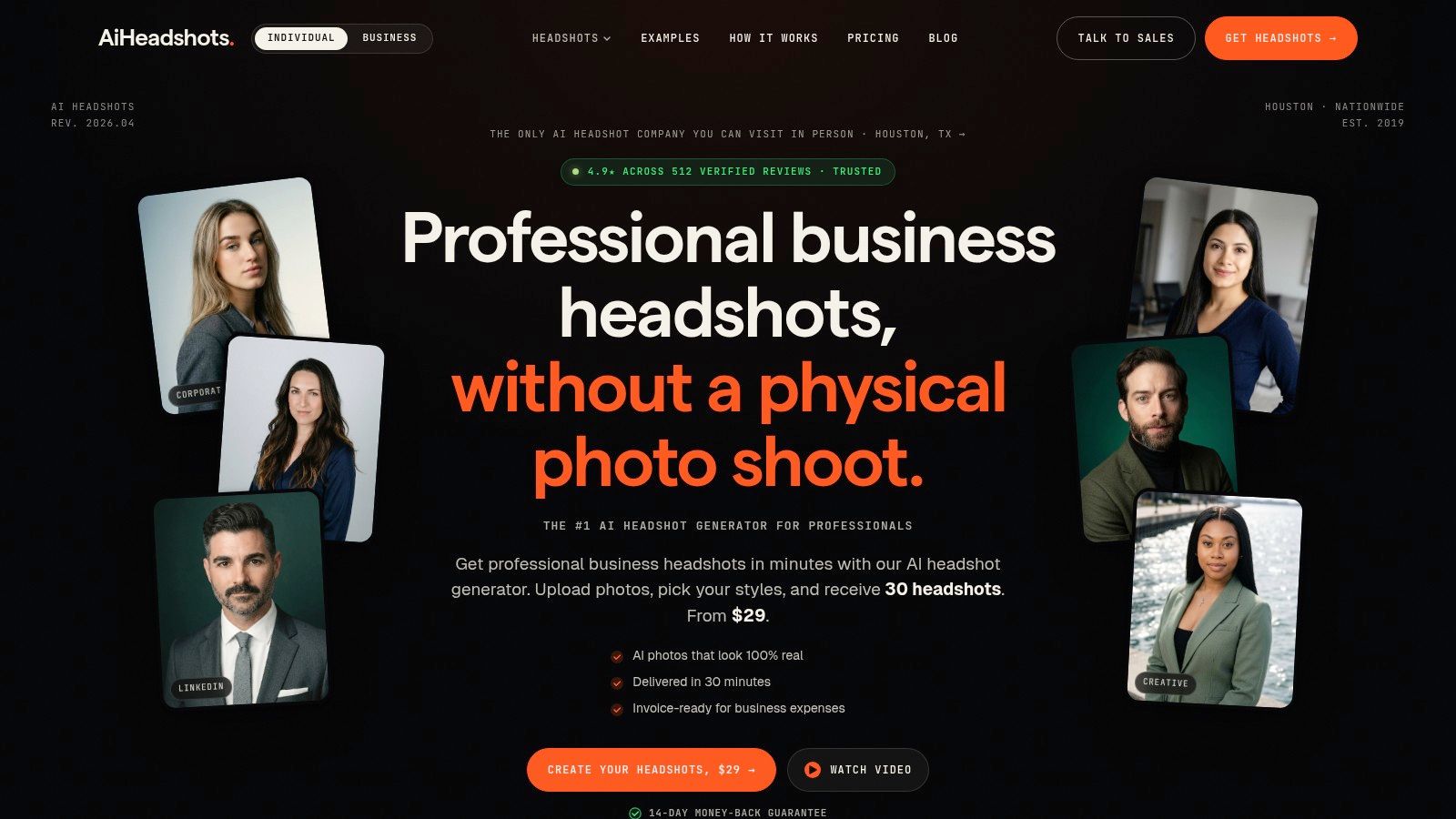
Pricing is unusually accessible against a traditional shoot. Basic costs $29 for 30 headshots across 3 styles. Professional costs $39 for 50 headshots across 5 styles. Executive costs $59 for 70 headshots across 7 styles. Teams receive volume pricing at 10+ seats, priced at $22–29 per seat. Packs include commercial and ownership rights, and billing is invoice-ready for business expenses. Review the current options on the AiHeadshots pricing page.
Why the photographer heritage matters
Full AI photoshoots often fail in recognizable ways. The face changes between outputs, the eyes look overprocessed, or the lighting doesn't belong to the background. AiHeadshots focuses on consistency across looks, with options for corporate, creative, casual, black and white, outdoor, and other professional contexts.
It also suits teams that need a consistent visual standard without bringing every employee into one location. Admin tools, brand customization, API and integration options, and volume workflows make it practical for HR and marketing teams. The product has served 30,000+ customers, delivered 255,000+ headshots, and carries a 4.9-star rating. Those figures are published by AiHeadshots through its product materials and customer-facing channels, including the AiHeadshots examples and reviews.
Practical rule: Use the portrait that still looks like you on a video call. Photographic polish helps. Identity drift hurts.
The trade-off is input quality. Weak, repetitive selfies limit the available visual information, so submit varied images with clean light and a clear view of your face. AI-generated portraits also aren't the right replacement for a bespoke on-location session or a highly editorial commission. AiHeadshots reduces that risk with free regenerations and a 100% money-back guarantee within 14 days. Input data is retained for 7 days, generated outputs for 30 days, and billing data for 90 days, according to the product's published data policy.
For photographers who manage clients alongside production, Studio Pod's heritage also informs the business side. A photographer client management tool can handle the surrounding workflow, but the portrait itself still depends on image judgment.
2. Try It On AI
Try It On AI is a practical option for people who prioritize speed and a simple consumer workflow. Its Express AI headshots flow delivers results in about 3 minutes, making it useful when a profile needs a fast refresh rather than a carefully directed portrait session.
The service also offers a Corporate Teams product for standardized employee imagery. That distinction matters for organizations. A team page looks more deliberate when headshots share a similar framing, background treatment, and level of polish. Try It On AI supports that use case with corporate workflows and style selection rather than treating every user as an isolated individual.
The product includes an optional AI image editor and human edit requests. Those options are useful when the first batch gets the overall identity right but needs a more specific adjustment. An editor can be preferable to generating an entirely new portrait when the issue is a small detail, such as background treatment or a distracting wardrobe element.
A fast result is useful only if the face remains recognizable and the lighting feels physically plausible.
Try It On AI is a good fit for a one-off LinkedIn update, a recruiting team with a common visual standard, or a company rolling out profiles across several offices. Its transparent published pricing for individuals and teams makes initial comparison easier. The main trade-off is that advanced studio retouching depends on the selected workflow, and the final quality still depends on the selfies and style instructions you provide. Compare the AiHeadshots and Try It On AI workflows if photography quality and turnaround matter more than the shortest possible generation time.
Visit Try It On AI for the current Express and team options.
3. StudioShot
StudioShot separates itself with clearly defined tiers, making it easier to compare deliverables before choosing a plan. Its packages provide 40–120 images, 1–3 styles, included retouches, and stated delivery targets ranging from under 3 hours to under 1 hour, depending on the selected tier.
That structure suits professionals who want a larger batch of usable looks rather than one carefully selected portrait. An attorney may want a conservative studio frame for LinkedIn, a warmer version for a firm biography, and a slightly more relaxed image for speaking materials. A recruiter or consultant may value the same flexibility for different audiences.
Included retouches are a meaningful advantage. AI-generated portraits often need detail review around hair, glasses, jewelry, skin texture, and clothing edges. A service that includes a defined number of retouches gives you a clearer correction path than one that treats every issue as a new generation.
StudioShot also offers a money-back guarantee. Check the current plan price and delivery terms at checkout, because promotions can change the effective cost. Tiered packaging can also encourage buyers to choose more images and styles than they need.
For a standard LinkedIn profile, the most valuable StudioShot output is the one with strong eye visibility, balanced light, a simple background, and a crop that survives LinkedIn's circular display. LinkedIn recommends a high-resolution image showing only the person, with the face occupying at least 60% of the frame. LinkedIn's profile photo guidance also lists an ideal size range from 400×400 pixels up to 7680×4320 pixels.
Visit StudioShot to review its current tiers.
4. Aragon AI
Aragon AI is built for users who want a recognizable AI headshot provider with straightforward individual and team options. Its appeal is practical. You upload source images, select available attire and background styles, and receive high-resolution portraits within a plan-dependent delivery window.
The service is often considered for LinkedIn profiles, corporate biographies, and company-wide rollouts. Multiple styles help a professional avoid using the same rigid expression everywhere. That matters for people who need one conservative image for a firm website and another more approachable option for social profiles.
Aragon's strengths are speed, simple package choices, and broad suitability for standardized company imagery. Its mobile app availability also supports a more convenient upload process for users who already keep source images on their phones.
The trade-off is control. Plan-defined styles limit how far you can direct the final image, and advanced corrections may require an external editor. Exact prices can also vary with promotions, so confirm the current package before uploading.
Aragon works best when your requirements are clear and conventional. Choose a neutral background, a wardrobe style that matches your role, and an expression that remains natural at thumbnail size. It is less suited to a deliberately editorial portrait where the photographer controls location, gesture, light shaping, and moment-to-moment direction.
Visit Aragon AI for current individual and team plans.
5. HeadshotPro
HeadshotPro is a strong option for companies that treat headshots as a brand standard rather than an individual purchase. Its positioning focuses on LinkedIn, company About pages, and large-team delivery. The service emphasizes likeness, consistency across sets, and business-oriented onboarding.
That focus changes the buying decision. An individual often chooses the most flattering portrait. An HR or marketing team also needs reliable collection, organized delivery, and a visual result that looks coherent across employees. HeadshotPro's team-centric process and large image batches address that operational need.
Multiple styles give each person choice while preserving a shared corporate direction. That is useful for distributed teams where employees submit photos from different locations and under different lighting conditions. A public service status page also gives organizations a direct way to check operational availability.
Pricing isn't always displayed in full before the workflow begins, and pack or team costs can vary by volume. Confirm the current offer before purchase. Creative control is also narrower than a general image editor, so users seeking unusual locations or more expressive art direction should compare photographer-led services.
For teams: Consistency is more than matching backgrounds. Keep crop, head size, light direction, and retouching intensity in the same visual family.
HeadshotPro is a sensible fit for SMBs and larger organizations managing many profiles. It is less compelling if you only need one portrait and care most about a low fixed price. Compare AiHeadshots and HeadshotPro, then visit HeadshotPro for the current team workflow.
6. Dreamwave
Dreamwave puts identity accuracy and data handling near the center of its offer. Its public positioning includes US-based processing, a statement that it doesn't train on customer data, and guidance for glasses, head coverings, and varied skin tones.
Those details matter because a headshot service needs to work across real professional appearances. Glasses can alter reflections and facial proportions. Head coverings affect hair and edge detection. Skin tone needs accurate lighting rather than generic smoothing. A useful service should give users guidance before generation, not ask them to fix avoidable problems afterward.
Dreamwave also offers limited free daily AI headshot spots, enterprise support, and workflows for conferences and organizations. That makes it relevant to teams that need a scalable intake process or want to coordinate portraits around an event.
The main limitation is purchase transparency. Pricing isn't prominently listed on public pages and appears during the flow or through sales. Its refund policy is strict once generation begins, so review the upload guidance first and choose source images carefully.
Dreamwave is a good fit for organizations that prioritize explicit privacy messaging and inclusive preparation guidance. For an individual who wants a fixed, low-cost package and rapid delivery, compare the total price and workflow against AiHeadshots and Dreamwave. Review the current service directly at Dreamwave.
7. Headshots.com
Headshots.com takes an enhancement-first approach. Instead of creating a full set from several selfies, its AI Headshots service starts with a single clear photo and improves the presentation while preserving the original likeness.
That distinction is valuable for people who already have one strong source image. You may like the expression, posture, or facial accuracy in an existing portrait but need a cleaner background, better finish, or more professional presentation. An enhancement workflow keeps the source identity closer to the image you selected than a full synthetic photoshoot.
Headshots.com lets users try the generator for free and pay to download selected final images. Batch downloads and volume options support teams, while the lower commitment suits someone who wants to inspect a result before purchasing.
The limitation follows directly from the workflow. If the original photo is blurry, poorly lit, tightly cropped, or taken from an unflattering angle, enhancement can't supply the same range as a full AI photoshoot or a photographer-led session. Style variation is also narrower because the service works from one principal source image.
This is the best fit for a cautious buyer who values likeness above variety. It also works for a professional who has a recent photo with a genuine expression but needs a more usable background and finish. Visit Headshots.com AI Headshots to test the enhancement-first approach.
Top 7 LinkedIn Headshot Services Comparison
| Product | 🔄 Implementation complexity | ⚡ Speed & resources | ⭐ Expected outcomes | 📊 Ideal use cases | 💡 Key advantages |
|---|---|---|---|---|---|
| AiHeadshots | Low, simple upload flow; team API available | ~30 min delivery; requires ~8–20 varied selfies; packs $29–$59 | Studio-quality, realistic lighting; 30–70 HQ images; commercial rights | Executives, recruiters, HR/marketing, realtors, actors, team rollouts | Photographer-built realism; strong social proof; money-back & free regenerations |
| Try It On AI | Very low, express web flow; optional editor/human edits | Express ~3 minutes; individual & team pricing; optional editor | Polished LinkedIn-ready portraits; human edits for studio-level tweaks | Quick one-offs; standardized company headshots at scale | Very fast turnaround; transparent pricing; human edit option |
| StudioShot | Low–Medium, choose tier and retouch level | Turnaround 1–3 hours down to <1 hour; 40–120 images by tier | Multiple usable looks with included retouches; predictable ETA | Professionals needing multiple looks; time-sensitive needs | Clear deliverables; faster turnarounds; retouches included |
| Aragon AI | Low, simple package flow; mobile app available | Minutes to <1 hour depending on plan; high-res outputs | Consistent identity, high-resolution portraits; limited advanced control | LinkedIn profiles, corporate bios, team rollouts | Fast delivery; straightforward plans; good speed/quality balance |
| HeadshotPro | Medium, team onboarding and batch workflows | Batch/team delivery; multiple styles and large image packs | High likeness accuracy and consistent team photos | SMBs/enterprises standardizing employee imagery | Enterprise features; emphasis on likeness and consistency |
| Dreamwave | Medium, enterprise-focused flow with privacy controls | US-only processing claims; free daily spots; pricing via flow | Inclusive, realistic results with explicit data-handling promises | Organizations prioritizing privacy, inclusion, conferences | Strong privacy stance; guidance for glasses/head coverings |
| Headshots.com (AI Headshots) | Low, enhancement-first from a single photo | Free to try generator; pay to download; batch/volume options | Polished enhancements that retain original likeness | Users preferring subtle improvements; teams with volume needs | Try-before-you-buy; preserves likeness; low barrier to entry |
Choose the portrait you can use everywhere
The right choice depends on the image you need, not the tool with the most generated files. Choose AiHeadshots for a fast, affordable set of studio-style options. Choose an enhancement-first service when preserving one strong source image matters more than creating several new looks. Choose a photographer when you need bespoke direction, a specific location, or editorial control over light, wardrobe, posing, and expression.
Traditional photography still earns its higher price in the right situation. A photographer can direct you in real time, respond to your expression, and shape the portrait around a location or personal brand. That matters for an executive campaign, an actor's portfolio, a founder's editorial profile, or a creative professional whose image needs more personality than a standard corporate frame.
Profession changes the recommendation. Attorneys and executives generally benefit from conservative lighting, controlled backgrounds, and clothing that communicates authority without looking staged. Recruiters and healthcare professionals usually need an approachable expression, direct eye contact, and soft even light. Actors, realtors, consultants, and creative professionals can use more personality, contextual backgrounds, or a wider range of expressions, provided the image still reads clearly at LinkedIn size.
LinkedIn recommends a high-resolution image with only the person visible and the face occupying at least 60% of the frame. Its headshot guidance also advises avoiding harsh shadows, bright sunlight, and built-in flash. Put distance between the camera and your face, then use moderate zoom or a telephoto perspective to reduce unflattering distortion.
Before uploading your source images, follow this short preparation list:
- Use varied selfies: Submit 10–20 phone selfies with different expressions and angles, while keeping your face visible.
- Choose clean light: Use soft, even light and avoid sunglasses, group photos, heavy shadows, and distracting backgrounds.
- Match the role: Select clothing and a background that fit your profession and the audience you want to reach.
- Check the crop: Review the final image as a small circular LinkedIn profile photo, not only as a large download.
- Keep the likeness honest: Reject any portrait that changes your facial structure, hairline, skin texture, or other recognizable features too aggressively.
The best LinkedIn headshots give viewers a clear, current, credible version of you. They don't need to look theatrical. They need accurate identity, controlled light, a clean crop, and a professional context that feels natural.
Upload 10 selfies, see your first headshot in 30 minutes, $29.
AiHeadshots turns 10–20 phone selfies into 30+ studio-grade LinkedIn headshots in about 30 minutes, with plans starting at $29 and a 14-day money-back guarantee. Choose your professional style, review multiple realistic options, and visit AiHeadshots for a fast portrait refresh built on Studio Pod photographer experience.
